From the first request to the next improvement
See the time-consuming parts
start taking care of themselves.
Follow three connected workflows. Each walkthrough uses actual projx screens with example data.
A connected workflow
A product improvement, without the handoff.
A product lead describes the change. Cenmax AI handles implementation, then projx checks and reviews the pushed code.
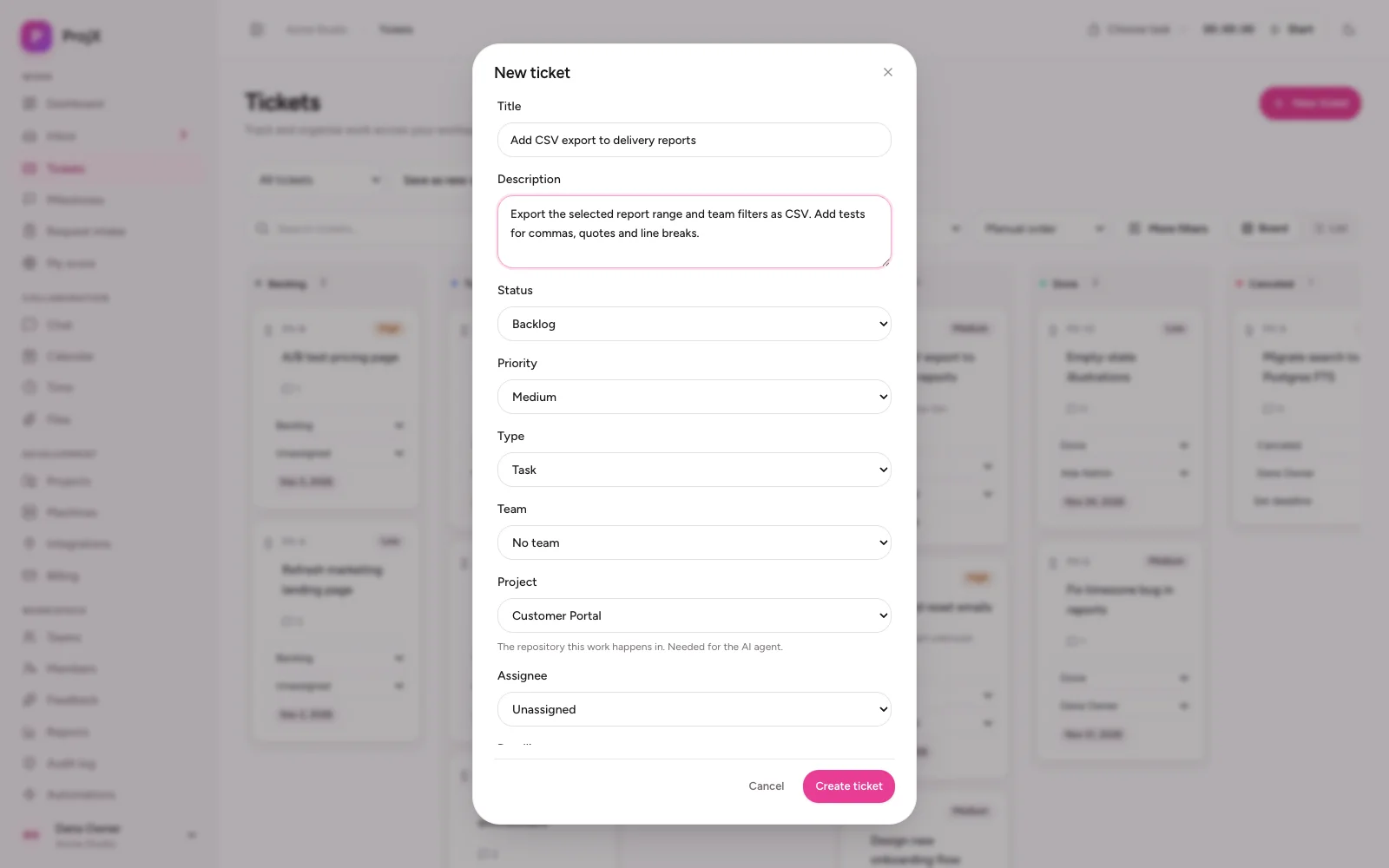
Create a clear member-filed ticket in a project with automatic AI runs enabled.
Actual screens · Example workspace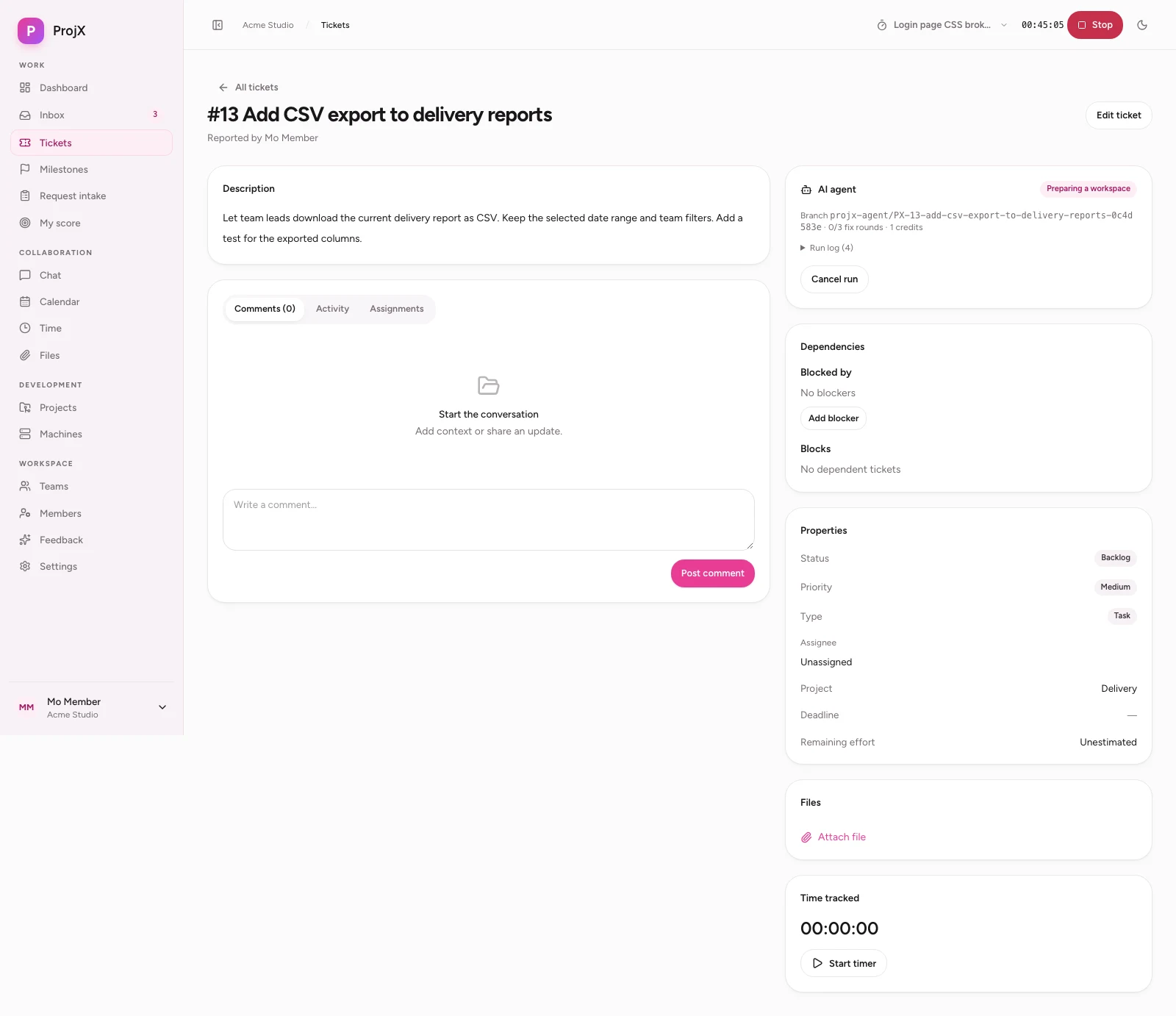
The ticket displays the initial run status. The agent can prepare an isolated workspace and begin implementing the change.
Actual screens · Example workspace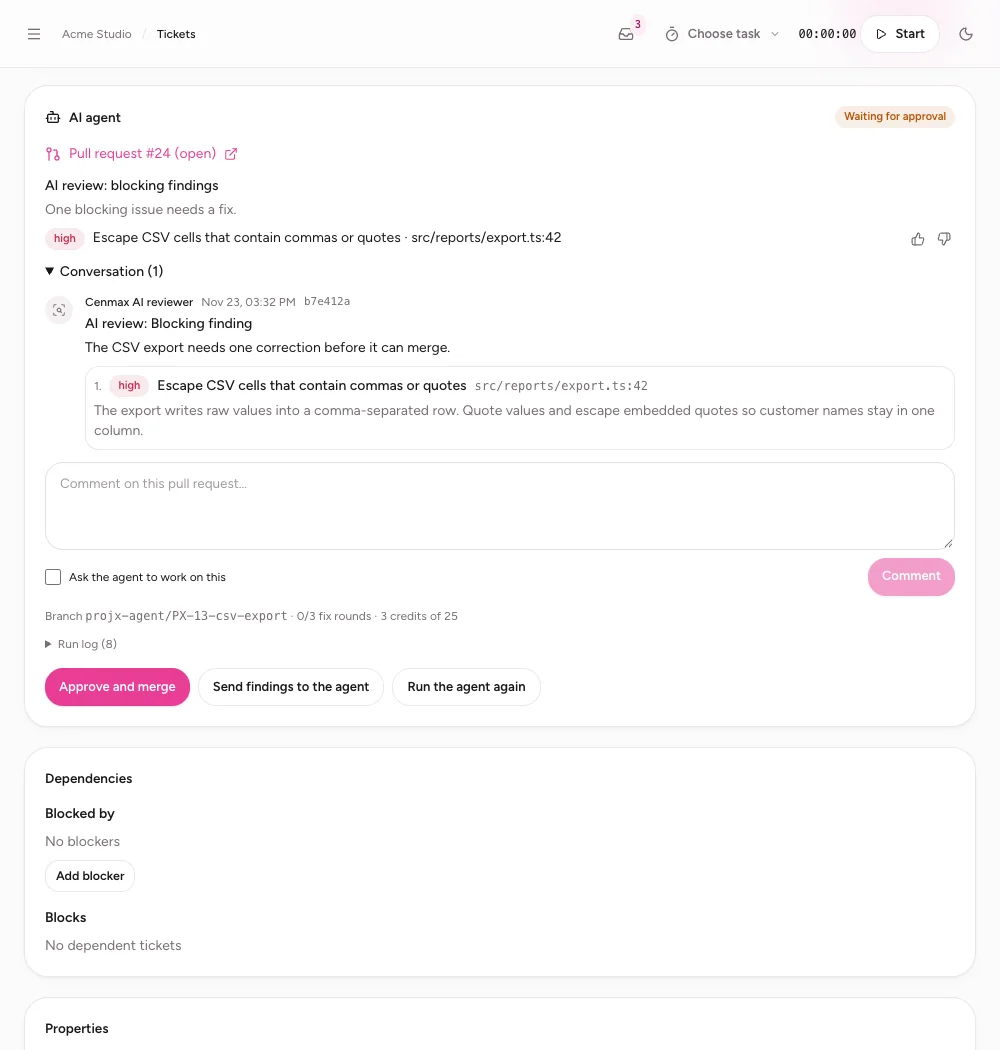
After a commit is pushed and checked, the reviewer identifies a concrete CSV escaping problem beside the pull request conversation.
Actual screens · Example workspace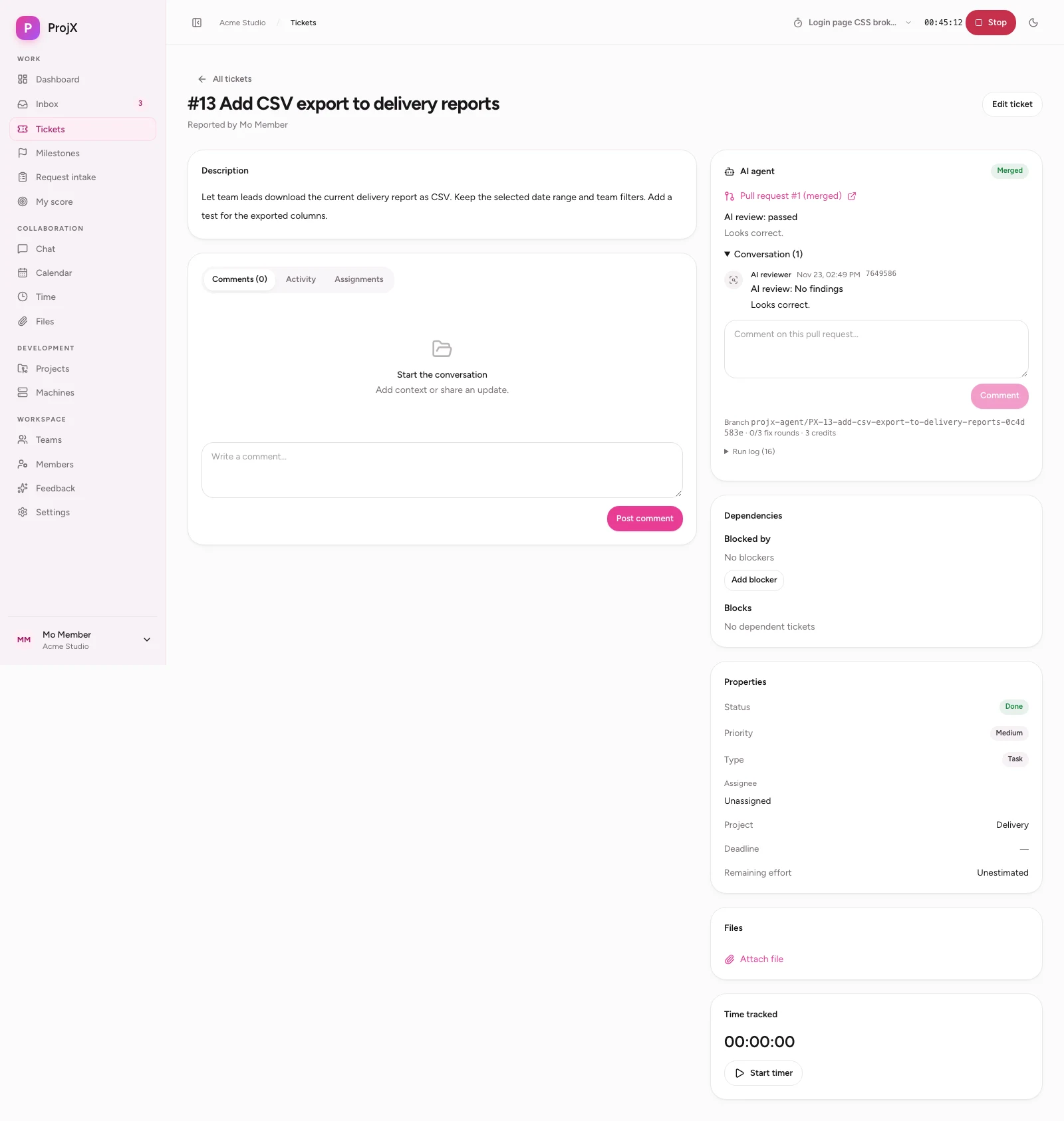
Once corrections and required checks pass, a change can merge automatically under the project’s rules.
Actual screens · Example workspaceA connected workflow
A request becomes a plan everyone can follow.
Follow one CSV-export request from the member’s private form to a shareable delivery ticket and the team’s milestone.
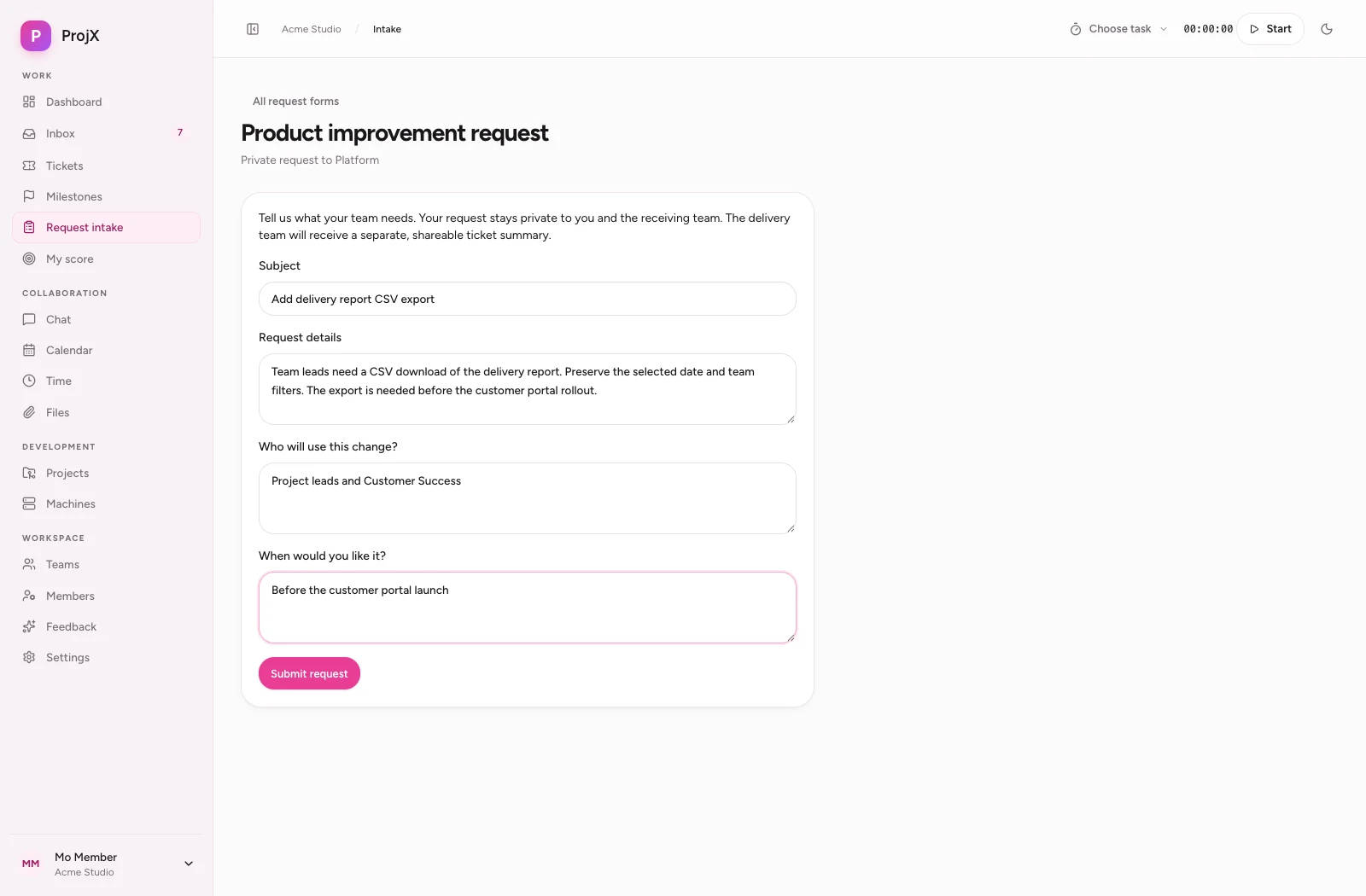
A workspace member asks for a delivery-report CSV export, with the context and answers the receiving team needs.
Actual screens · Example workspace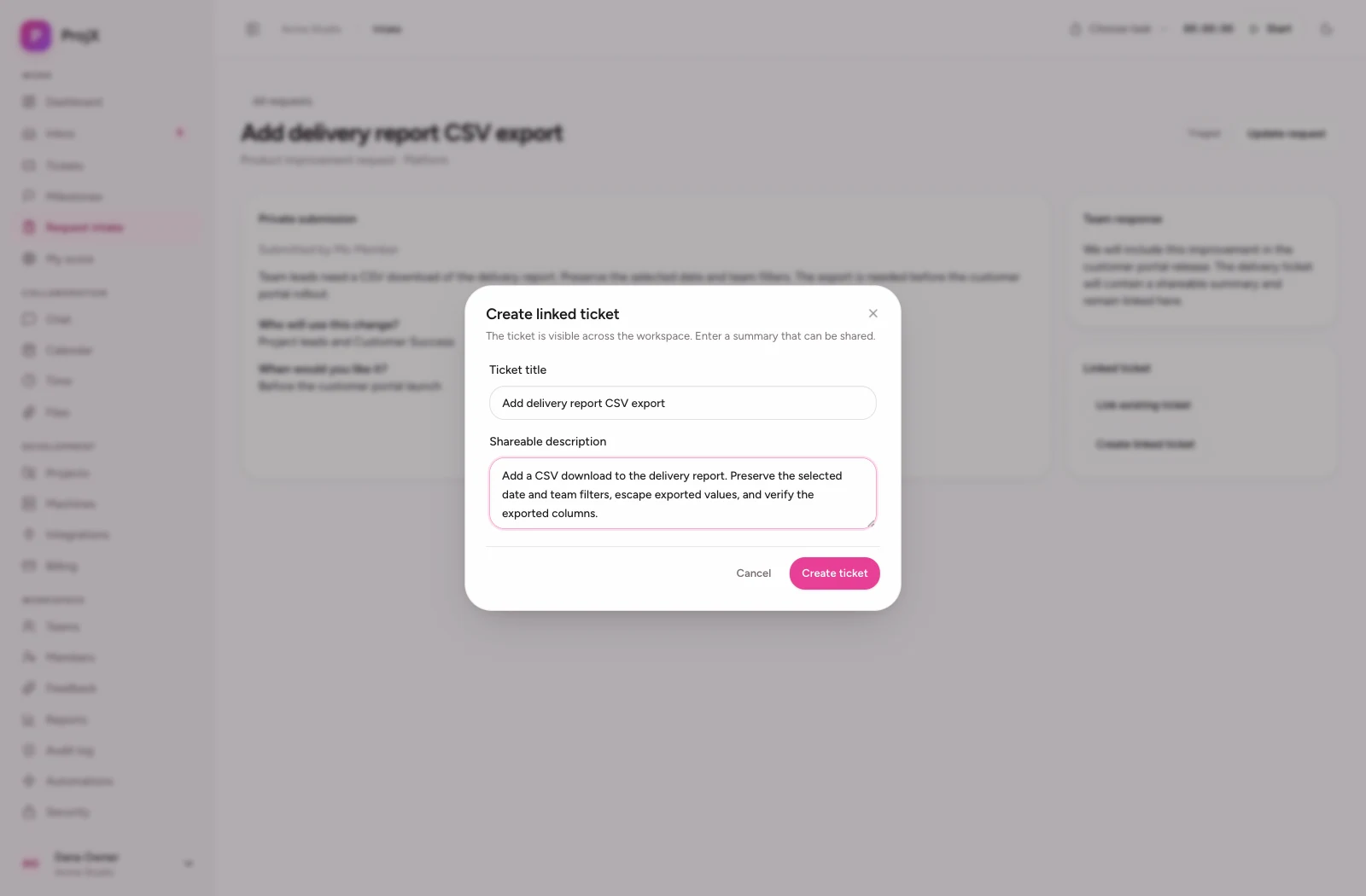
The receiving team triages that request and writes the title and description that should be shared on its linked ticket.
Actual screens · Example workspace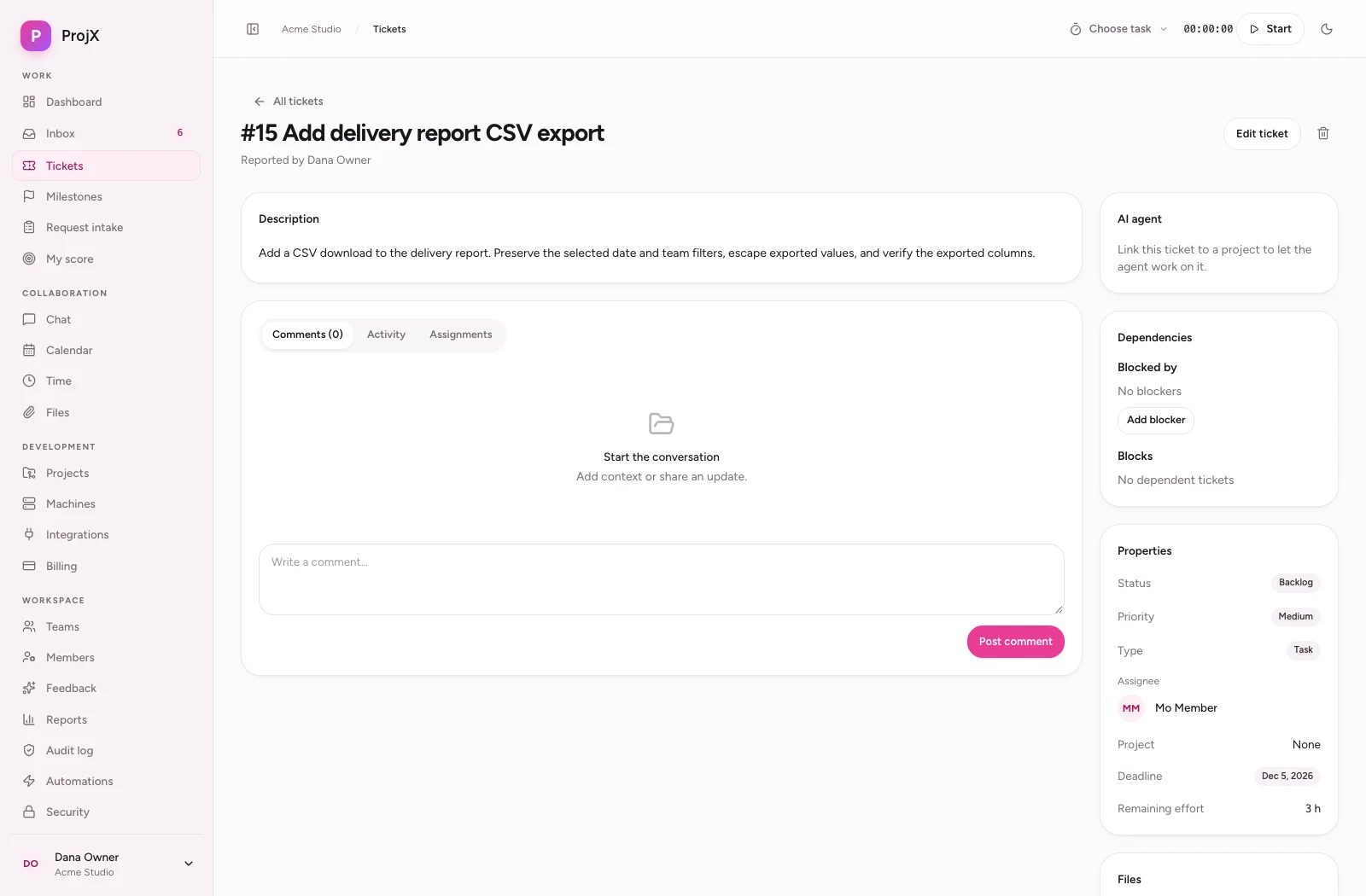
The same CSV-export request becomes a ticket with the shareable summary, an owner, a deadline and an estimate.
Actual screens · Example workspace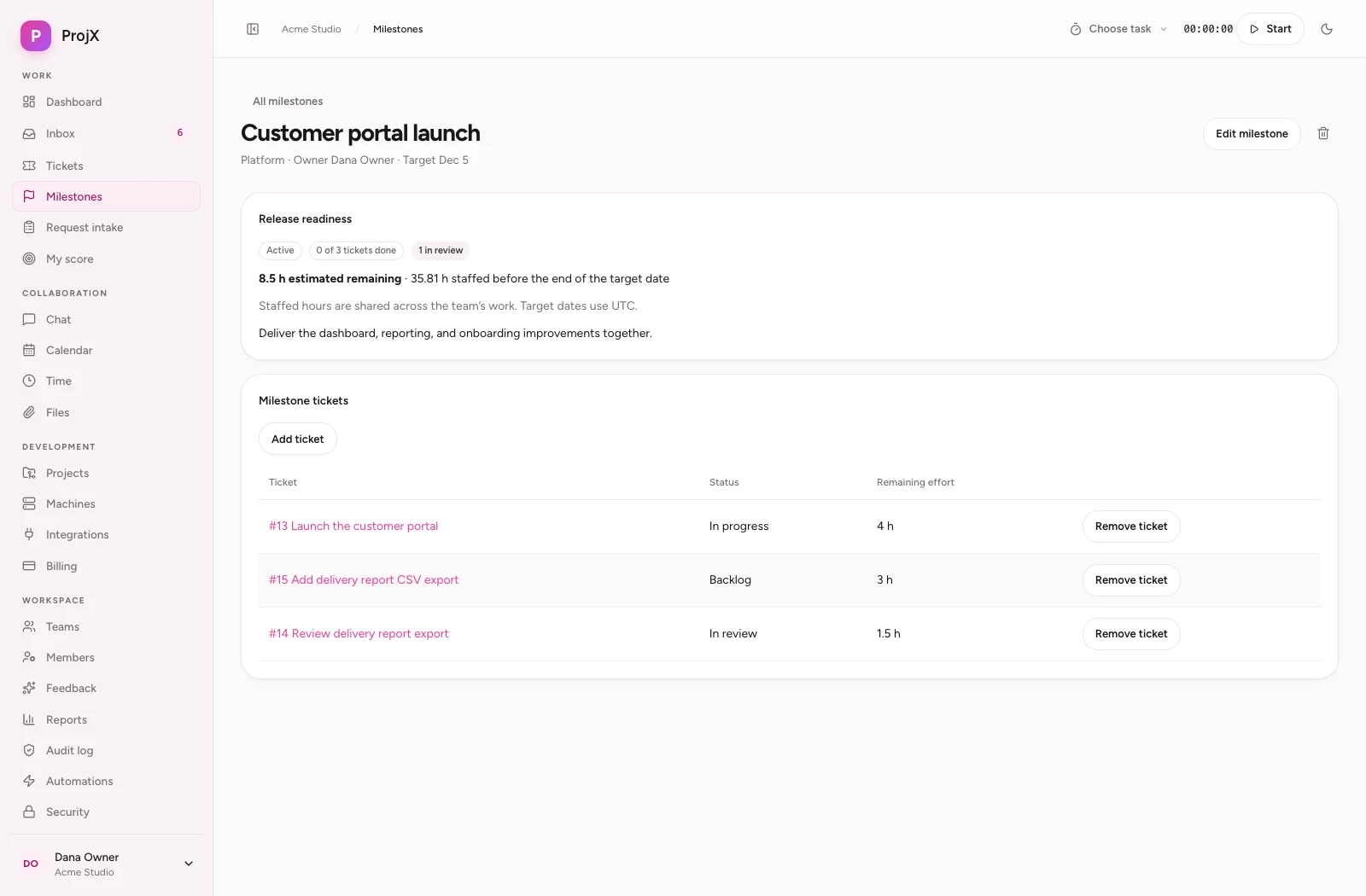
Add that linked ticket to the Customer portal launch milestone so the team can review it alongside the other work for the target.
Actual screens · Example workspaceA connected workflow
A shift ends. The work keeps its context.
Plan coverage, track the work, and pass the next person a clear handoff.
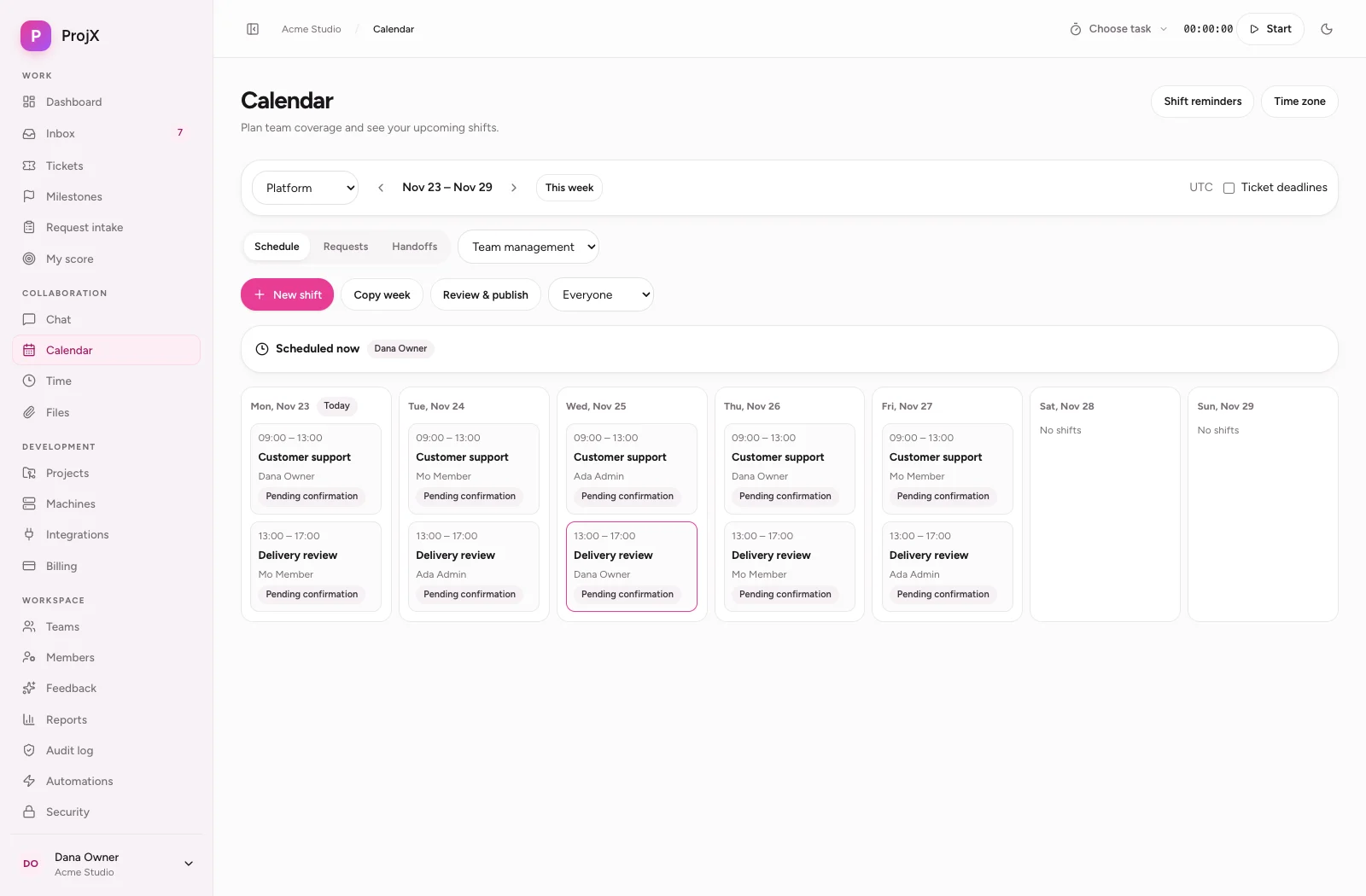
Build the weekly schedule and review the shift cards, including the staff confirmations that are still pending.
Actual screens · Example workspace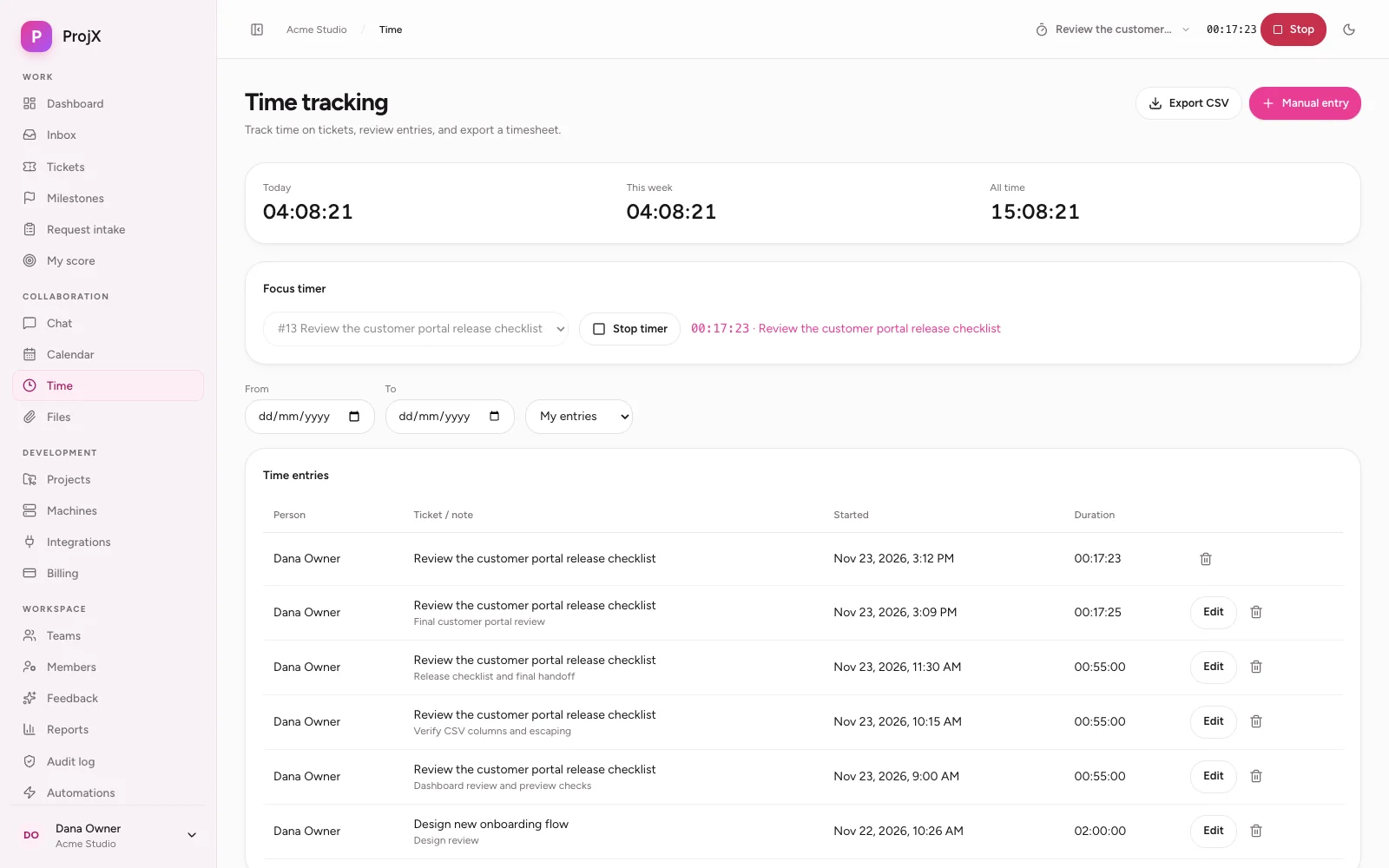
Log time against a ticket with a running timer or a manual entry.
Actual screens · Example workspace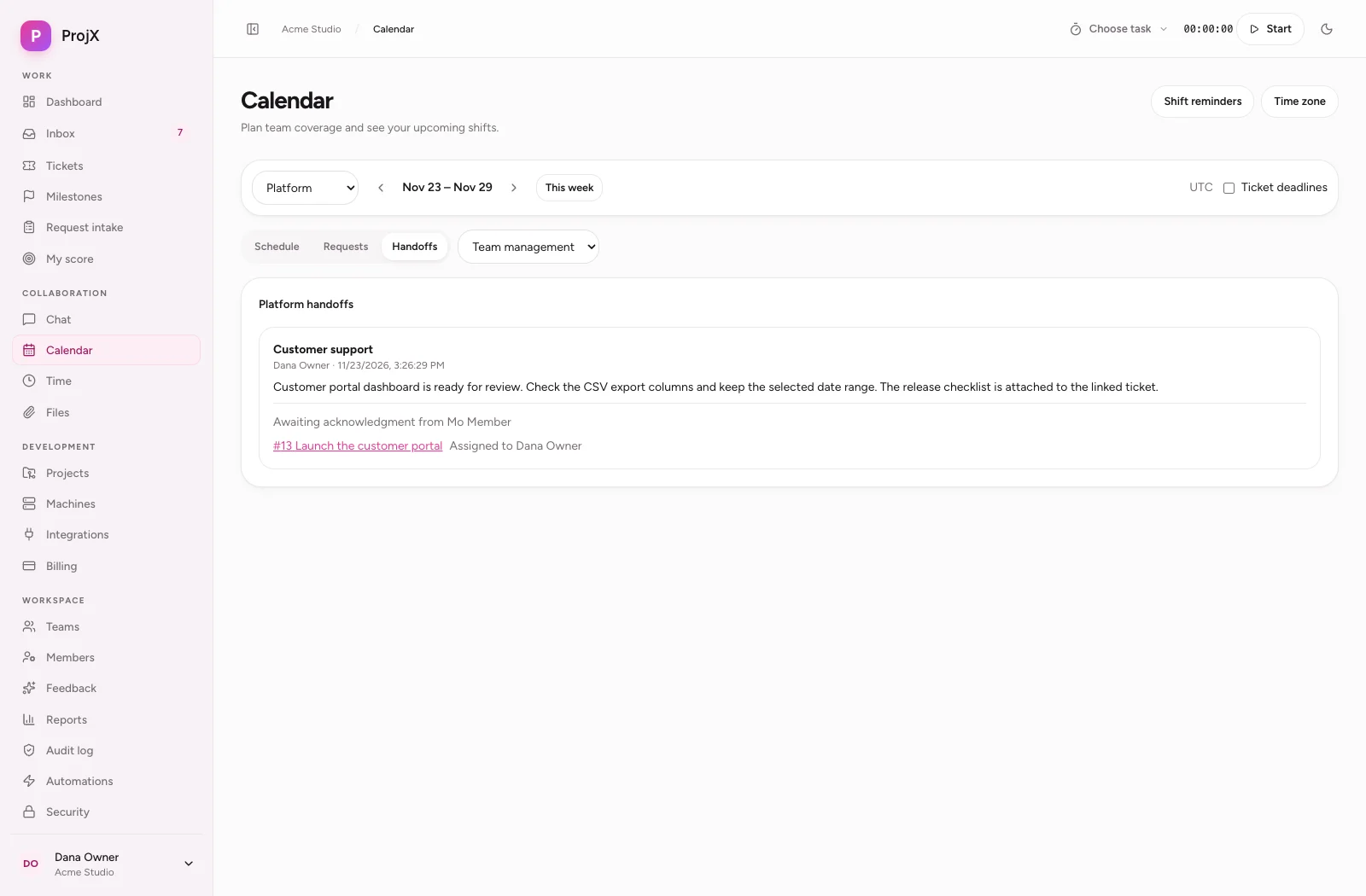
Keep handoff notes, acknowledgements, and follow-up work with the team’s schedule.
Actual screens · Example workspace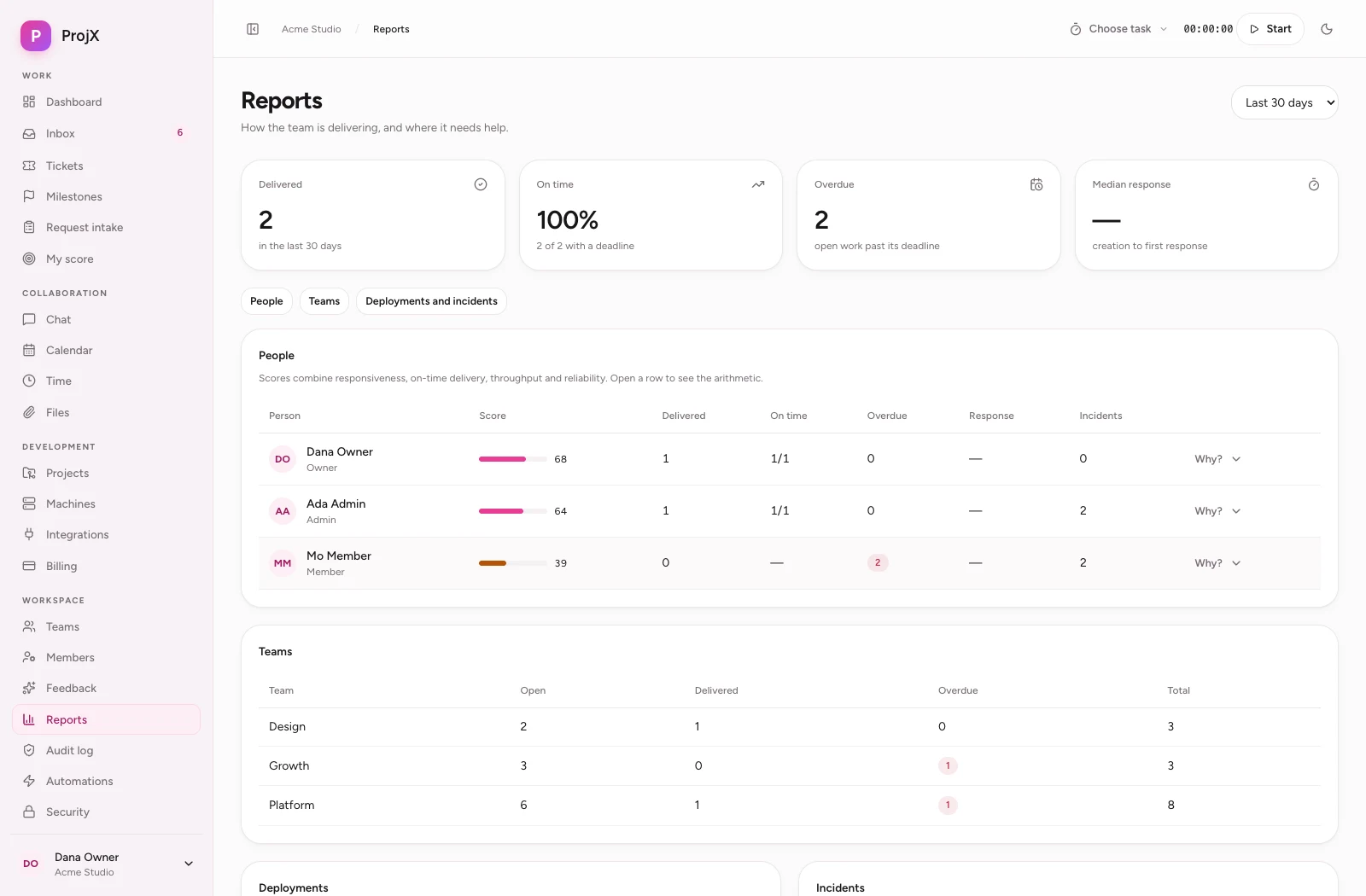
Use delivery, deadline and workload reports to decide what to change next.
Actual screens · Example workspaceYour next step
Start with one task. Connect the rest as you go.
Your team keeps the direction. projx keeps the context and the next step together.