Start from the actual ticket
Let your client read the description and discussion, claim the task and update its status. Avoid copying the brief into a separate chat and back again.
Personal AI clients
Connect the coding assistant you already use to projx. Find and claim work, use your allowed repository or remote workspace, and bring the result back as a pull request.
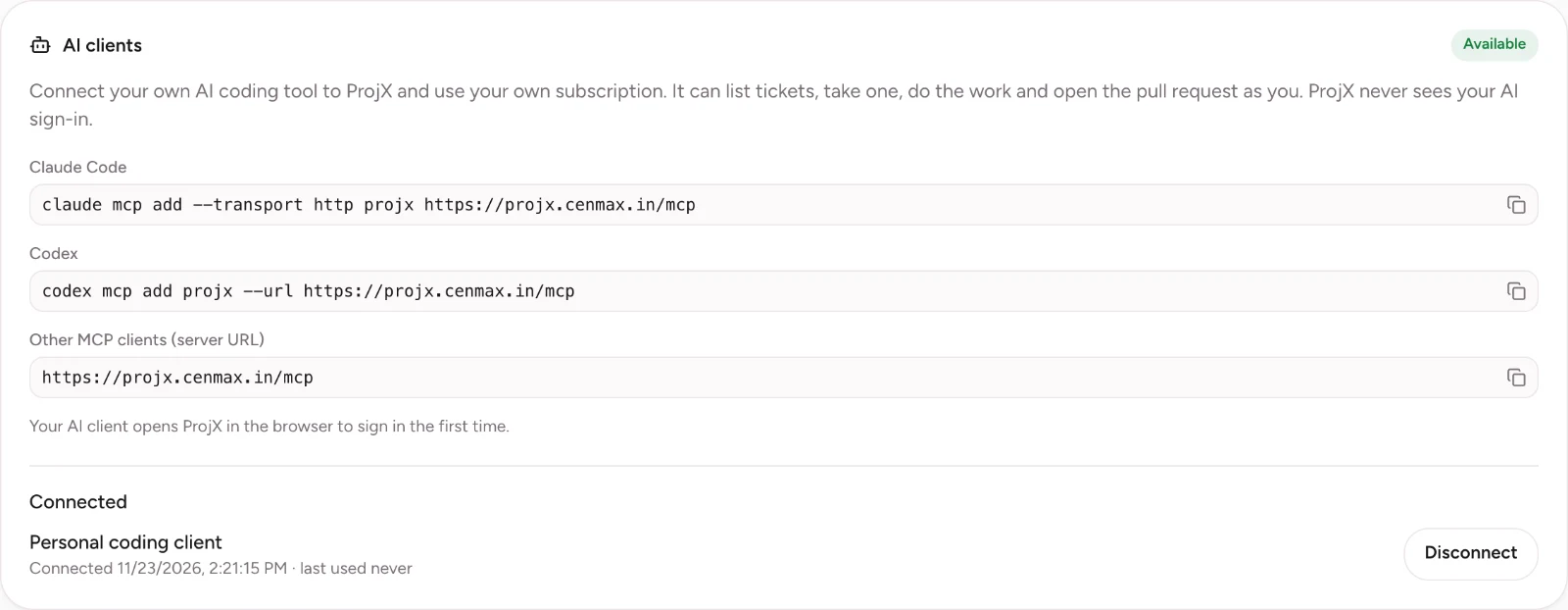
Let your client read the description and discussion, claim the task and update its status. Avoid copying the brief into a separate chat and back again.
Your client keeps its AI sign-in. projx supplies authorized tools and project context, without taking over your AI account.
Open a pull request from the client, move the ticket into review and retrieve projx findings without losing the connection to the original task.
See the work move
Follow a real-screen walkthrough with example workspace data. Explore each step at your own pace.
Account settings provide the setup command and server address for connecting your existing coding client.
Actual screens · Example workspace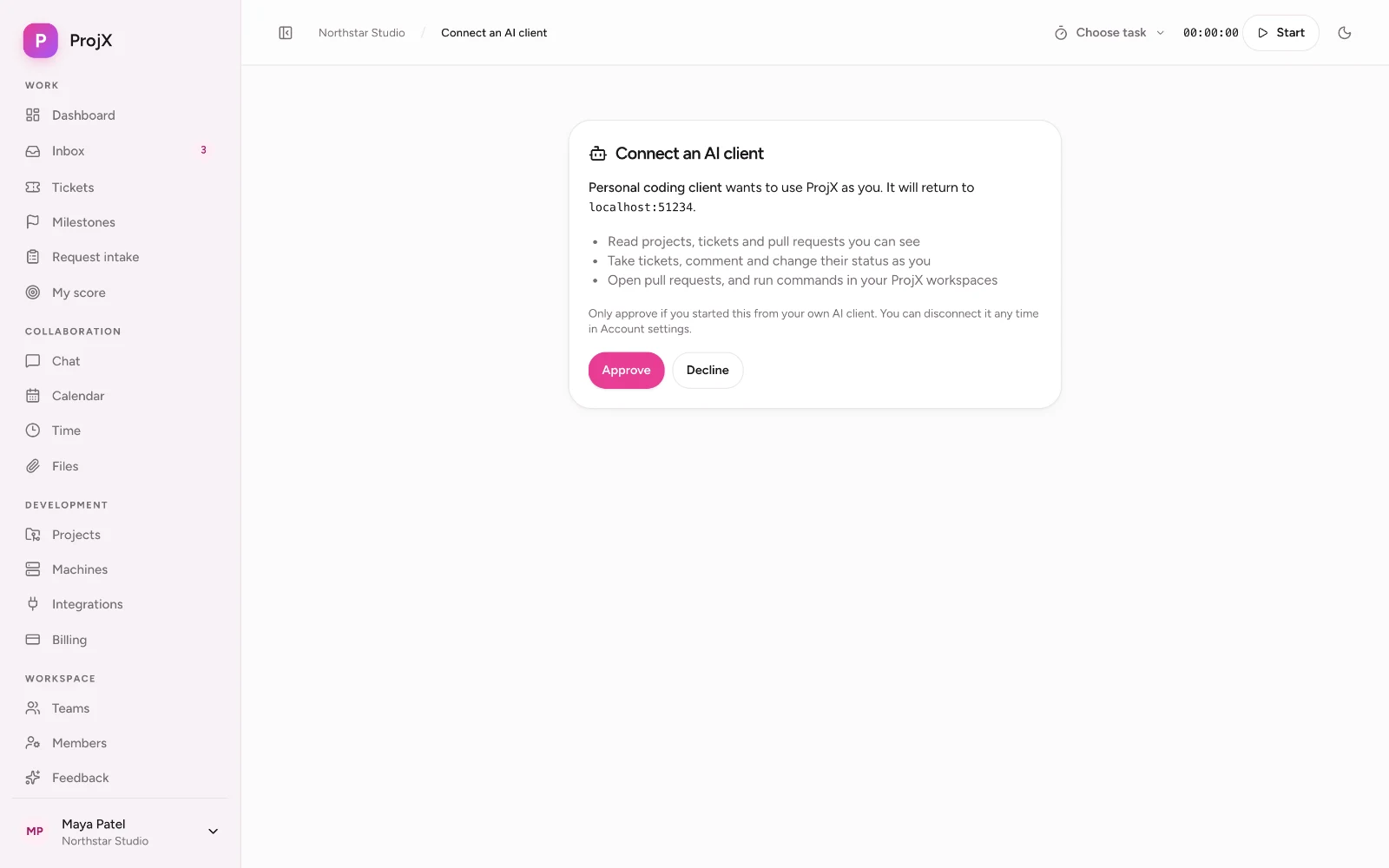
Review the requested access in the browser and approve the client for your workspace. Its tools act with your signed-in permissions.
Actual screens · Example workspace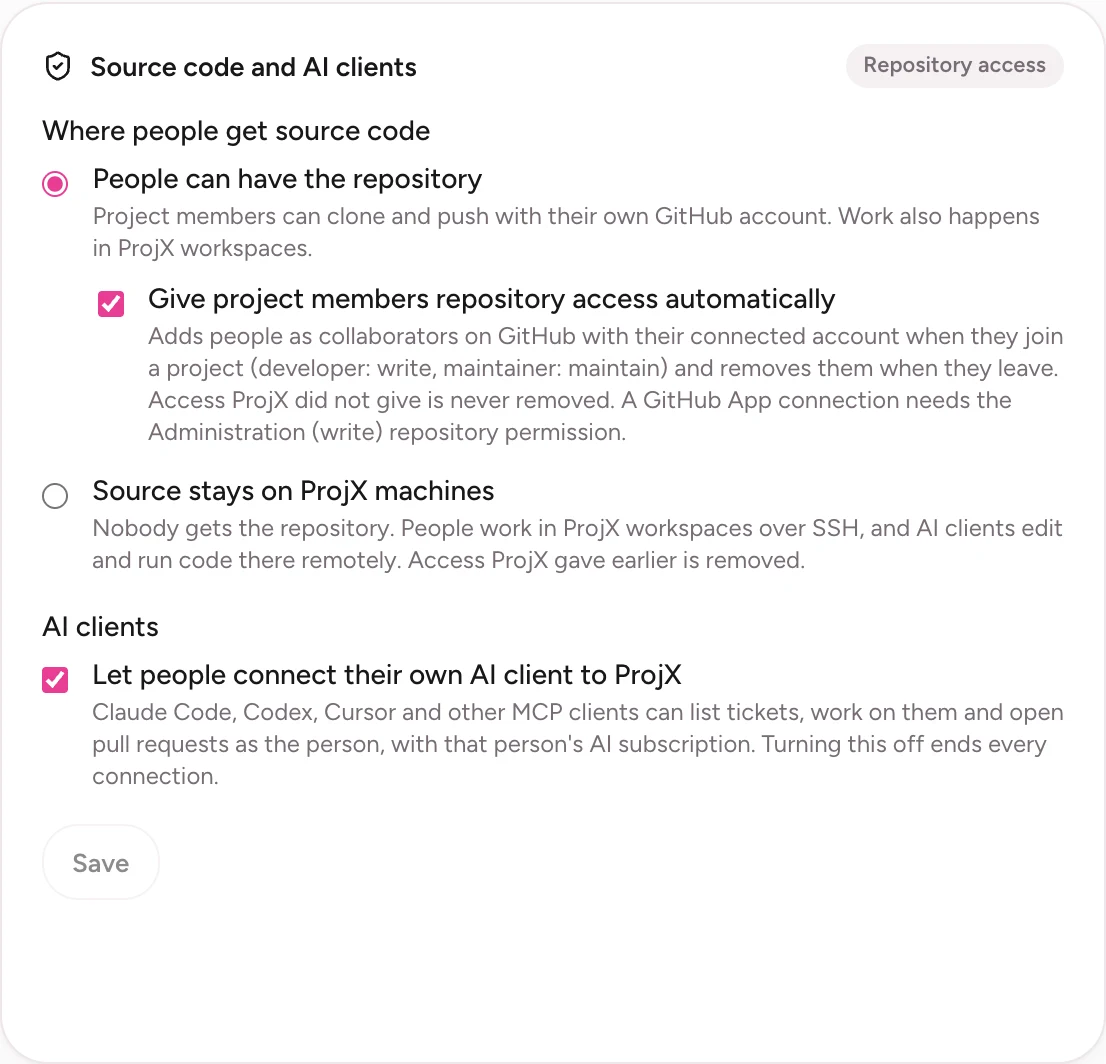
Organization settings define whether clients can use repository access or must keep the working copy on projx machines.
Actual screens · Example workspace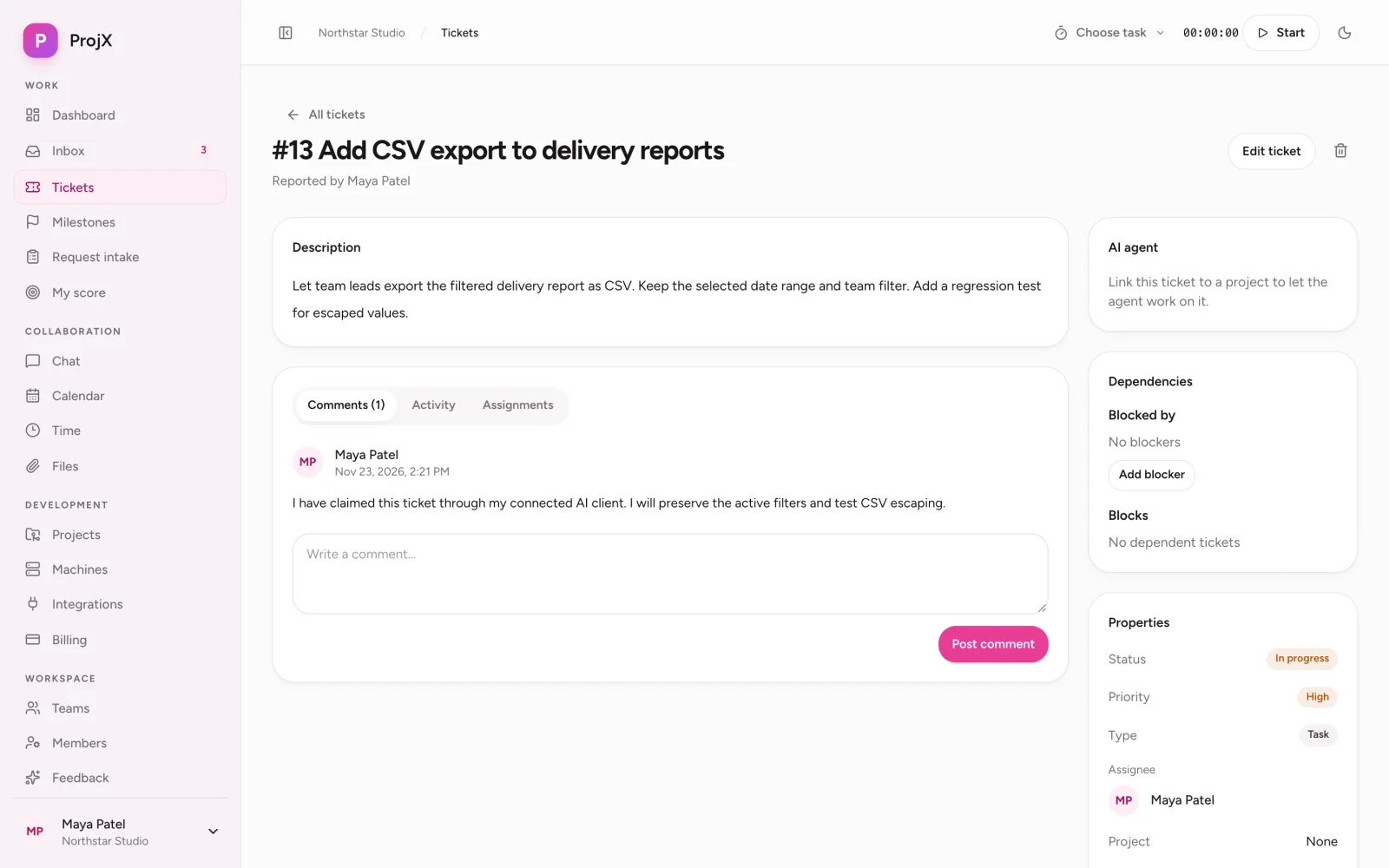
The shared ticket shows an in-progress status and a comment recording the claimed task and intended checks. Your client can update the work without copying the brief into a separate tracker.
Actual screens · Example workspaceBuilt around the next step
Less coordination to manage. More context when you need it.
Client tools act as the signed-in person. Membership, workspace access, account policy and organization rules are checked on requests.
Organization administrators choose repository access or a workflow that keeps the working copy on projx machines.
Account settings list connected clients. End a connection there, and administrators can disable client access across the organization.
Good to know
No. A personal client is a tool you operate with your own AI subscription. Built-in agents use the project's Cenmax AI connection and can run the automatic ticket pipeline.
Account settings provide commands for Claude Code and Codex, plus a server address for other compatible MCP clients. The client must support the connection and browser authorization flow.
No. The client signs into projx to receive access to projx tools. The AI subscription and AI sign-in stay with the client.
Your next step
Connect your preferred client to the workspace your team already shares.