Reduce the first round of questions
A structured form gives the requester a clear place to explain what they need. Your team starts with a submission rather than scattered messages.
Start with enough context
Requests should not arrive as half a chat message. Give people an internal form, let the right team triage the details, and create a ticket from a shareable summary.
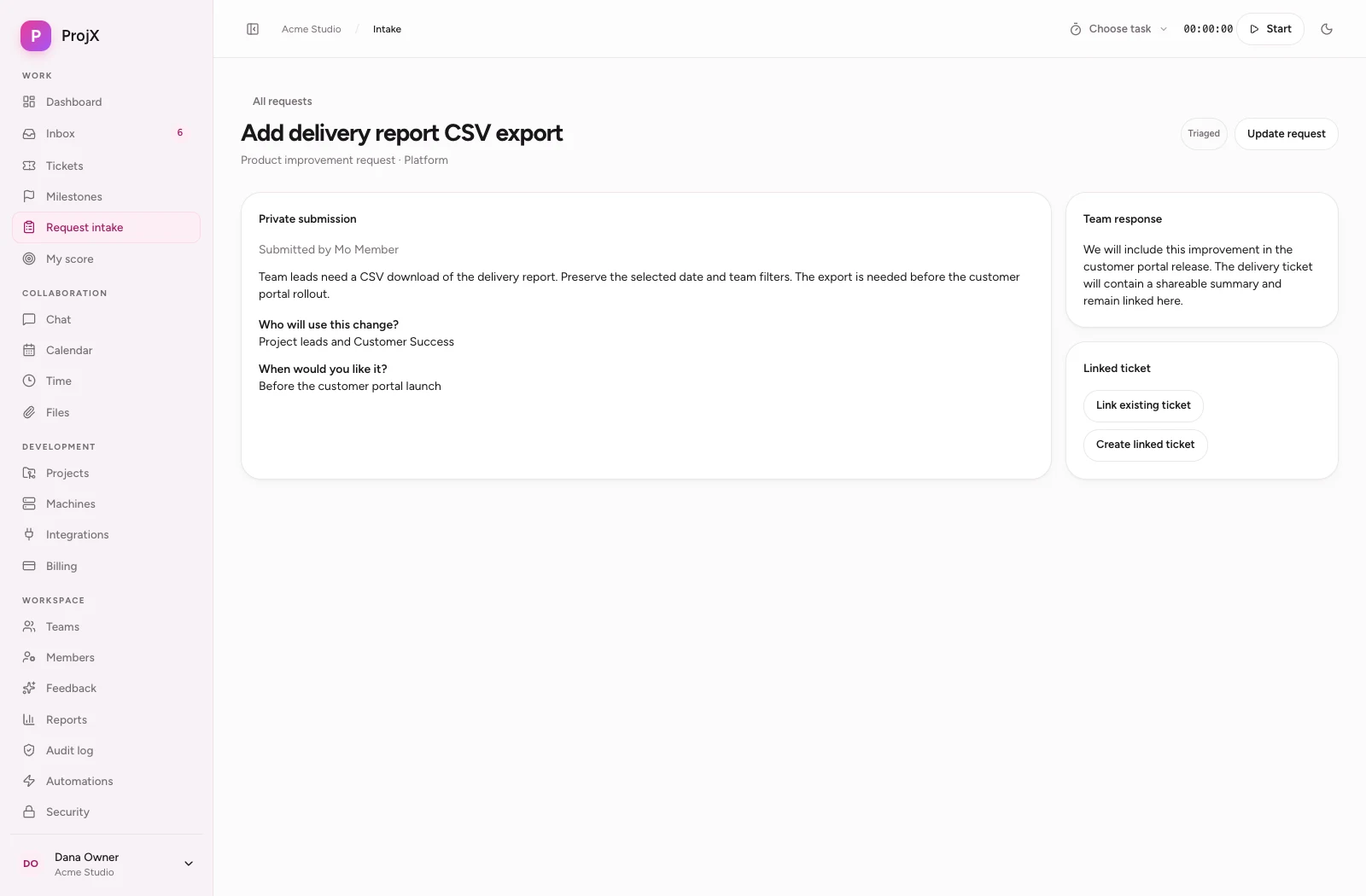
A structured form gives the requester a clear place to explain what they need. Your team starts with a submission rather than scattered messages.
Submissions stay private within their request workflow. A separate summary lets the team create shared work without copying every submitted detail into a ticket.
Requester-visible updates give people a way to follow their request. The triage team can communicate progress without repeating the same update in several places.
See the work move
Follow a real-screen walkthrough with example workspace data. Explore each step at your own pace.
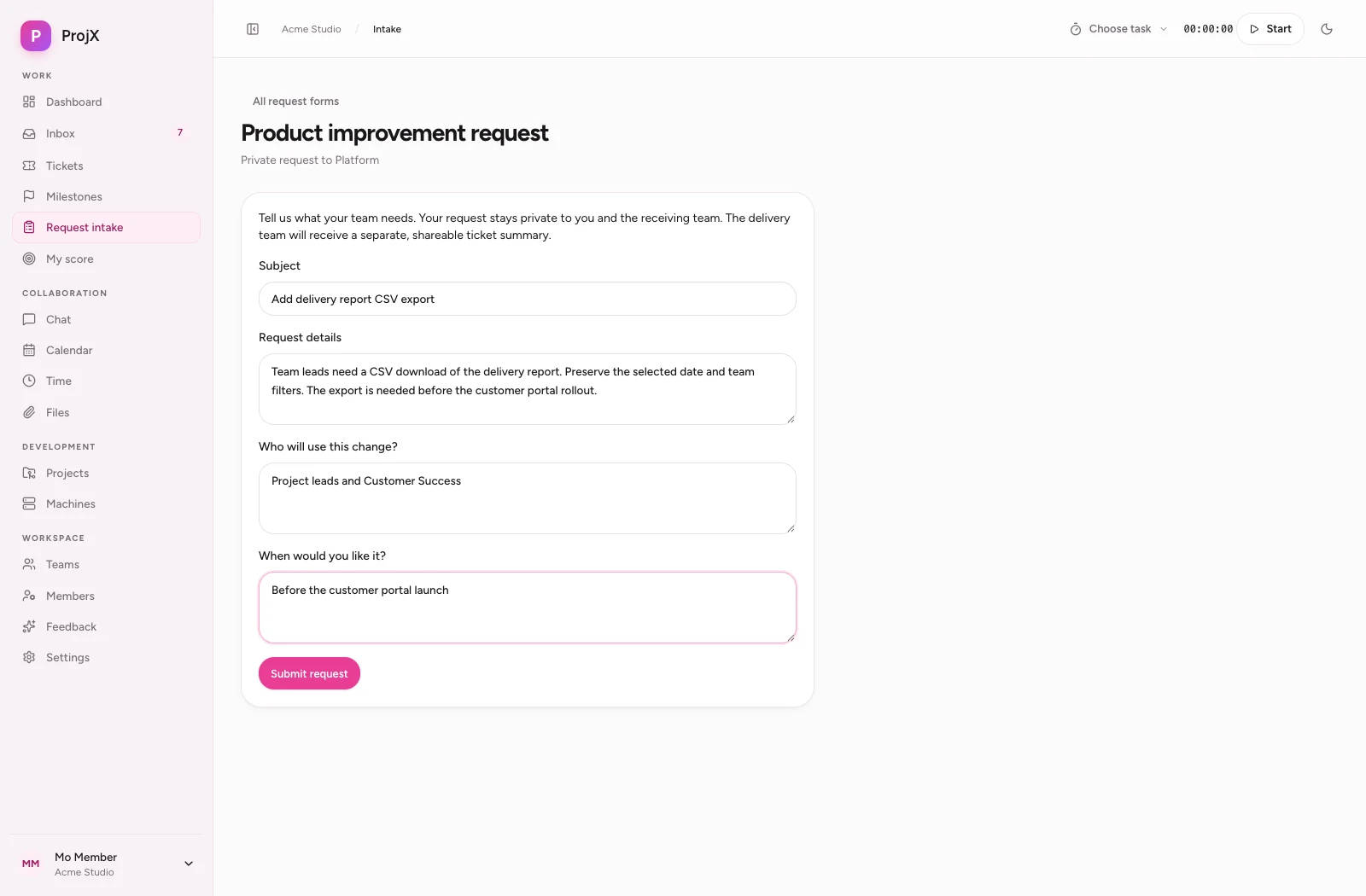
A workspace member fills the product-improvement form with the subject, request details, and the answers the receiving team needs. This example asks for a delivery-report CSV export.
Actual screens · Example workspace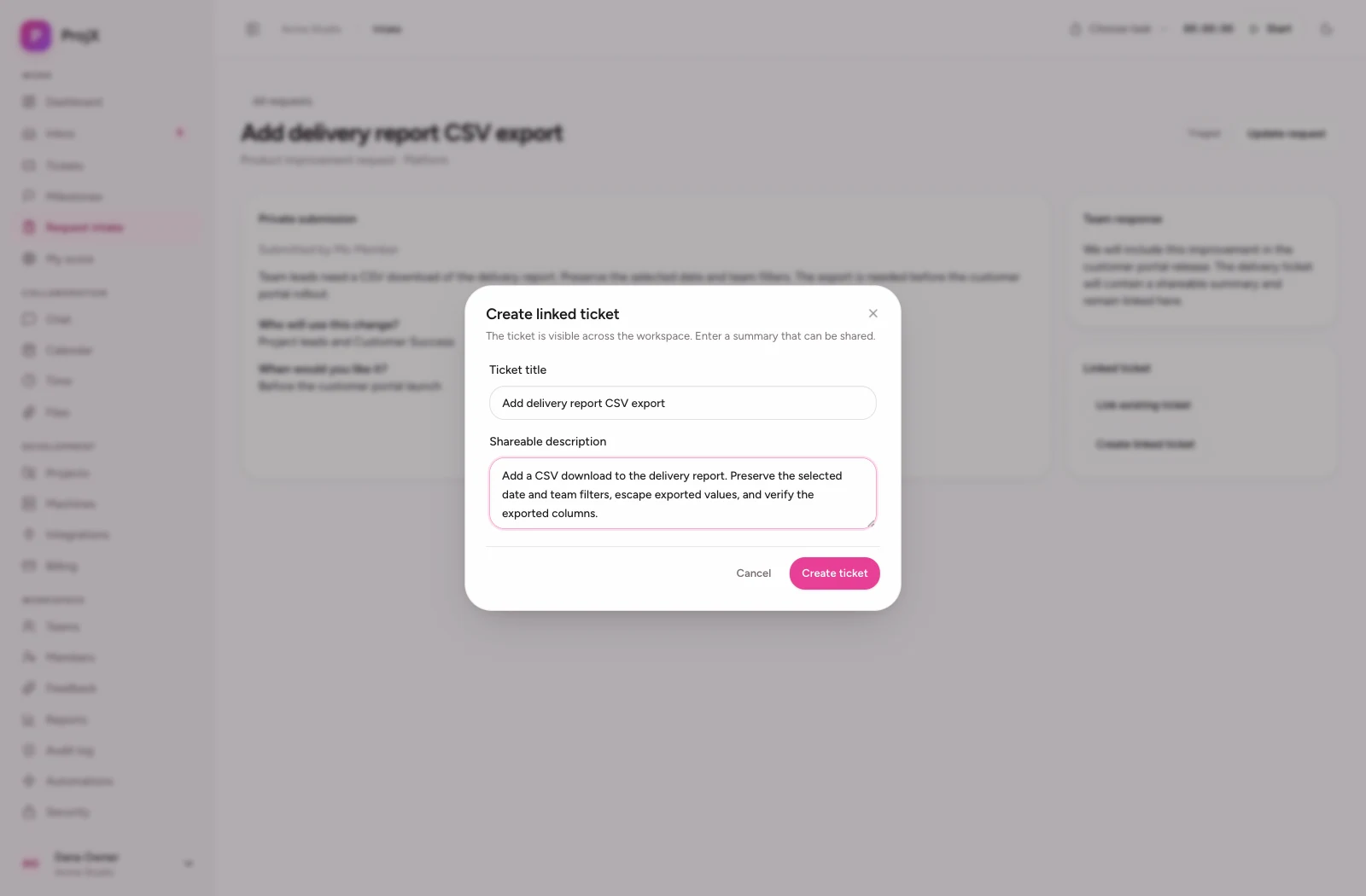
The Platform team triages that submission and writes the delivery summary in Create linked ticket. The form answers stay in the private request; the ticket receives the summary shown here.
Actual screens · Example workspace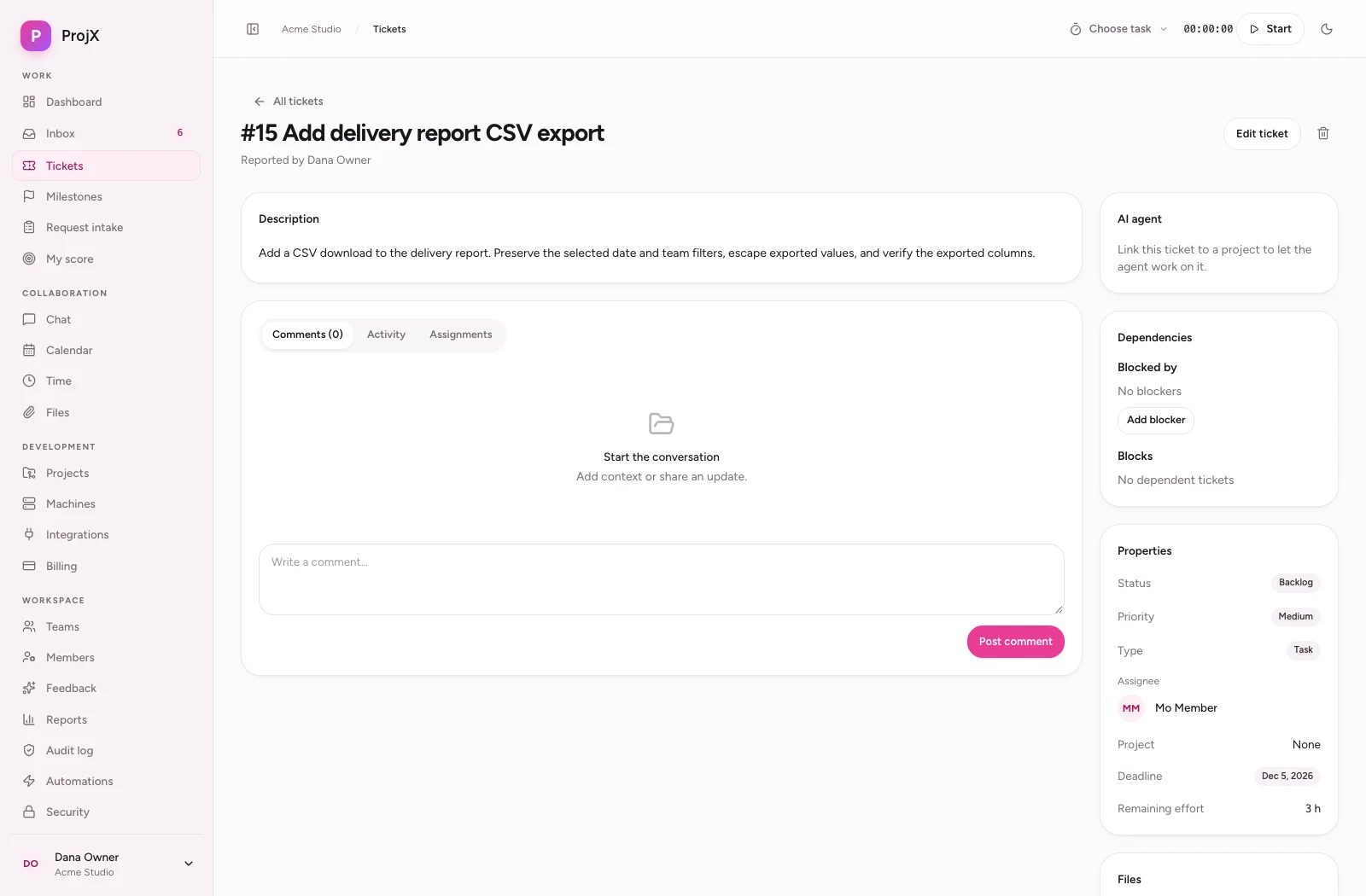
The resulting ticket has the same CSV-export title and the shareable description. Give it an owner, deadline, and estimate while the requester follows updates in the linked intake record.
Actual screens · Example workspaceBuilt around the next step
Less coordination to manage. More context when you need it.
Triage is the point where your team decides what should become work. Submitted details do not have to become a ticket before someone has reviewed them.
The submission answers what the requester needs. The ticket explains what the delivery team will do, with its own owner and next step.
Intake forms are for people in your workspace. For public ideas and votes, use the separate feedback board.
Good to know
These intake forms are workspace-only. The public feedback board is the separate place for external feature ideas.
No. The team creates a ticket from a shareable summary, keeping the private request workflow distinct.
No. Tickets originating from intake do not trigger automatic agent runs. Your team reviews the request before deciding how to handle it.
Your next step
Collect the context, triage it privately and hand over a ticket the team can act on.