Open the right queue
Start with your work, triage, review or at-risk tickets. Saved views remember the filters and layout you use, so you spend less time rebuilding a list.
Less asking for an update
A task should carry its own context. Keep the description, owner, discussion, deadline and linked work together, so your team can act without rebuilding the story.
Start with your work, triage, review or at-risk tickets. Saved views remember the filters and layout you use, so you spend less time rebuilding a list.
Connect dependencies and see what each task is waiting for. The assignee gets an inbox alert when the final open blocker clears.
Comments, attachments and activity stay on the ticket. The next person can understand the request before asking the same questions again.
See the work move
Follow a real-screen walkthrough with example workspace data. Explore each step at your own pace.
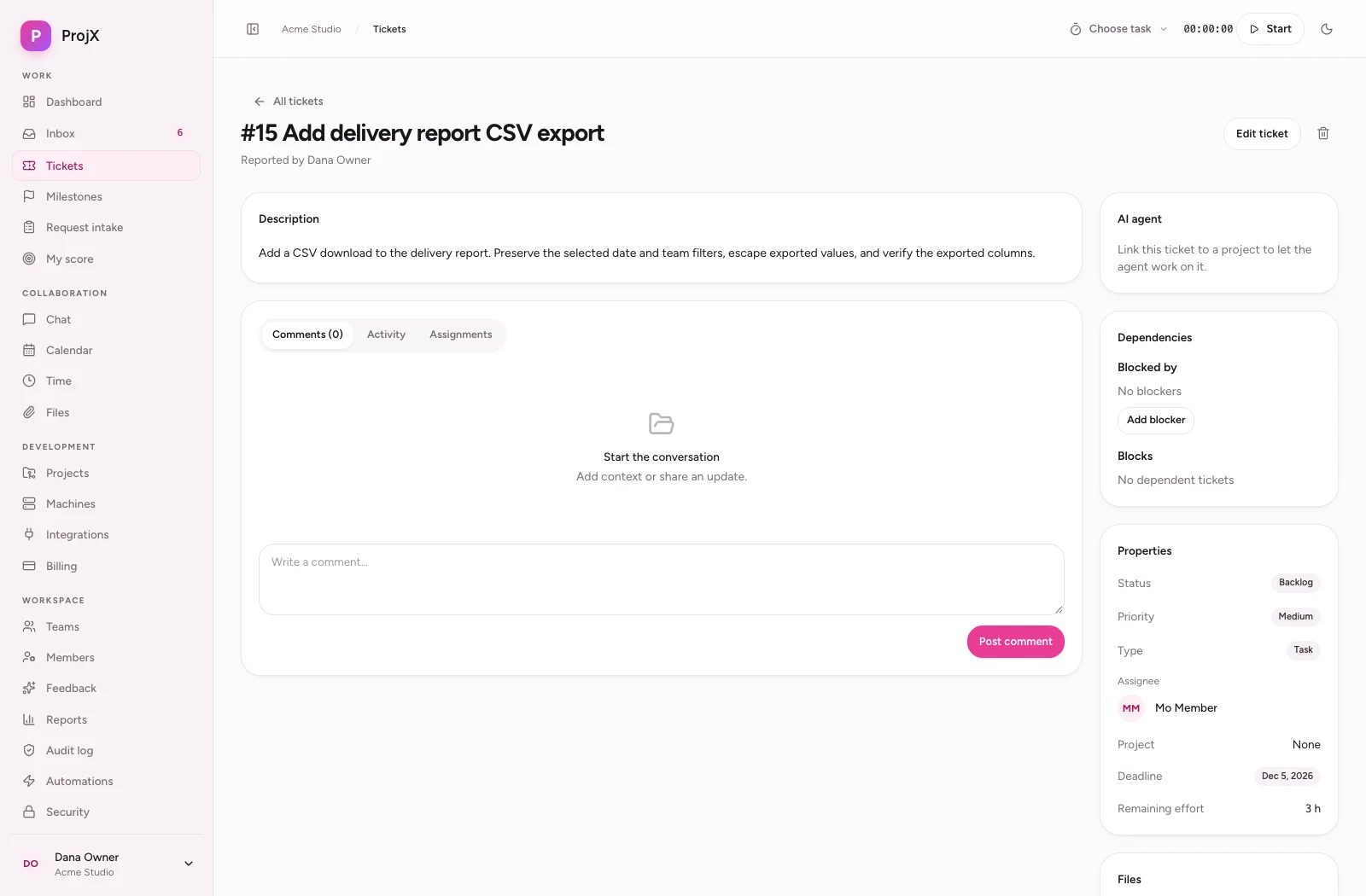
Open the CSV-export ticket created from the request. Its description, assigned owner, deadline, and estimate give the team a useful starting point.
Actual screens · Example workspace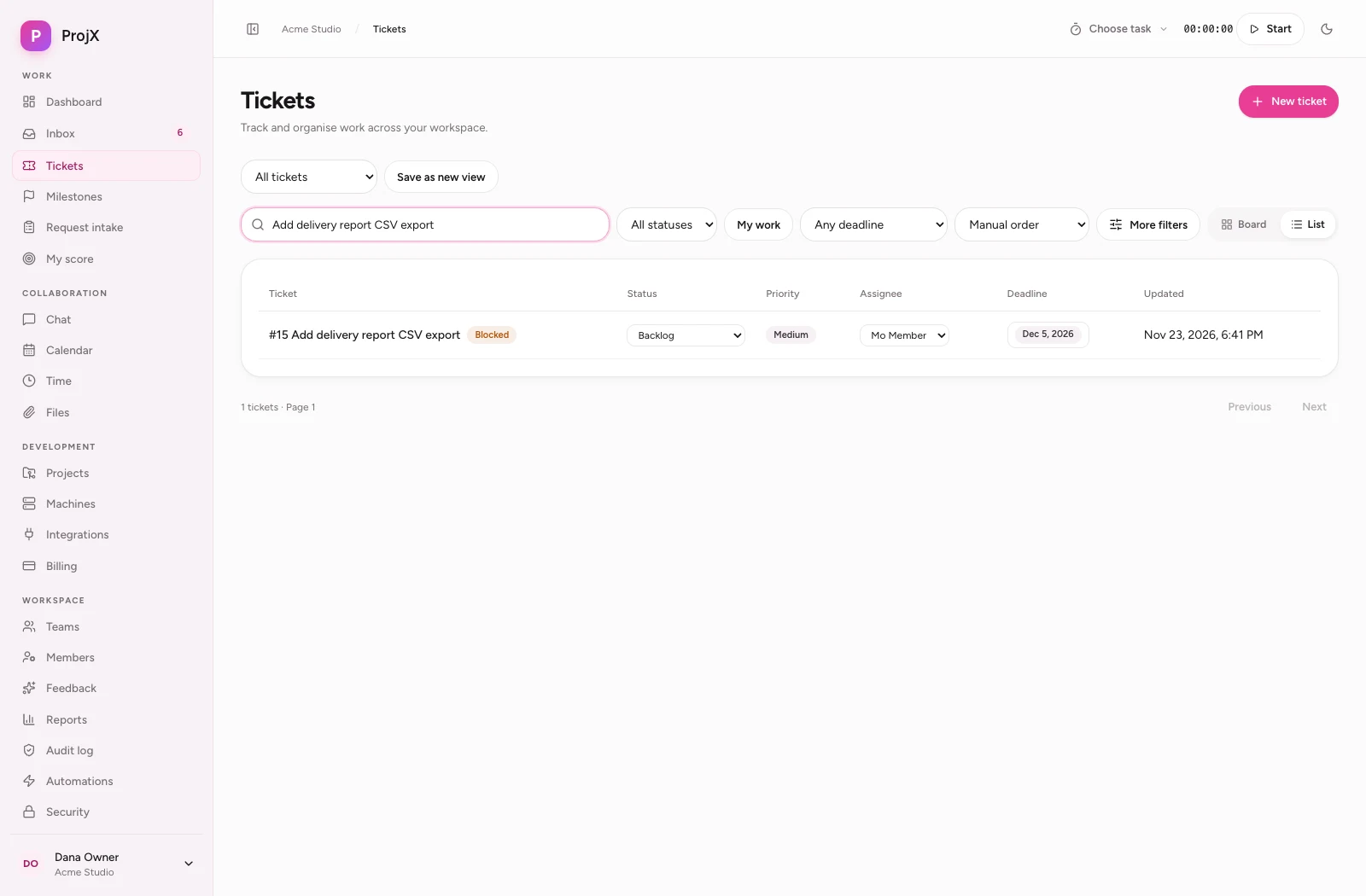
Switch to a list and search for the CSV-export ticket. Keep the status, priority, assignee, and deadline visible while you work through the queue.
Actual screens · Example workspace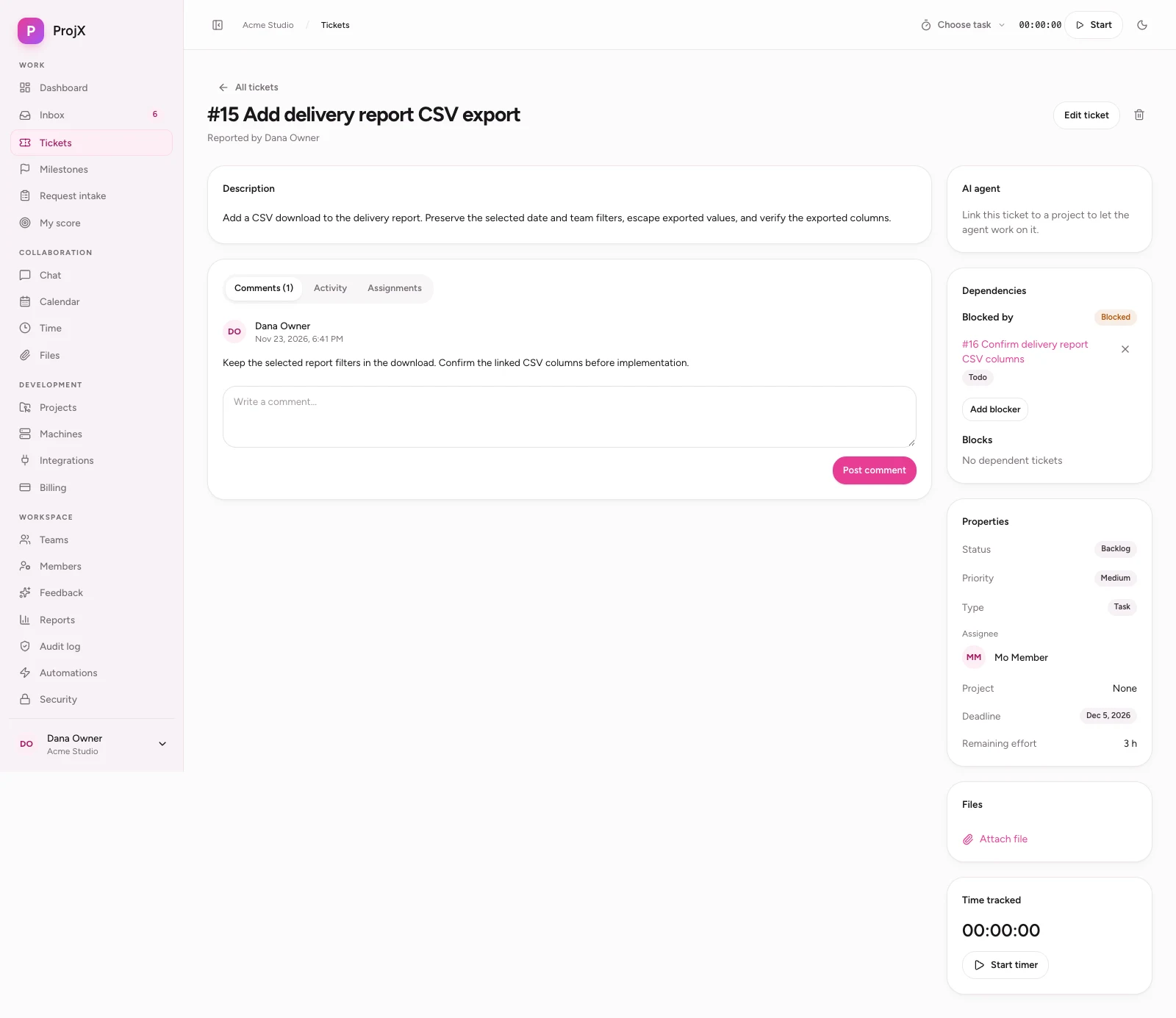
Link the column-confirmation task as a blocker and record the decision in a comment. The same CSV-export ticket now shows what must clear before implementation continues.
Actual screens · Example workspaceBuilt around the next step
Less coordination to manage. More context when you need it.
Keep a personal queue or share a view with your team. A reviewer and a team lead can look at the same work through different filters.
Approaching and overdue deadlines appear across the board, ticket details, dashboard and reports. You can filter the queue before a missed date becomes a surprise.
See comments, assignment history and activity beside the task. You do not have to reconstruct a handoff from separate chat messages.
Good to know
Yes. Tickets support both layouts. You can save the filters, sort order and layout that fit your role.
No. Automatic runs are a project setting for direct member-created tickets. Your team can also keep a manual workflow.
Dependencies update with the linked work. When the final open blocker clears, the dependent ticket’s assignee receives an inbox alert.
Your next step
Put the request and its next step in a ticket your whole team can follow.