Protect the account sign-in
Email verification, password recovery and authenticator-based two-factor authentication give people practical ways to protect and recover their accounts.
Keep access understandable
Manage sign-in protection and workspace access without treating every person the same. Use roles, two-factor authentication and session controls to keep account access visible and manageable.
Email verification, password recovery and authenticator-based two-factor authentication give people practical ways to protect and recover their accounts.
List account sessions and revoke a session or sign out other devices. People have a direct action when an old sign-in should no longer remain active.
Owners can require two-factor authentication for admins or everyone on supported plans. An idle-timeout policy adds a workspace-level limit on inactive sessions.
See the work move
Follow a real-screen walkthrough with example workspace data. Explore each step at your own pace.
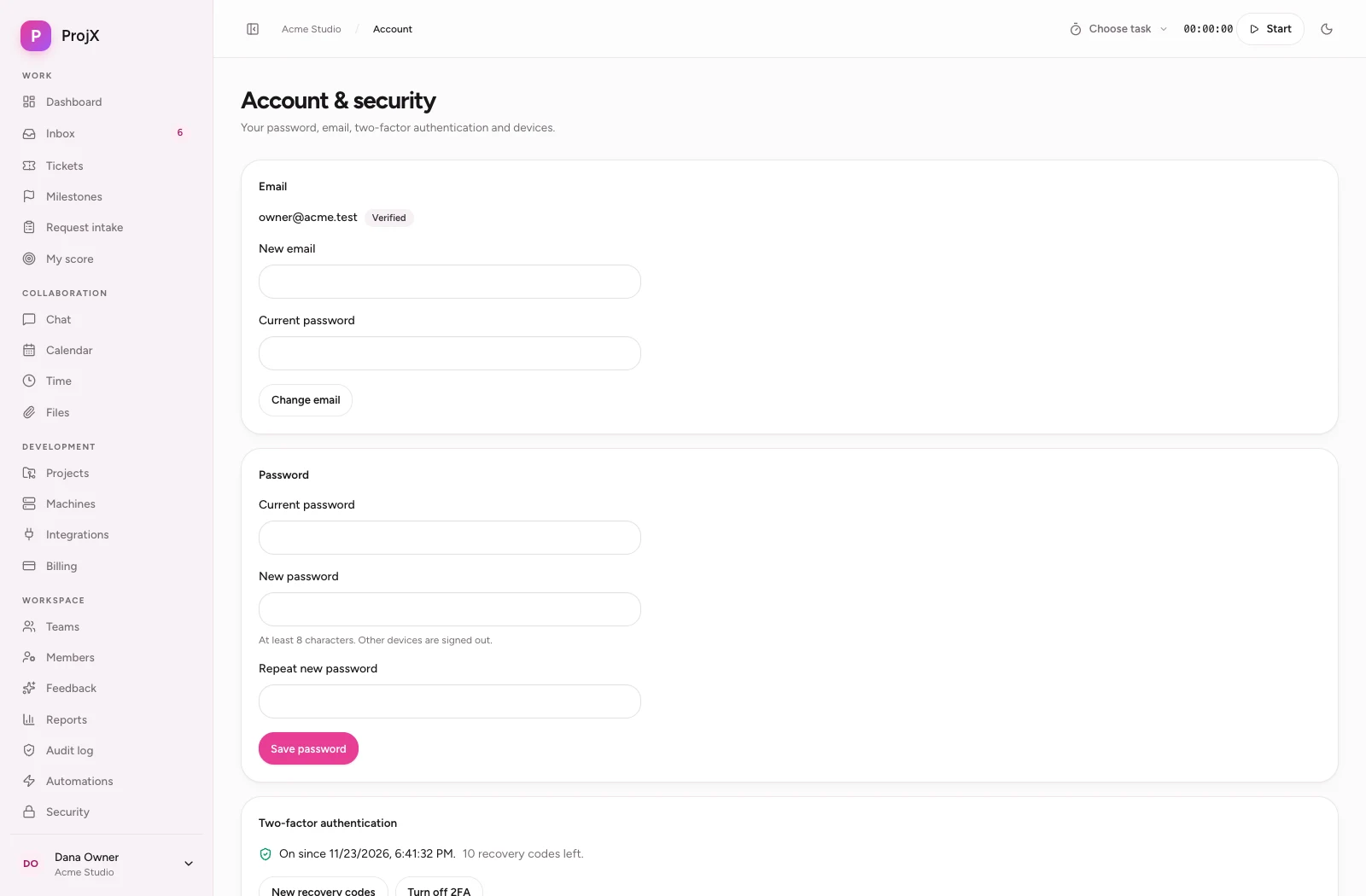
Enable two-factor authentication and keep the recovery codes safely. The account view confirms that the authenticator is on without exposing its setup secret or codes.
Actual screens · Example workspace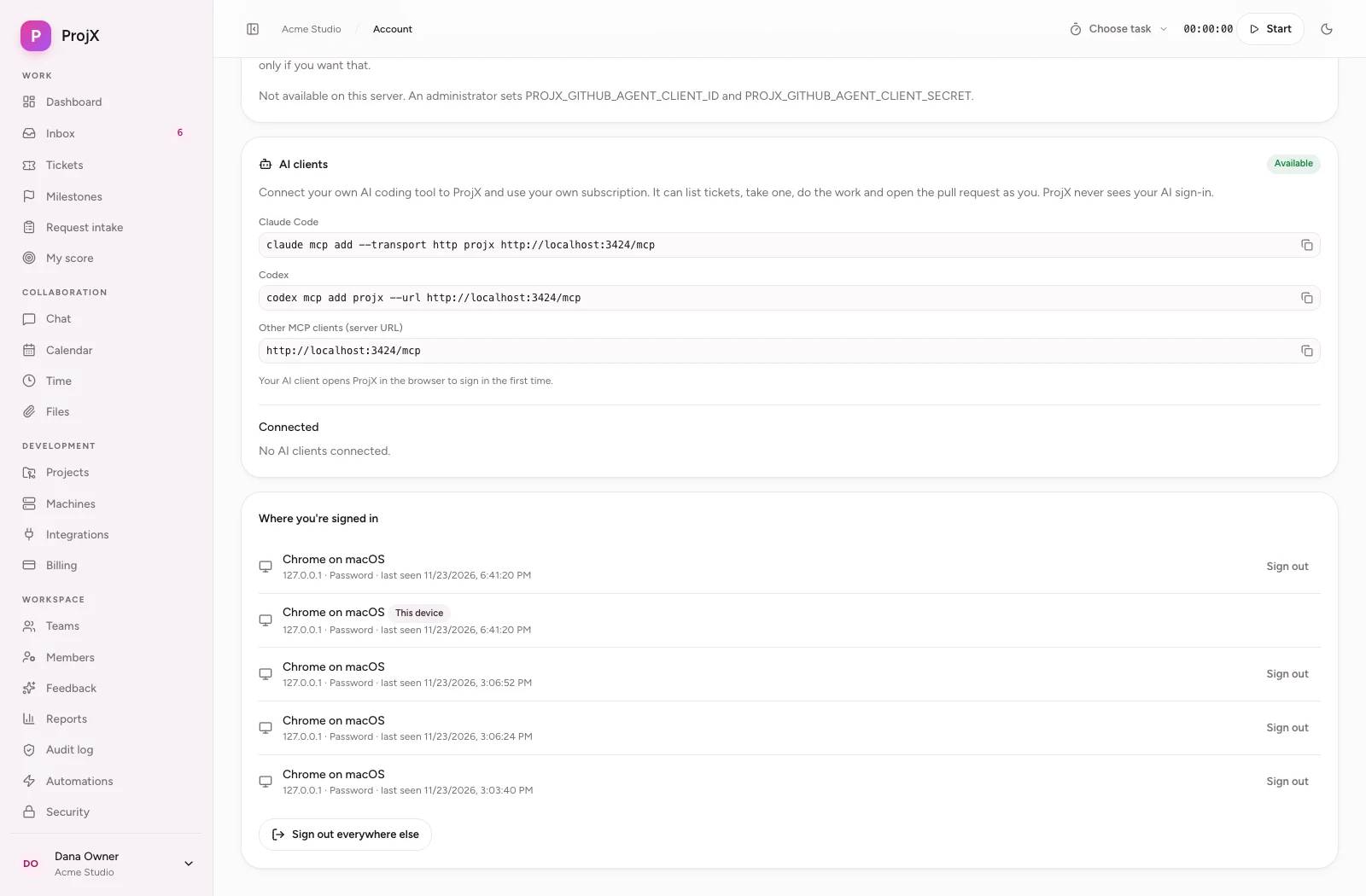
Inspect the account’s active sessions and recognize the current device. Sign out another session or revoke the other devices when access is no longer needed.
Actual screens · Example workspace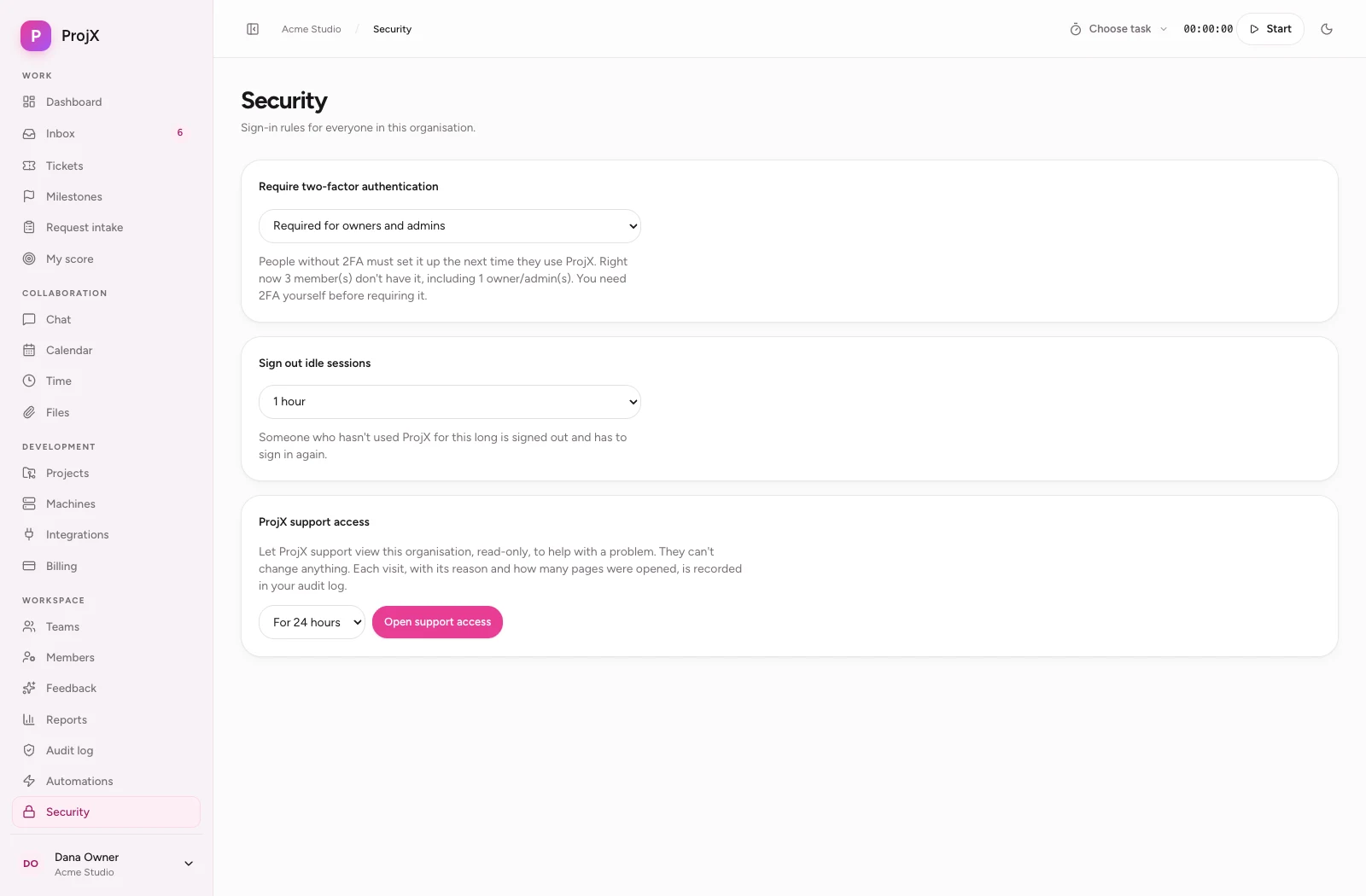
Owners choose which roles must use two-factor authentication and how long idle sessions can remain signed in. This example requires it for owners and admins and uses a sixty-minute idle timeout.
Actual screens · Example workspaceBuilt around the next step
Less coordination to manage. More context when you need it.
Ticket, project, channel and administrative actions follow the person’s permissions. Access stays connected to the role when someone opens or changes work.
Connected credentials and project secrets use per-organization encryption. Project settings determine which secrets, if any, can be shared with agent work.
Personal AI clients and bot credentials have disconnect or revocation paths. You can end a connection rather than leaving its access implicit.
Good to know
Google and GitHub sign-in are implemented. Organization SAML and OIDC single sign-on are not currently implemented.
Yes, on plans that include this policy. Owners can require it for administrators or everyone in the workspace.
No. A personal AI client keeps its own AI sign-in. The projx connection authorizes tools that act with your projx permissions.
Your next step
Bring sign-in protection, sessions and workspace permissions into a clear account workflow.