Stop rebuilding the setup
A project connects its repository, default branch, workspace configuration and secrets. People and agents work from the same starting point.
Connected projects
Bring the repository, people, workspaces and agent rules together. Your team can pick up the next task with the right context already attached.
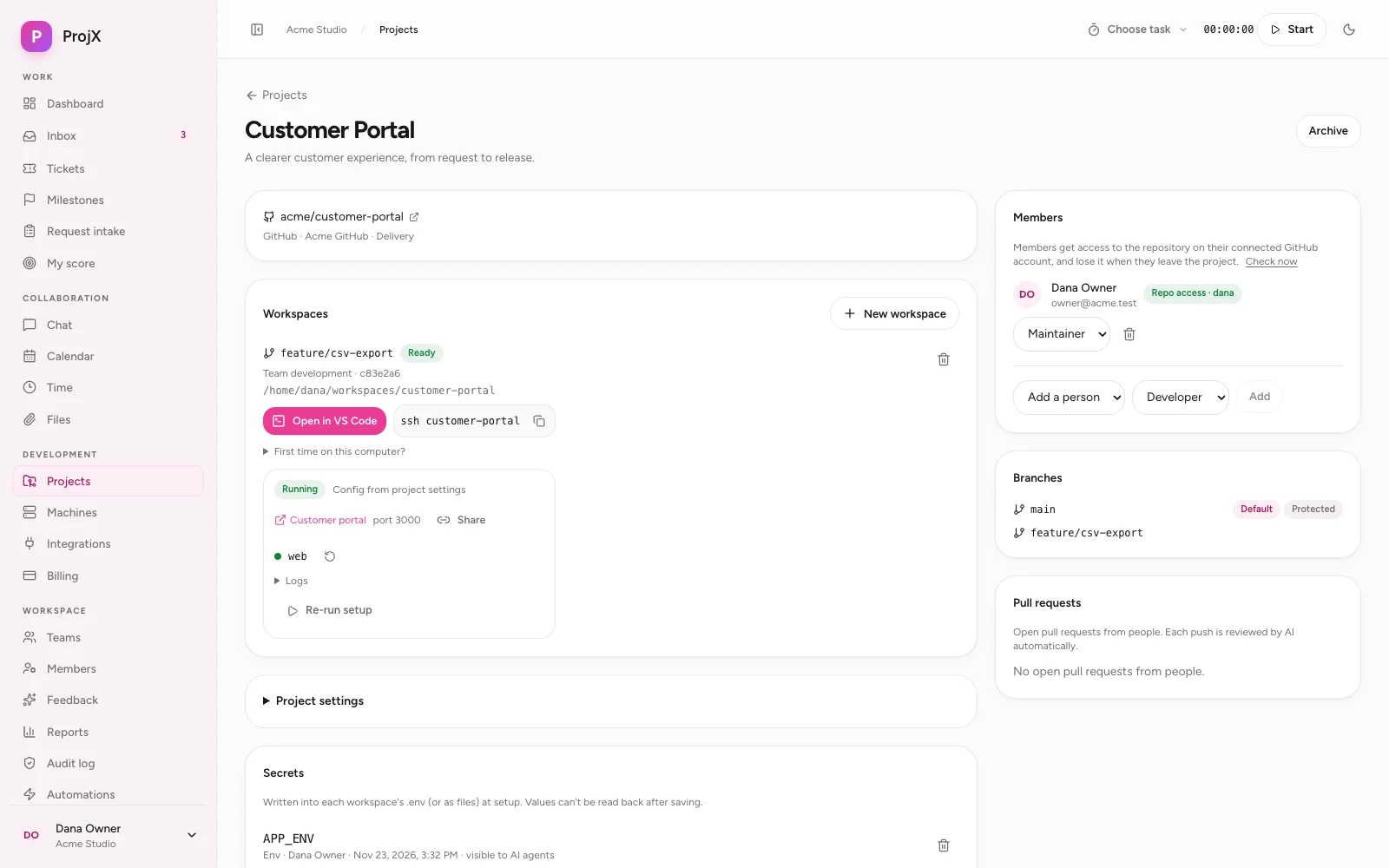
A project connects its repository, default branch, workspace configuration and secrets. People and agents work from the same starting point.
Set project members and maintainer or developer roles. Supported GitHub access synchronization connects membership to repository permissions.
Choose the project's verification commands, AI review, automatic runs and merge policy instead of repeating decisions for every ticket.
See the work move
Follow a real-screen walkthrough with example workspace data. Explore each step at your own pace.
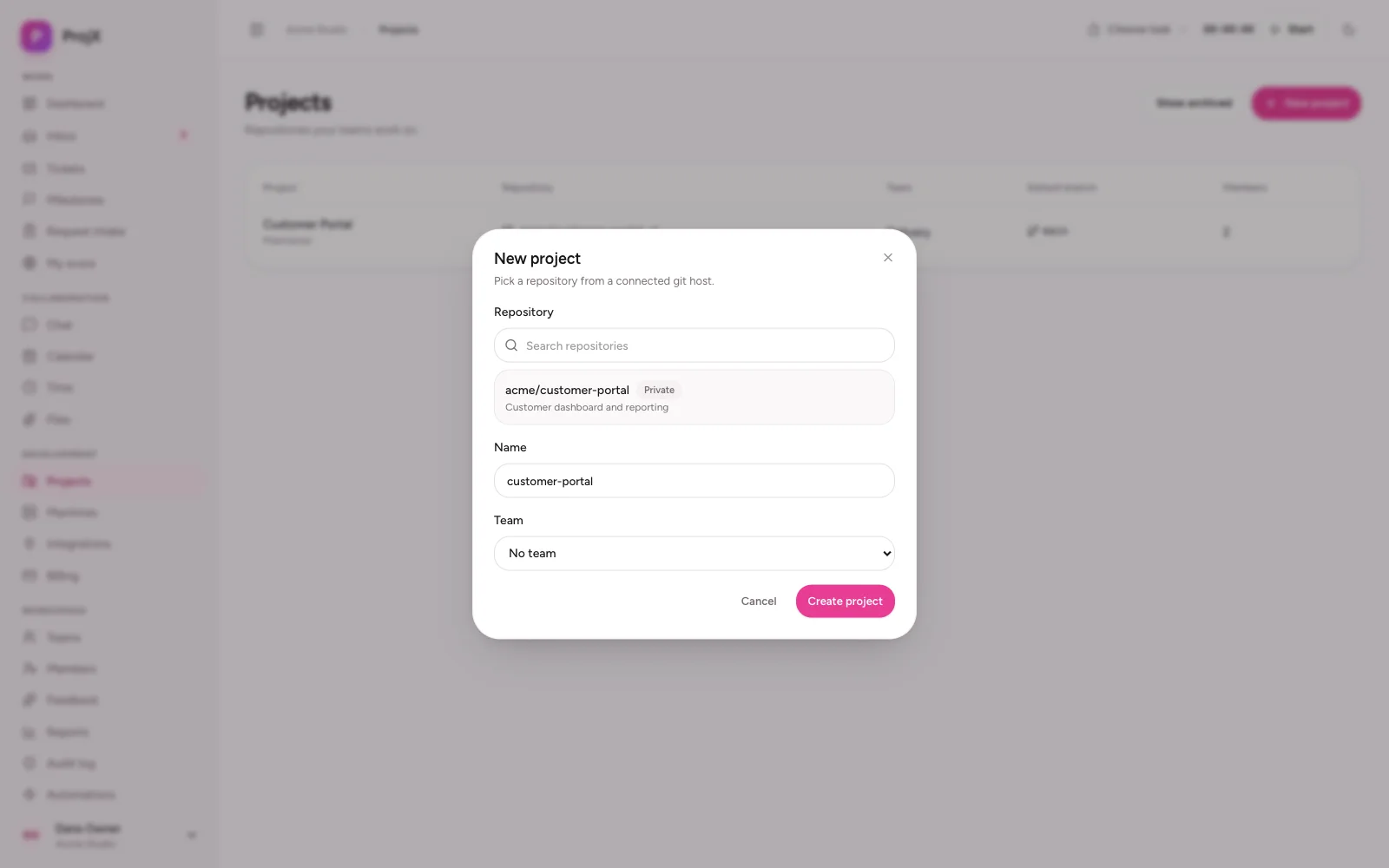
Choose the repository, name the project and give it a team context.
Actual screens · Example workspaceSee the repository, members, branch list and personal workspace from the project overview.
Actual screens · Example workspace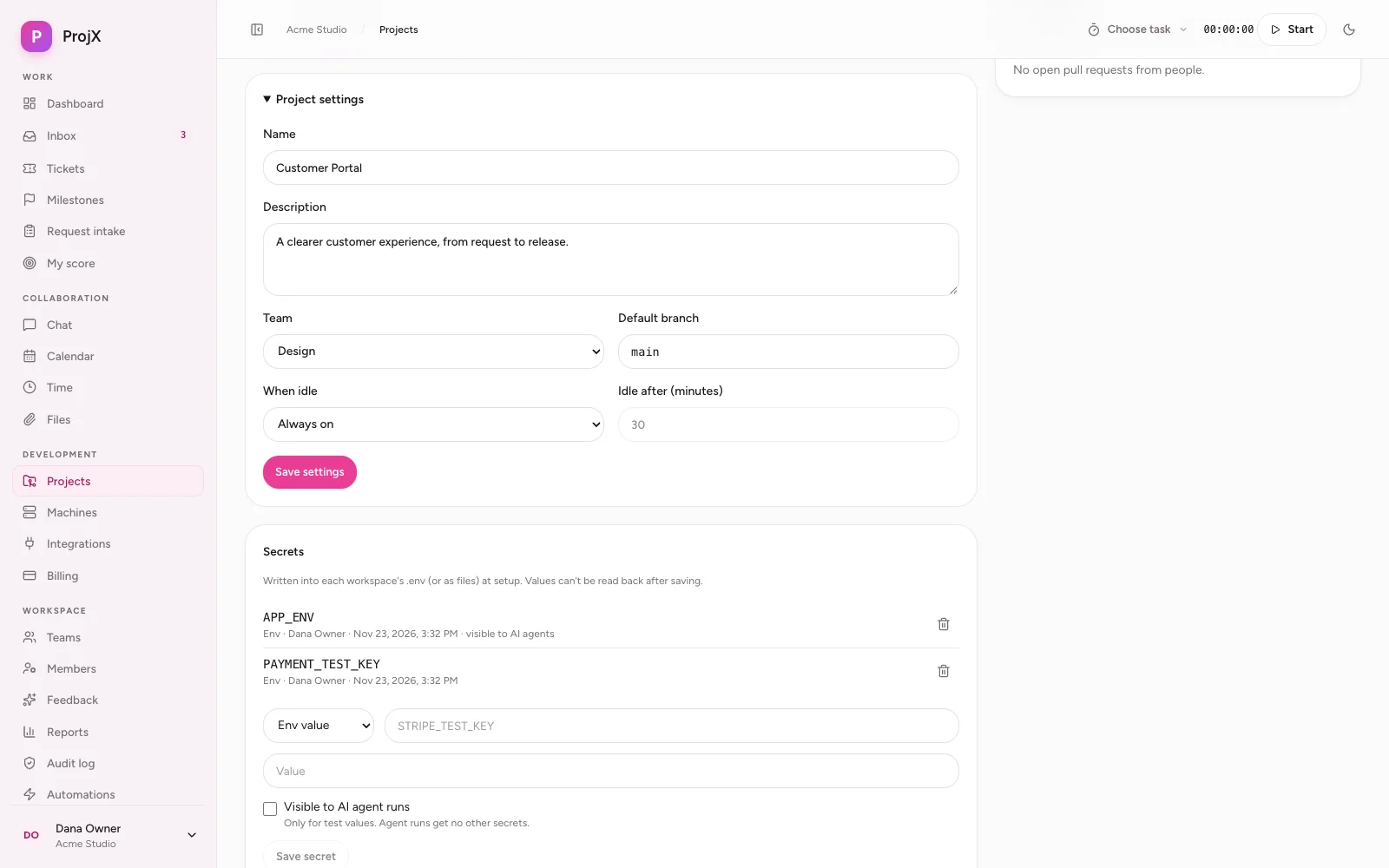
Review ownership and the idle-machine policy in project settings, with the rest of the project still in context.
Actual screens · Example workspaceBuilt around the next step
Less coordination to manage. More context when you need it.
Human pull requests can receive AI review while agent runs stay connected to their tickets. The project gives both paths a common context.
A project configuration can define workspace setup and processes. Apply changed secrets or re-run setup when the working environment needs an update.
Archive a project when it is no longer active and restore it when work resumes, rather than removing its context from the workspace.
Good to know
No. You can use its repository, members and development workspaces without enabling agents. AI runs and review are project settings.
Yes. Projects distinguish maintainers and developers, while organization roles and source-access policy still apply.
Development workspaces run on the machines connected to your organization. You can provision machines through your CloudCenmax account or register an existing server.
Your next step
Connect the project once. Keep its people, code and delivery rules together.