Bring compute into the project workflow
Provision through your CloudCenmax account or register an existing server. Your people create workspaces on the machines they are allowed to use.
Development machines
Connect a development machine to projx, then use it for personal workspaces or dedicate it to AI agent runs. Keep its health, access and working environments visible.
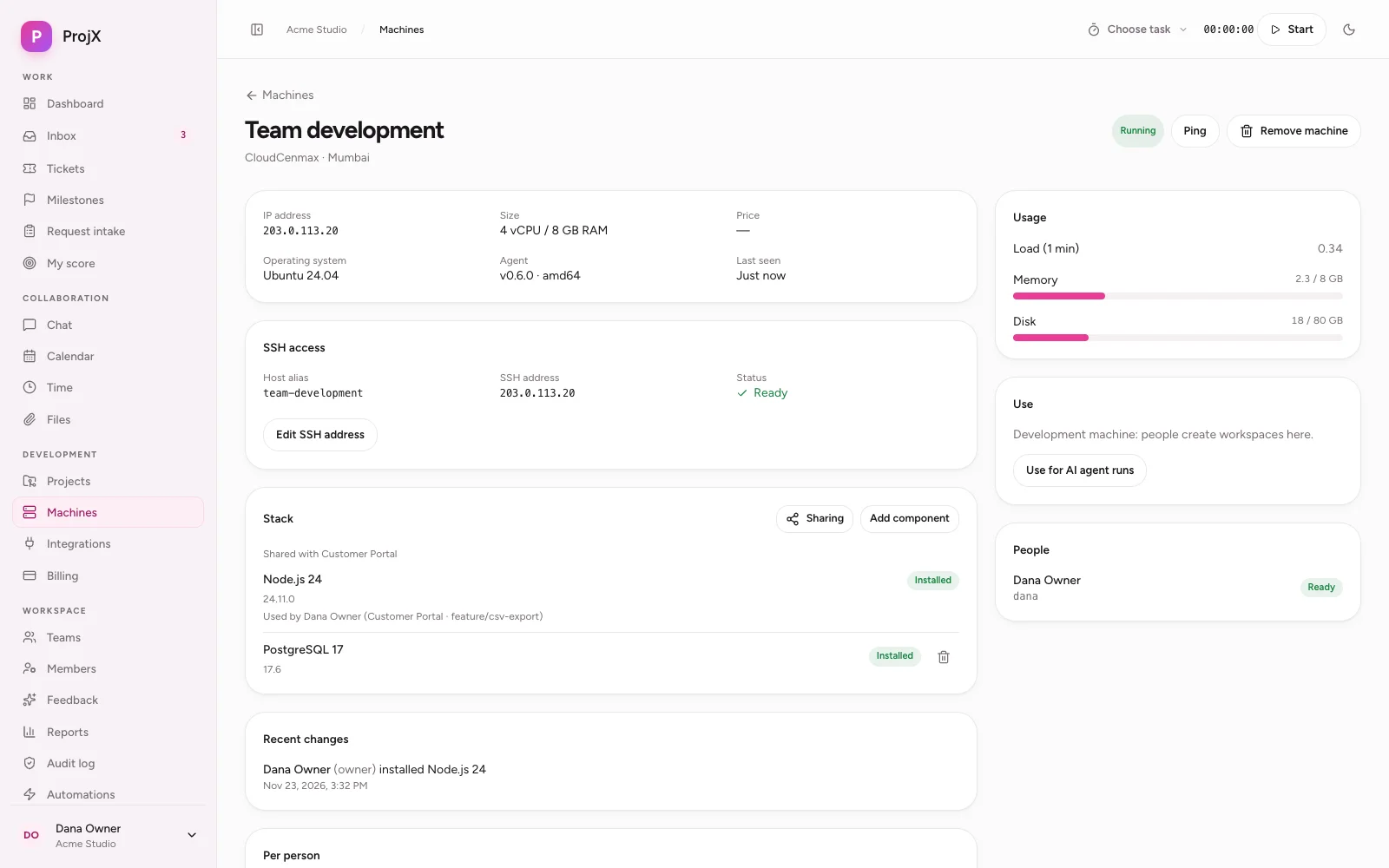
Provision through your CloudCenmax account or register an existing server. Your people create workspaces on the machines they are allowed to use.
A machine marked for AI agent runs is dedicated to that purpose. Agent tasks receive their own run workspace instead of using someone's personal workspace.
Machine state, connection health and agent version are available from its page. Retry provisioning or request an agent update from the same place.
See the work move
Follow a real-screen walkthrough with example workspace data. Explore each step at your own pace.
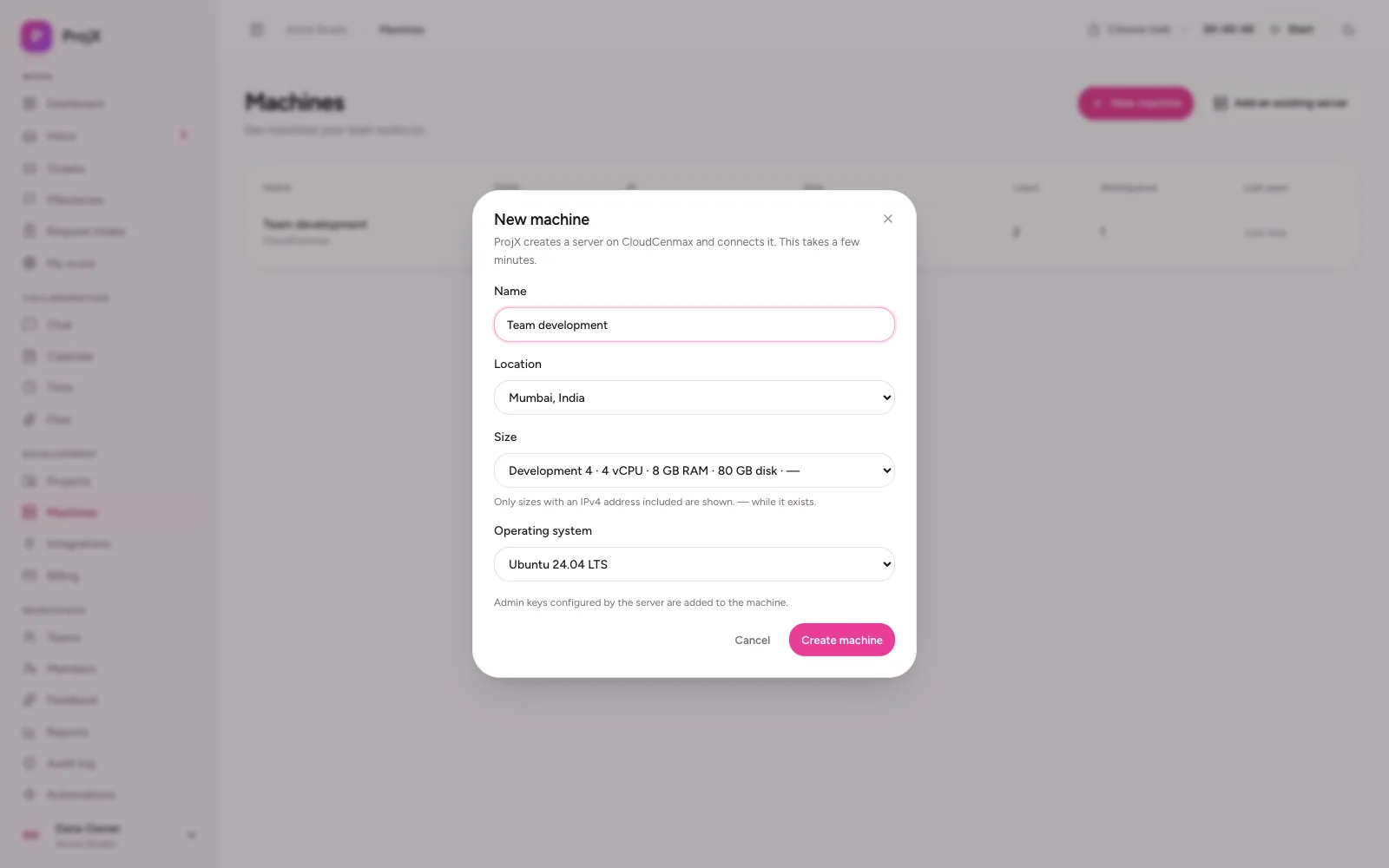
Select the region, server size and operating system from your connected CloudCenmax account.
Actual screens · Example workspaceReview its running state, SSH access, installed stack and the people using the machine.
Actual screens · Example workspace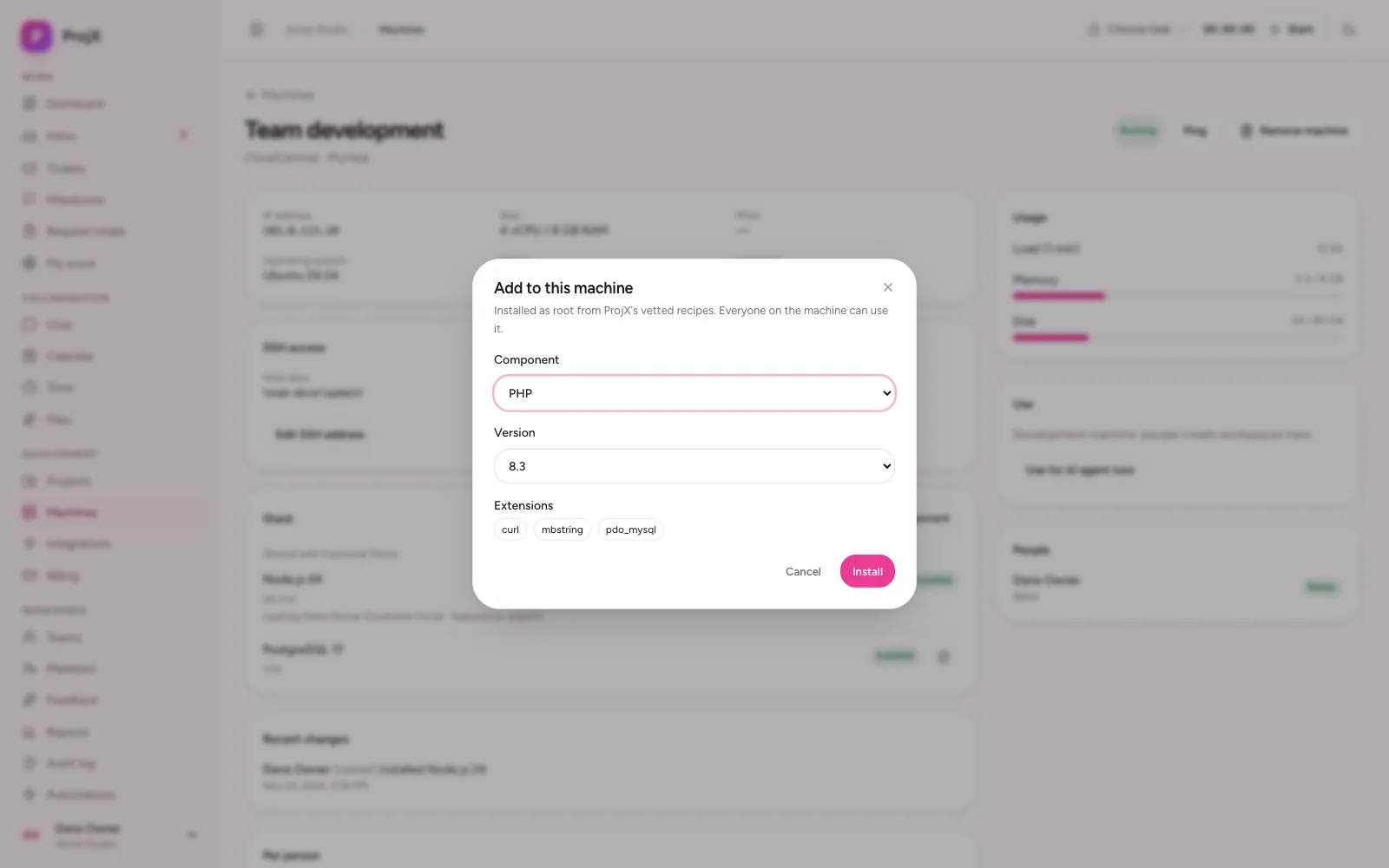
Use the supported component installer to choose a runtime, service or approved operating-system package.
Actual screens · Example workspace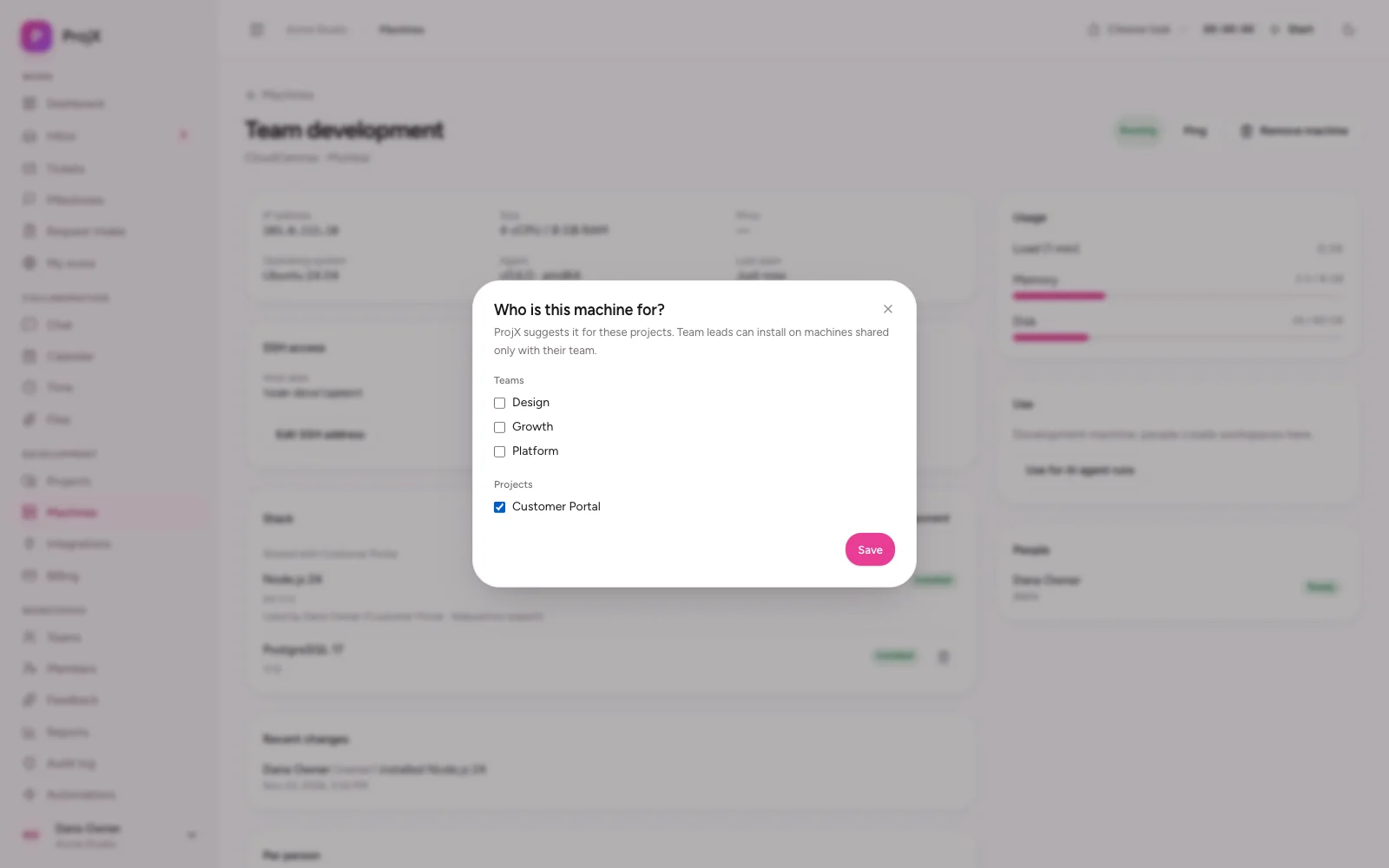
Choose the teams and projects that should use this development machine.
Actual screens · Example workspaceBuilt around the next step
Less coordination to manage. More context when you need it.
Customer development machines run in the customer's connected CloudCenmax account. Compute is billed through that account, separate from the projx workspace.
Machine policies and component requests control stack changes. A request can go through approval instead of changing a shared environment without context.
Remote workspaces support SSH and editor access. projx issues short-lived certificates and records access issuance.
Good to know
Machines provisioned through CloudCenmax belong to your connected cloud account and are billed there. Existing servers remain infrastructure you operate.
Machines dedicated to AI agent runs are kept separate from personal workspaces. Choose the machine's purpose when setting up the workflow.
No. You can register an existing supported server with the projx machine agent and configure access from its machine page.
Your next step
Give your team and agents the machines they need, with the project context alongside.