Spend less time repeating setup
Use project configuration for runtimes, services, setup steps and processes. A new workspace follows the project's defined setup path.
Development workspaces
Give each person a working copy of a project branch on a connected machine. Keep its setup, processes, secrets and preview access beside the project.
Use project configuration for runtimes, services, setup steps and processes. A new workspace follows the project's defined setup path.
Personal workspaces use the person's Linux account and their branch working copy, with assigned ports and workspace services.
Inspect process logs, restart a process and open an authenticated preview. Your team can see the change before it reaches the main branch.
See the work move
Follow a real-screen walkthrough with example workspace data. Explore each step at your own pace.
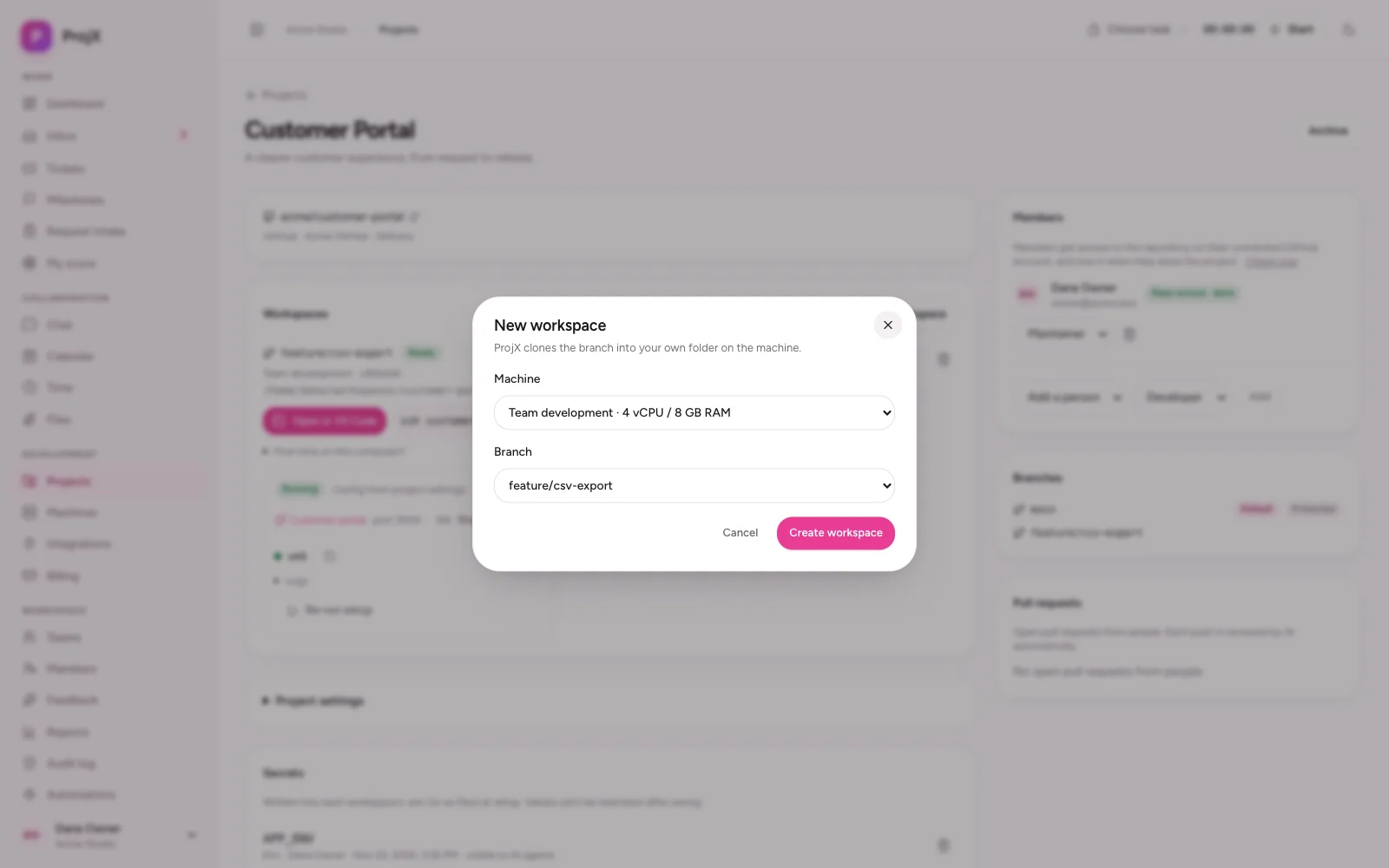
Create your own workspace from a repository branch on a running development machine.
Actual screens · Example workspace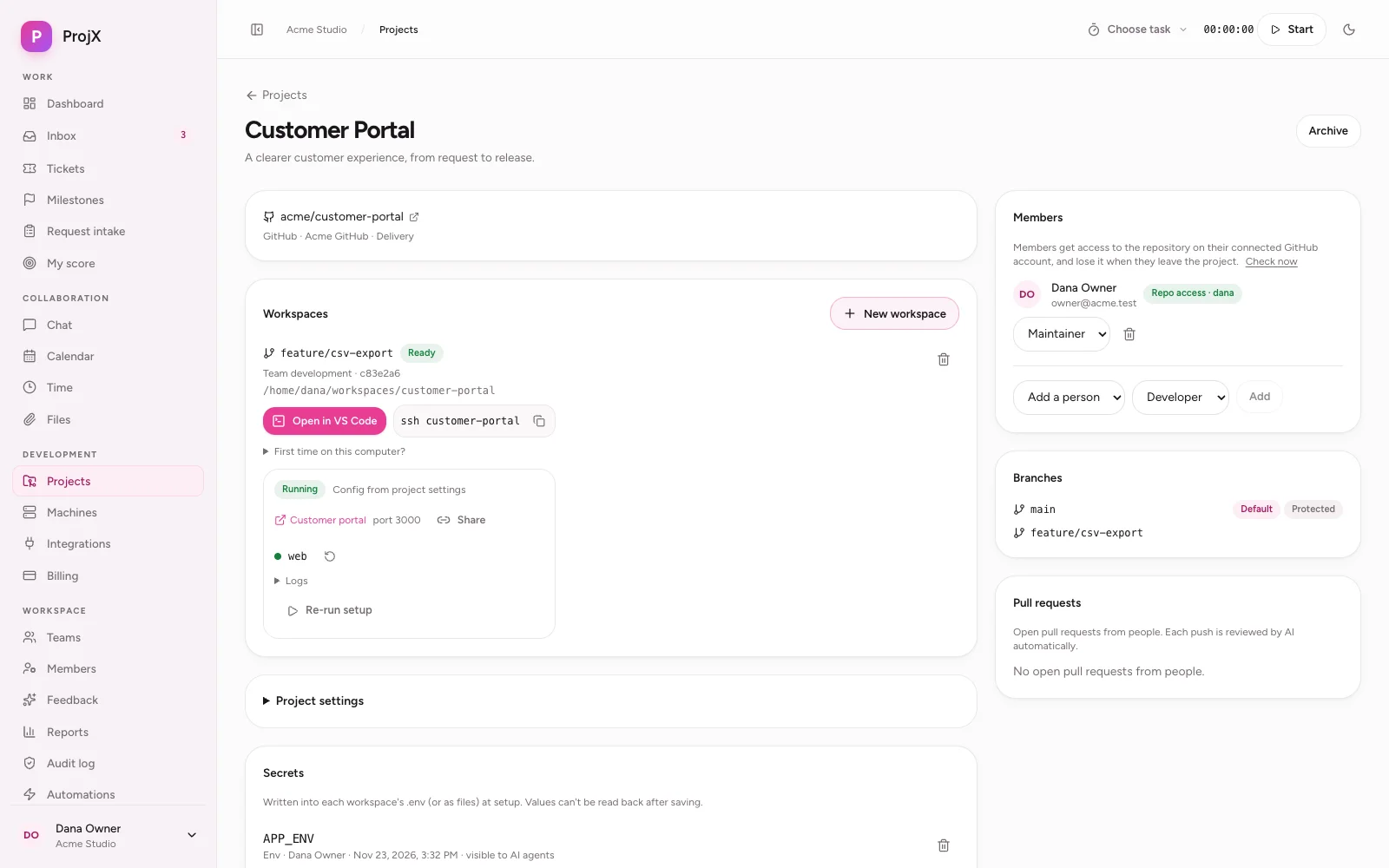
The ready working copy has its own branch, path and editor or SSH connection.
Actual screens · Example workspace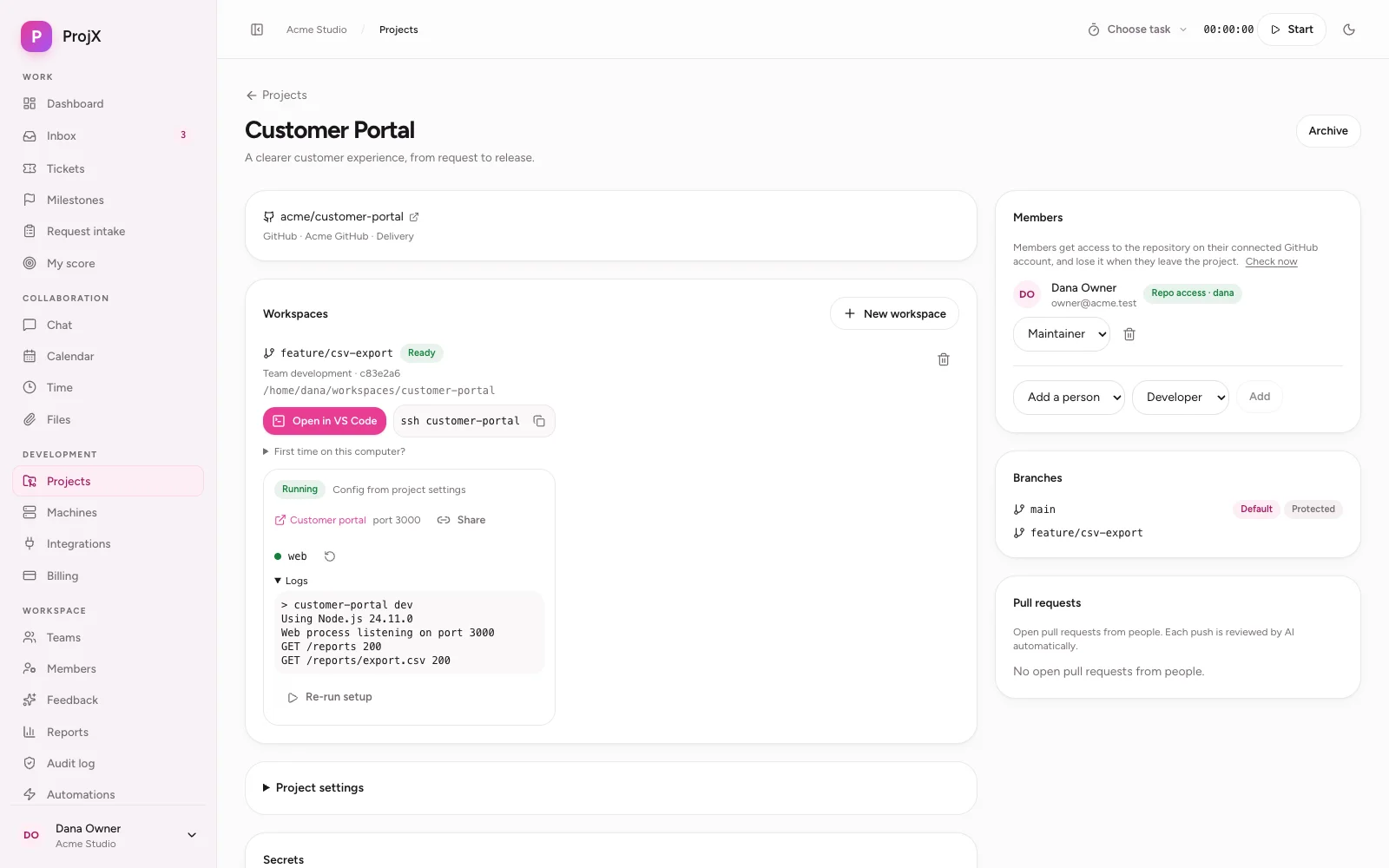
Open the process logs to see startup output and application requests beside the preview.
Actual screens · Example workspace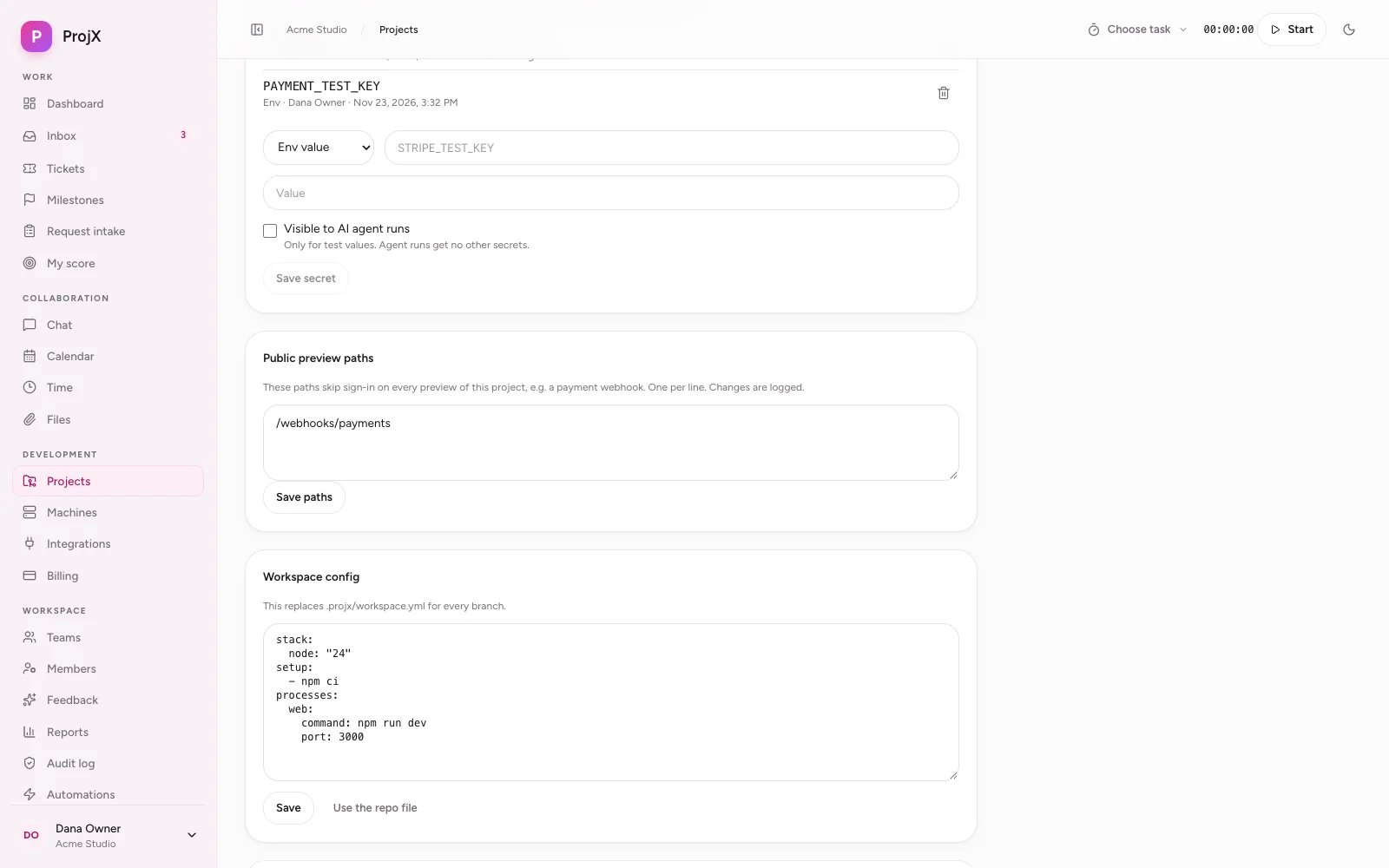
Review the shared stack, setup command and process configuration used for the project’s workspaces.
Actual screens · Example workspaceBuilt around the next step
Less coordination to manage. More context when you need it.
Use a workspace configuration in the repository or a project override. Supported detection presets can provide a starting suggestion when no configuration exists.
Project secrets are managed in projx. Choose which secrets an AI agent may receive, with none shared by default.
Compatible AI clients can read, edit, run commands and commit inside the person's own ready workspace, with their existing access rules.
Good to know
No. They run on connected development machines. You reach them through secure remote access, the browser's project controls or supported personal-client tools.
Yes. The project's workspace configuration defines the common setup. Each workspace still belongs to its person and branch.
Yes. Register an existing server or provision a machine through your own CloudCenmax account, then choose which projects and people may use it.
Your next step
Put the project setup, working copy and preview in one connected workspace.