Remove the implementation handoff
A clear member-created ticket starts the run in an opted-in project. The agent gets the task and repository context without another assignment conversation.
Cenmax AI agents
Keep your team focused on what to build next. In an automatic project, a new ticket can start implementation, produce a commit and move through review without a developer picking it up.
Keep the selected date and team filters.
A clear member-created ticket starts the run in an opted-in project. The agent gets the task and repository context without another assignment conversation.
Follow the current step, run log, questions and pull request from the ticket. Your team can see what is moving without chasing a separate update.
The agent commits and pushes its work. projx checks that pushed code, routes review findings back for fixes and can merge a passing change under your rules.
See the work move
Follow a real-screen walkthrough with example workspace data. Explore each step at your own pace.
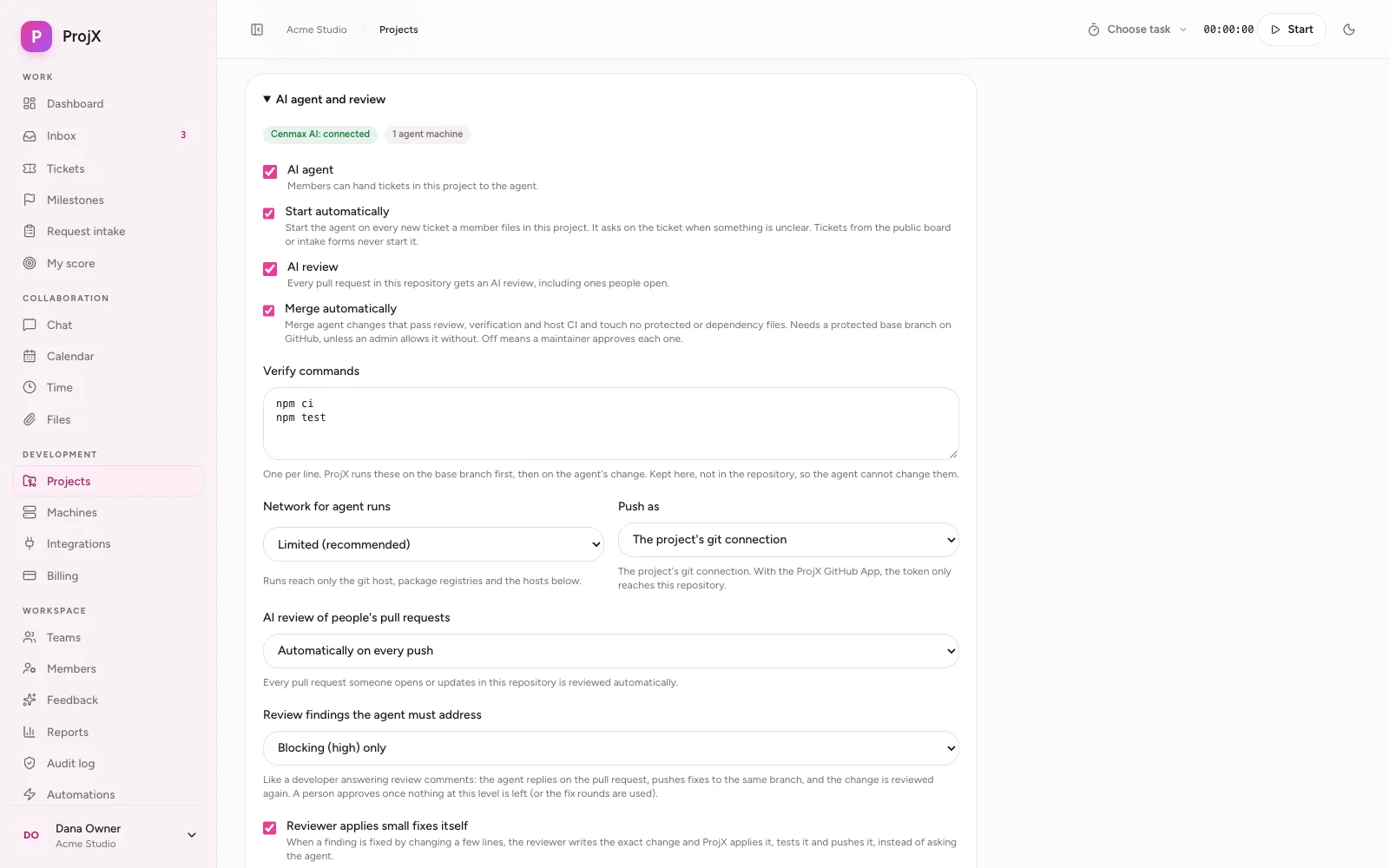
Select the verification commands, automatic runs and merge rules in the project’s AI settings.
Actual screens · Example workspace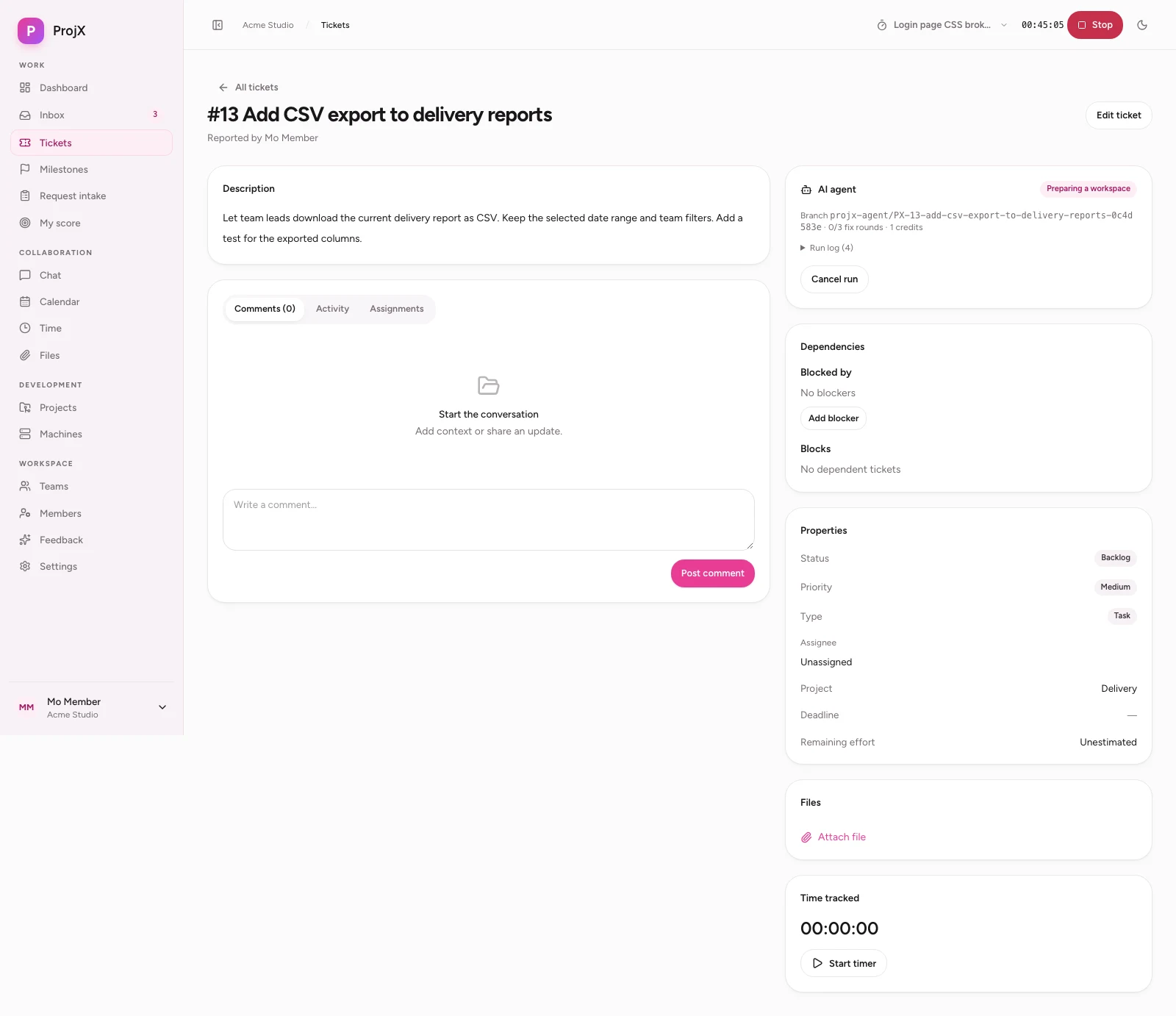
A clear member-filed ticket starts automatically in an opted-in project. The ticket keeps the initial run status beside the brief.
Actual screens · Example workspace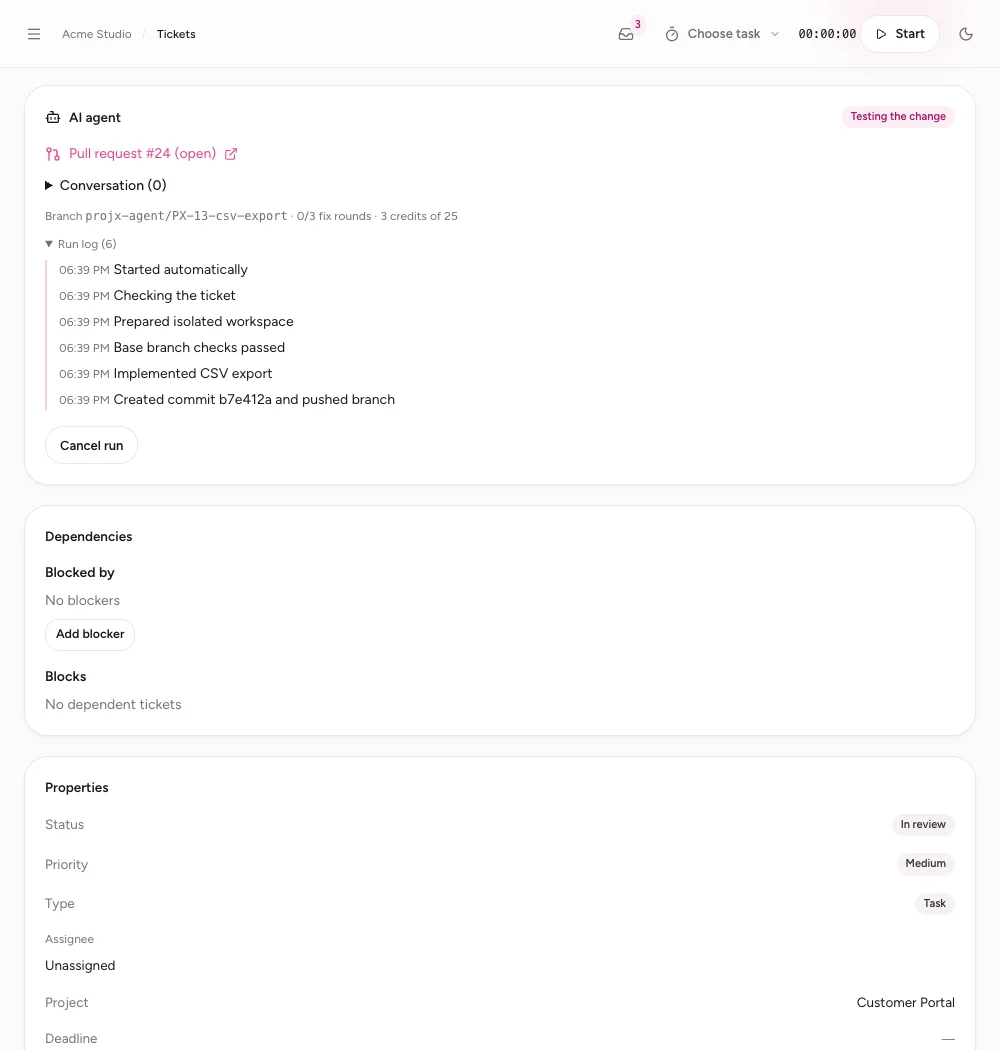
The run log records implementation and the pushed commit. The current state shows verification in progress before review and merging.
Actual screens · Example workspace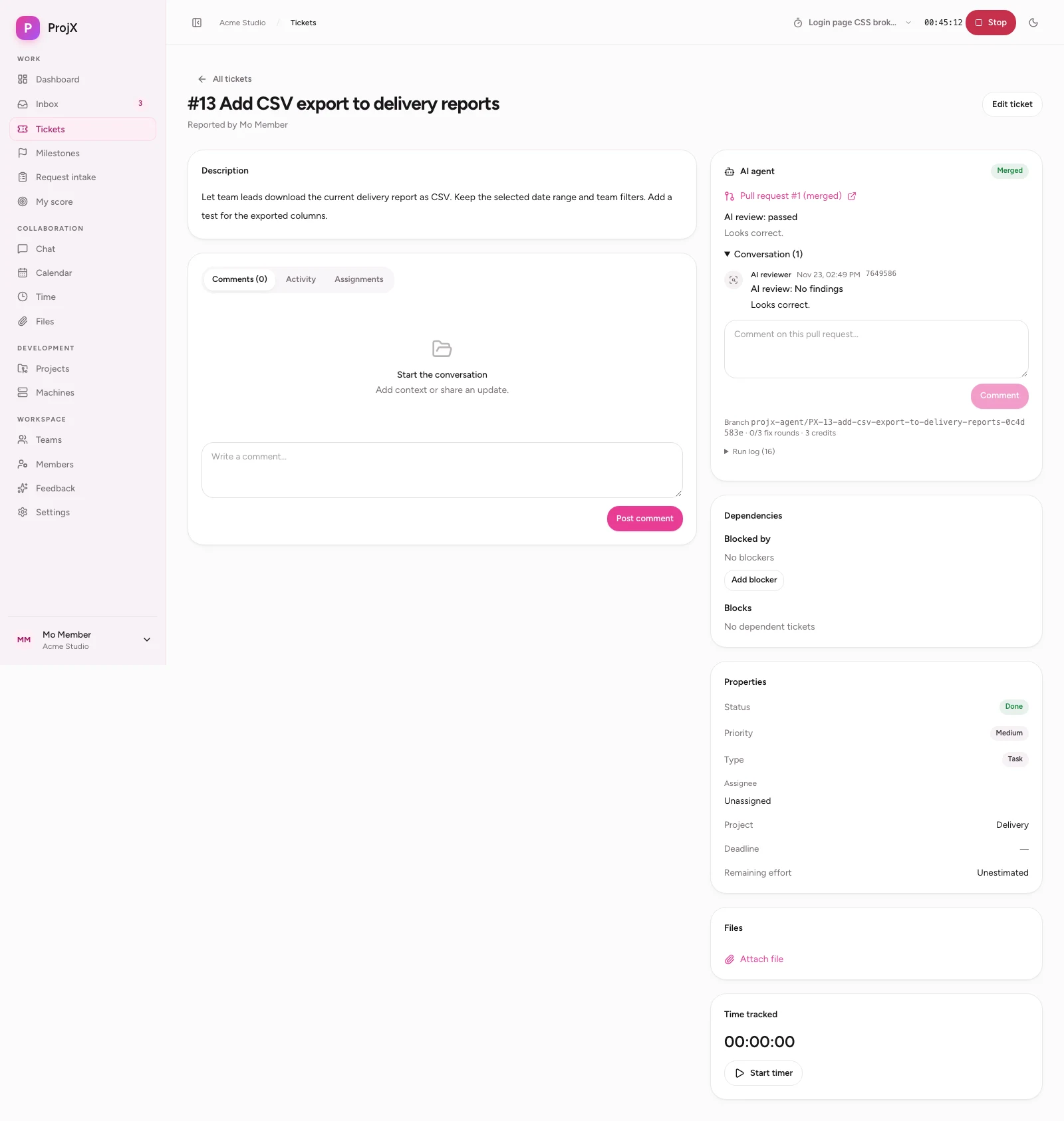
A passing change can merge automatically under the project’s rules. The ticket retains the final run state and pull request.
Actual screens · Example workspaceBuilt around the next step
Less coordination to manage. More context when you need it.
If the brief is unclear, the agent asks on the ticket and can continue when a member replies. The answer becomes part of the working context.
Protected paths, dependency changes and other policy limits can require human review. Keep manual approval for every merge if that suits your team.
Set budgets and concurrency limits, pause agents across the workspace, or cancel a run. A linked incident can pause automatic merging for its project.
Good to know
Only when the project has its agent and automatic runs enabled. Automatic starts apply to tickets filed directly by workspace members. Tickets converted from public feedback, intake forms or automation do not automatically start an agent.
No. Automatic merging requires the configured verification, AI review, host checks and merge policy to pass. You can leave it off and require a maintainer to approve each merge.
No. The automatic path is for suitable, clear tasks that pass the project's rules. Questions, conflicts, failed checks or changes outside those rules may need a person. The ticket keeps that handoff visible.
Your next step
Give a clear ticket to Cenmax AI. Keep your team moving toward the next improvement.