Return to the right discussion
Threads keep replies attached to the message that started them. You can follow a decision without interrupting the whole channel or rebuilding the conversation.
Keep the conversation useful
Decisions get lost when the conversation lives far from the task. Use workspace and team channels, follow replies in threads, and link useful messages directly to tickets.
Threads keep replies attached to the message that started them. You can follow a decision without interrupting the whole channel or rebuilding the conversation.
Create or link a ticket from a message. People who can access the channel can follow the ticket back to its original context.
Mentions, unread indicators and inbox items help you find attention-worthy updates. New messages preserve your reading position while you catch up.
See the work move
Follow a real-screen walkthrough with example workspace data. Explore each step at your own pace.
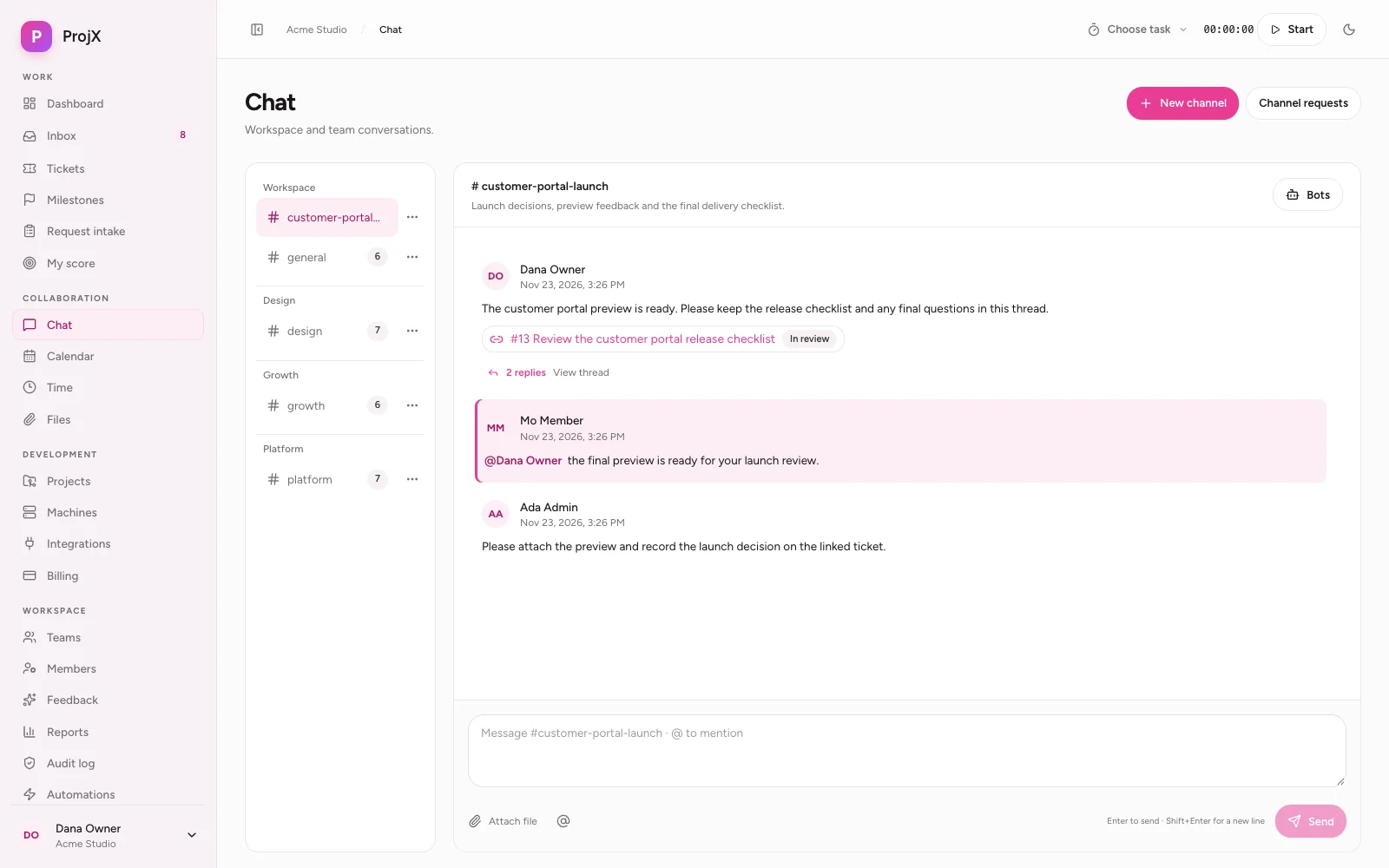
Discuss the customer portal launch in its workspace channel. Keep the review ticket linked to the message that started the work.
Actual screens · Example workspace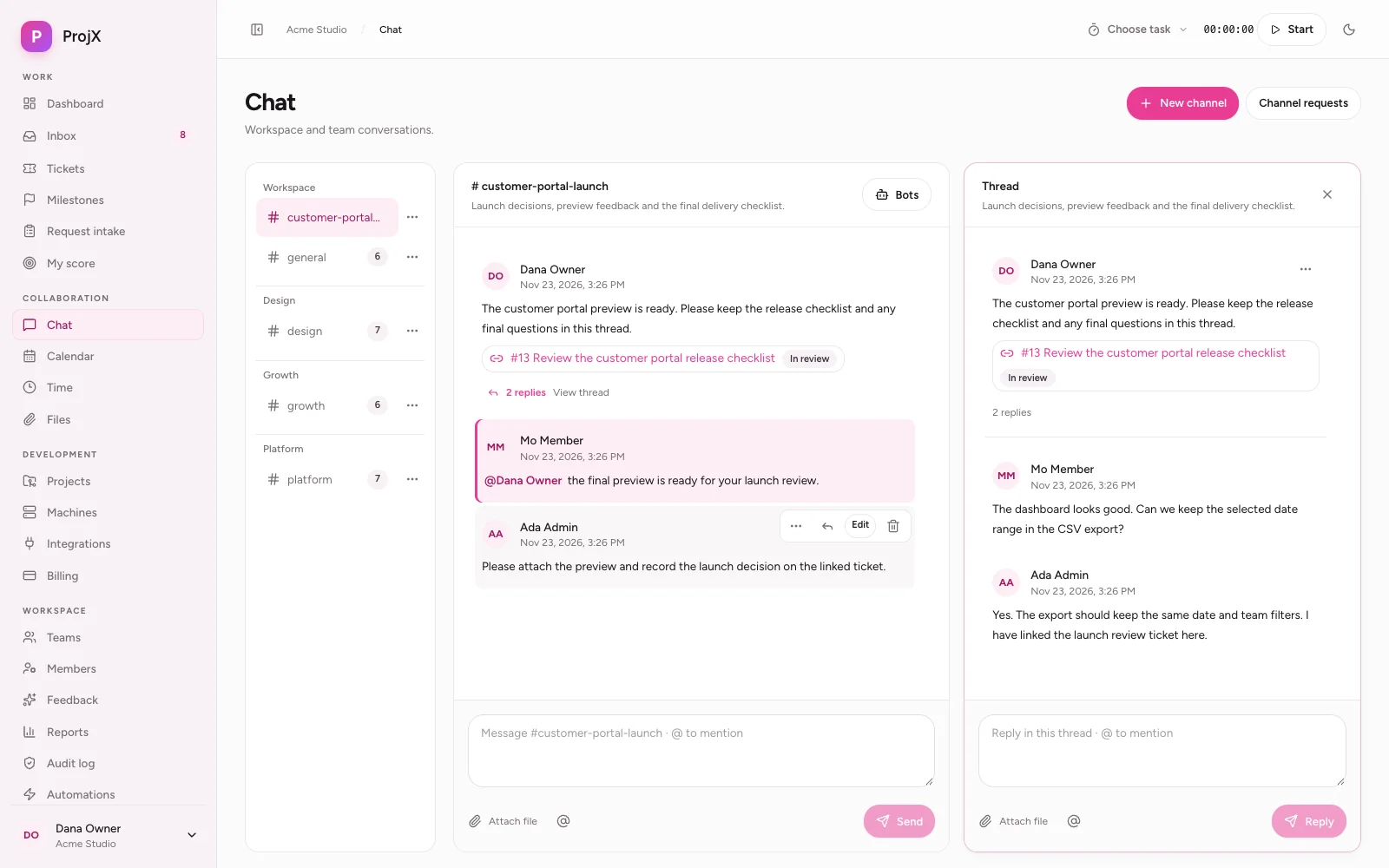
Read the replies about the export filters beside the channel. The specific question and answer stay together instead of interrupting the main conversation.
Actual screens · Example workspace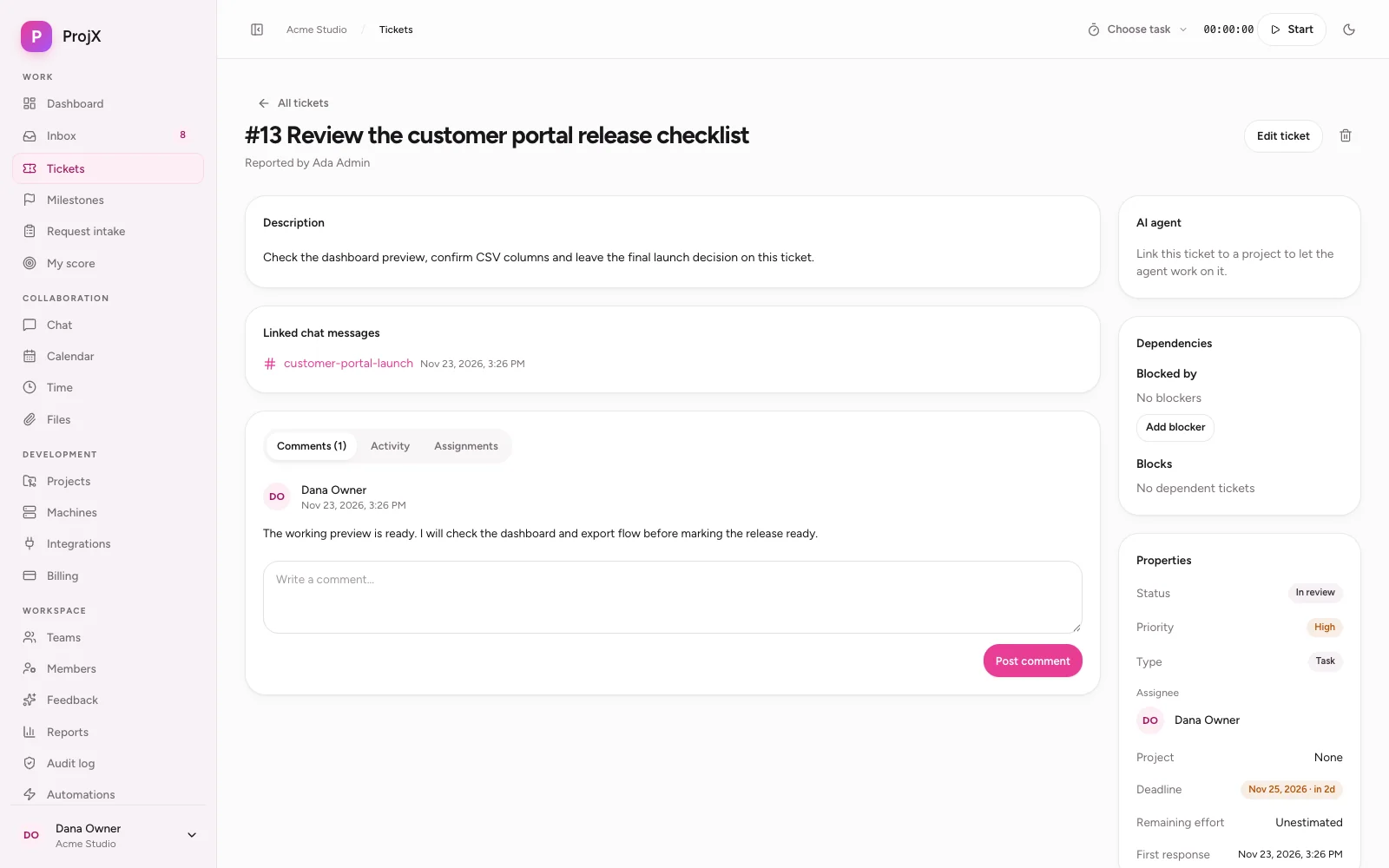
Open the linked review ticket to record the launch decision. The ticket keeps a link back to its source conversation.
Actual screens · Example workspaceBuilt around the next step
Less coordination to manage. More context when you need it.
Team members can create channels for their teams. Workspace-wide channel requests give owners and admins a review path before adding another shared space.
Messages arrive live without forcing you away from an older part of the conversation. Jump to the latest update when you are ready.
Create credentials for an external bot to read, post, reply and listen to channel events. Verify the setup, then rotate or revoke its credentials when needed.
Good to know
Team channels are hidden from non-members. Administrators can read channels, and access checks also apply when following linked messages.
External bots run in your own service and connect through the channel API. projx provides credential setup, verification and revocation.
Incoming messages preserve your position and offer a way to jump to the latest message when you want to catch up.
Your next step
Bring the conversation and its next task into the same workspace.