Catch up without opening every area
An unread badge and a personal queue collect relevant changes. You can start with the updates directed at you, rather than scanning the whole workspace.
A clearer place to catch up
You should not have to check every channel and ticket to learn what changed. Bring assignments, mentions, replies and approaching deadlines into one personal inbox.
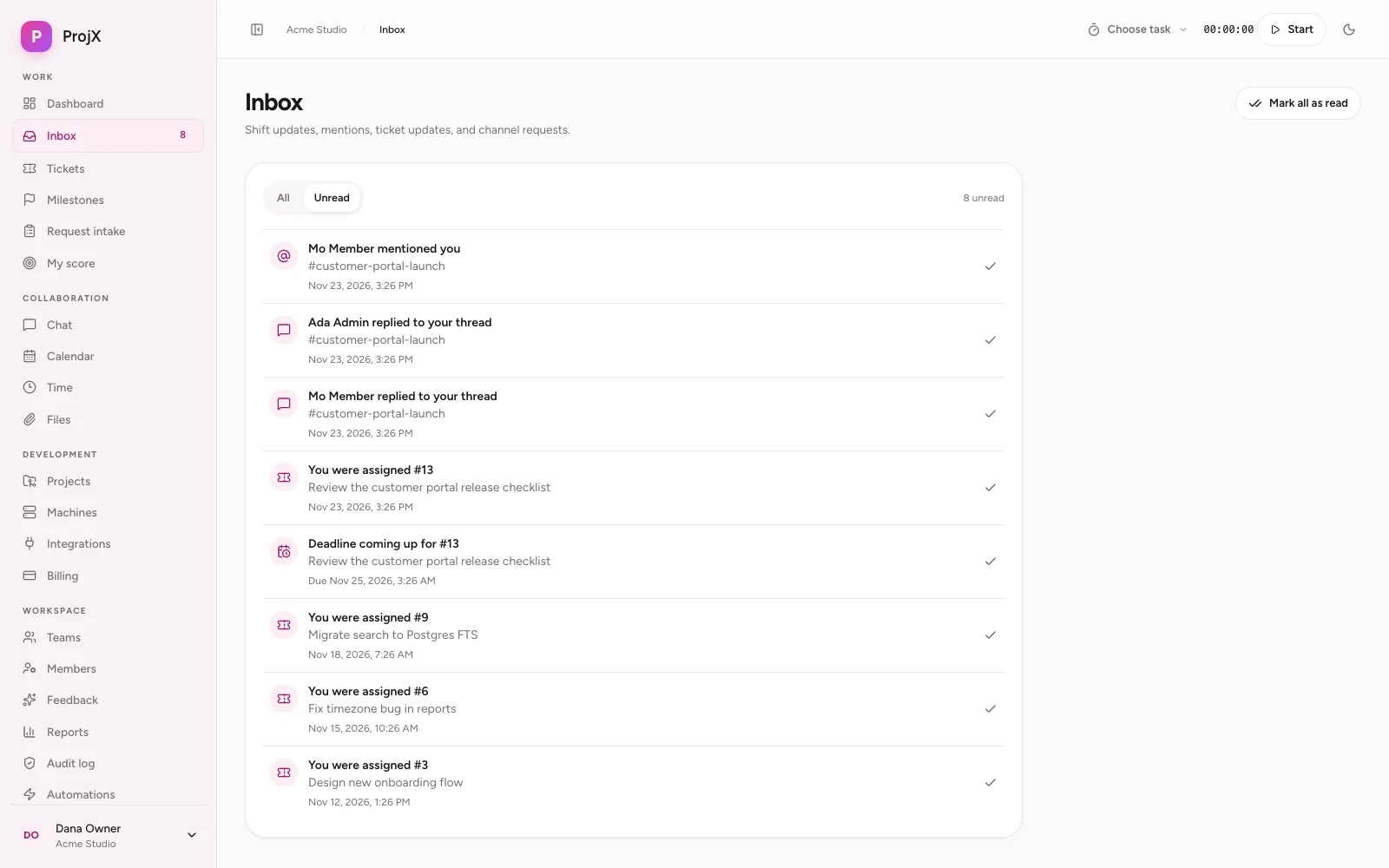
An unread badge and a personal queue collect relevant changes. You can start with the updates directed at you, rather than scanning the whole workspace.
Open the linked ticket, channel discussion or request from the inbox item. The update becomes a useful next action instead of an isolated notification.
Read an item by opening it, or clear it from your inbox without opening it. Your read state is personal to you.
See the work move
Follow a real-screen walkthrough with example workspace data. Explore each step at your own pace.
See the assignment, mention, reply and approaching deadline in your personal queue. Choose the item that needs your attention.
Actual screens · Example workspace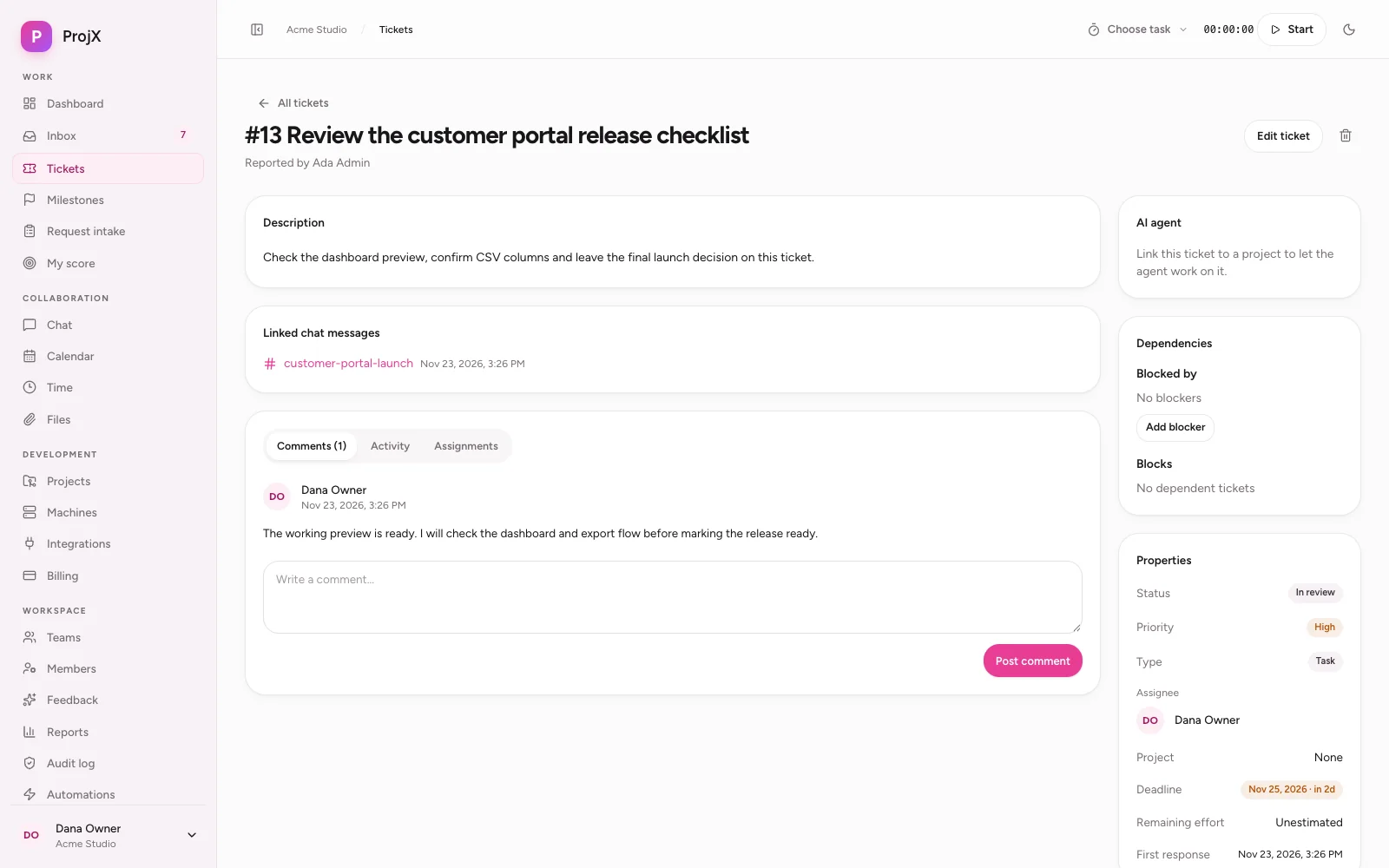
An assignment notification opens the actual ticket, with its description, conversation, owner and deadline. The opened update is marked read.
Actual screens · Example workspace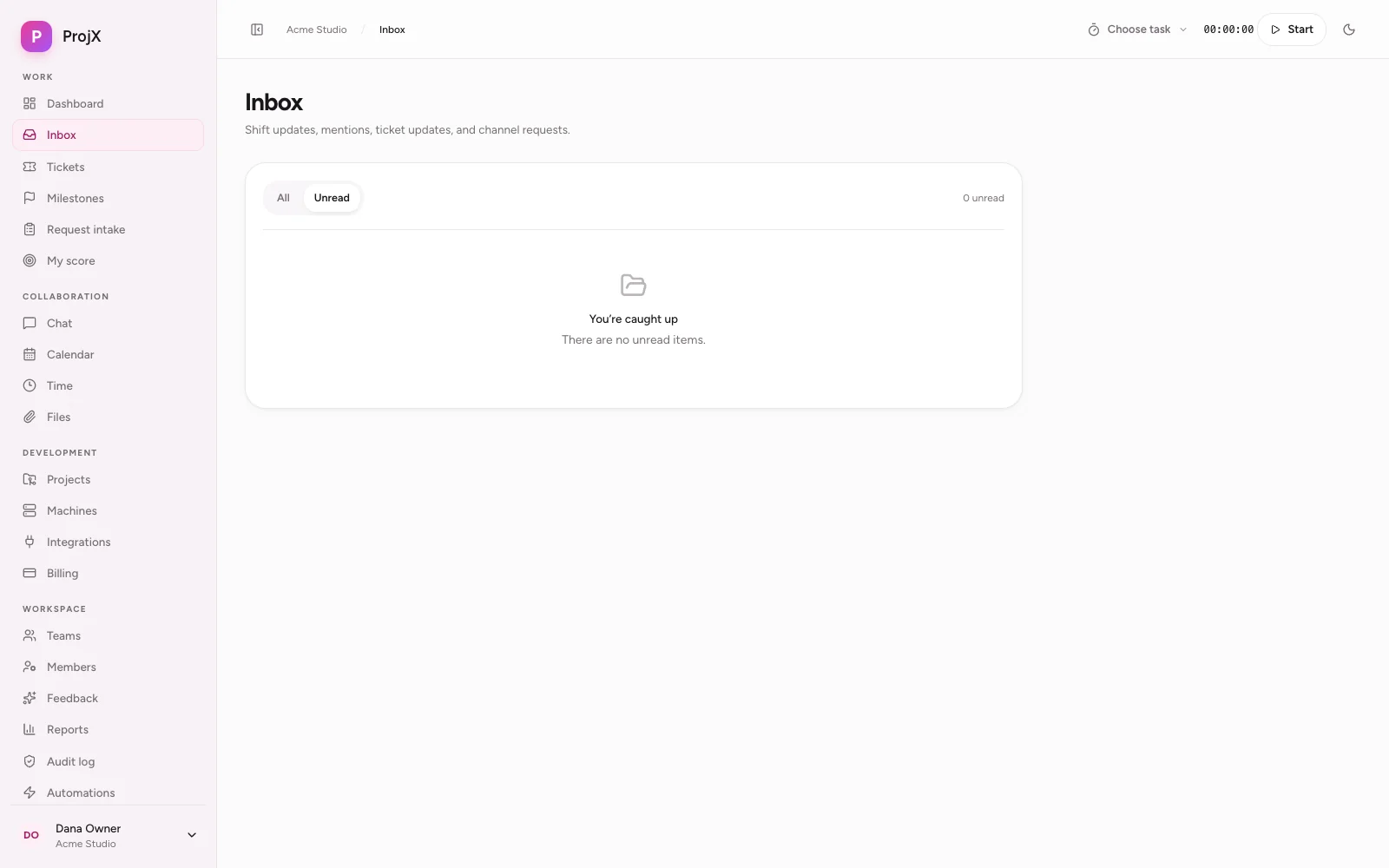
Mark remaining updates as read. The Unread tab shows when there are no unread items left, without deleting the underlying work.
Actual screens · Example workspaceBuilt around the next step
Less coordination to manage. More context when you need it.
Upcoming ticket deadlines can appear in your inbox, so a date does not depend on someone remembering to post a reminder in chat.
Shift updates and optional scheduling reminders join the attention queue. You do not have to treat team coverage as a separate communication stream.
Workspace channel requests and their decisions can reach the people involved. Open the update to understand what happened and where to go next.
Good to know
No. It is personal. Relevant assignments, mentions and replies are collected for you, with your own read state.
No. Clearing an inbox item removes it from your attention queue. The linked ticket or conversation remains in its normal place.
Yes. Inbox items link to their context, subject to your access to the underlying ticket, channel or workspace item.
Your next step
Start with the updates that need you, then act in the place where the work happens.