Reuse a working schedule
Named roster templates, rotations and auto-fill help you prepare the next period. Keep the plan in draft until it is ready to publish.
Plan for the people doing the work
A change in availability should not mean starting the schedule again. Plan shifts with reusable rotations and templates, then handle coverage, swaps and handoffs in the same workspace.
Named roster templates, rotations and auto-fill help you prepare the next period. Keep the plan in draft until it is ready to publish.
Time-off requests, callouts, shift claims and swaps give the team clear paths for changing coverage. Leads can focus on the gaps that remain.
Compare dated ticket estimates with staffed hours. See where a deadline needs a conversation about workload, scope or who is available.
See the work move
Follow a real-screen walkthrough with example workspace data. Explore each step at your own pace.
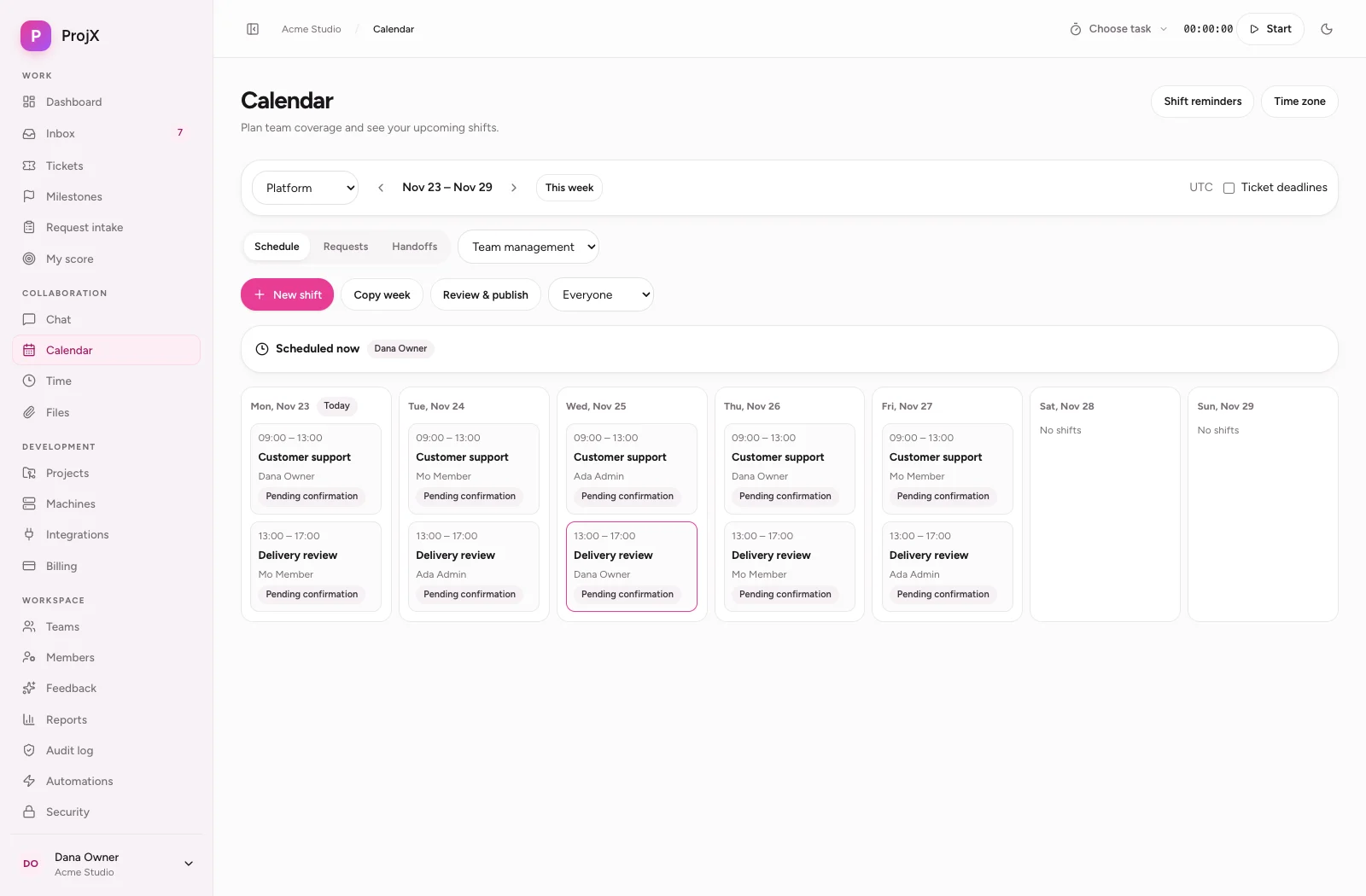
Build the weekly schedule and assign shifts. Review & publish is available when the plan is ready; the shift cards show whose confirmation is still pending.
Actual screens · Example workspace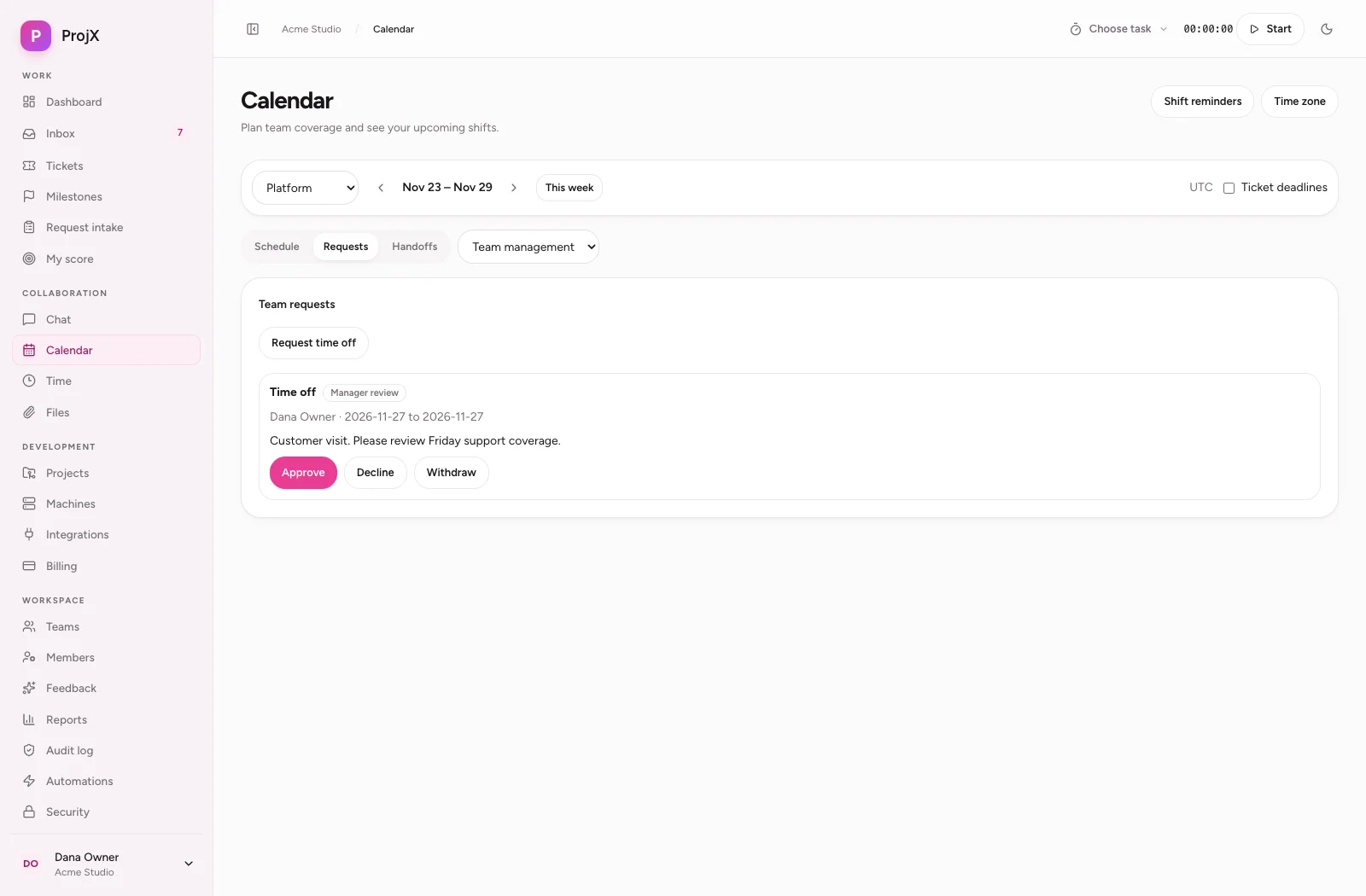
Review time-off requests beside the team schedule. Approve or decline the request, then coordinate the coverage your published plan needs.
Actual screens · Example workspace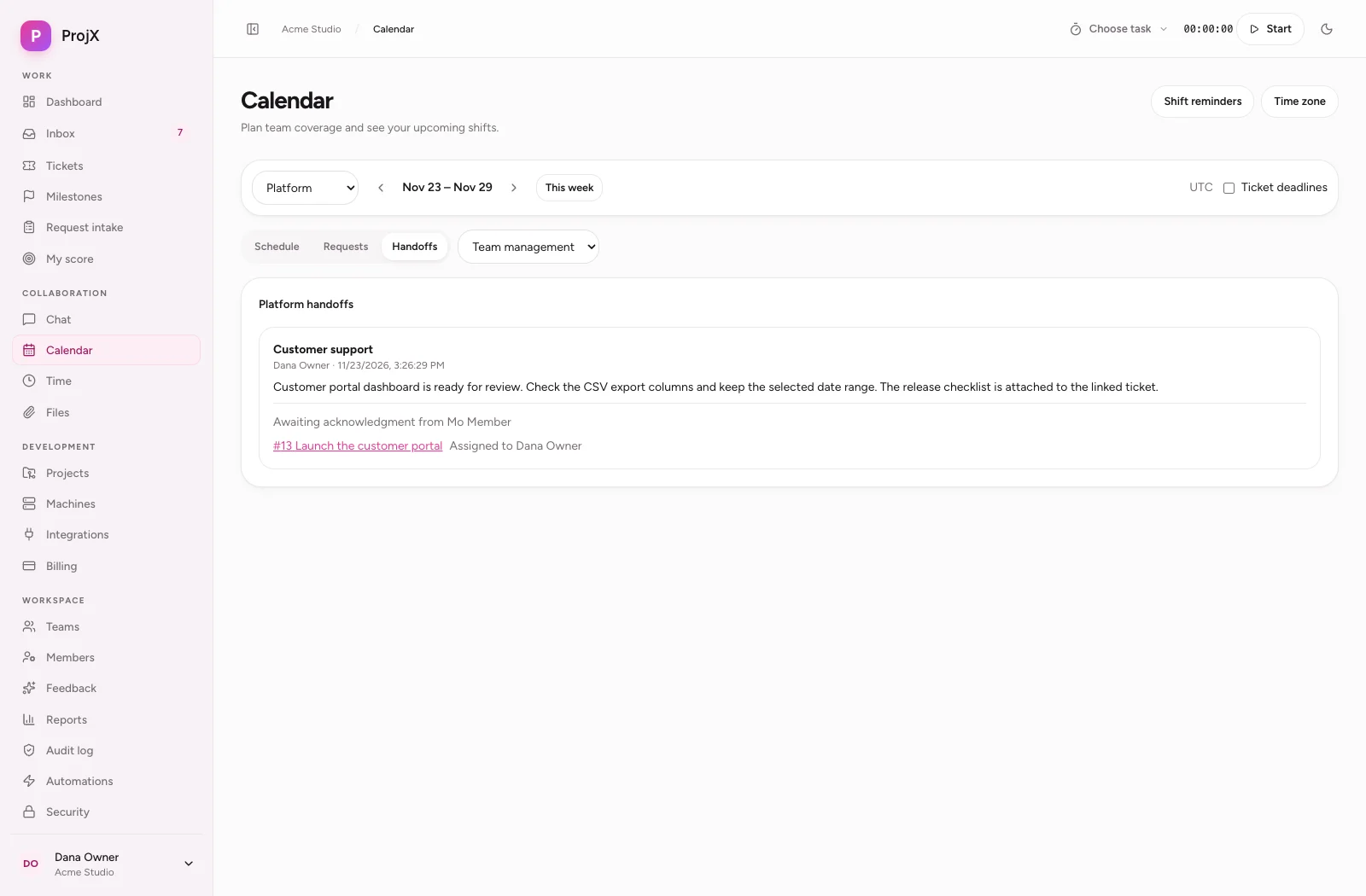
Add a shift handoff with the relevant ticket and next steps. Incoming staff can acknowledge the note instead of rebuilding the context.
Actual screens · Example workspace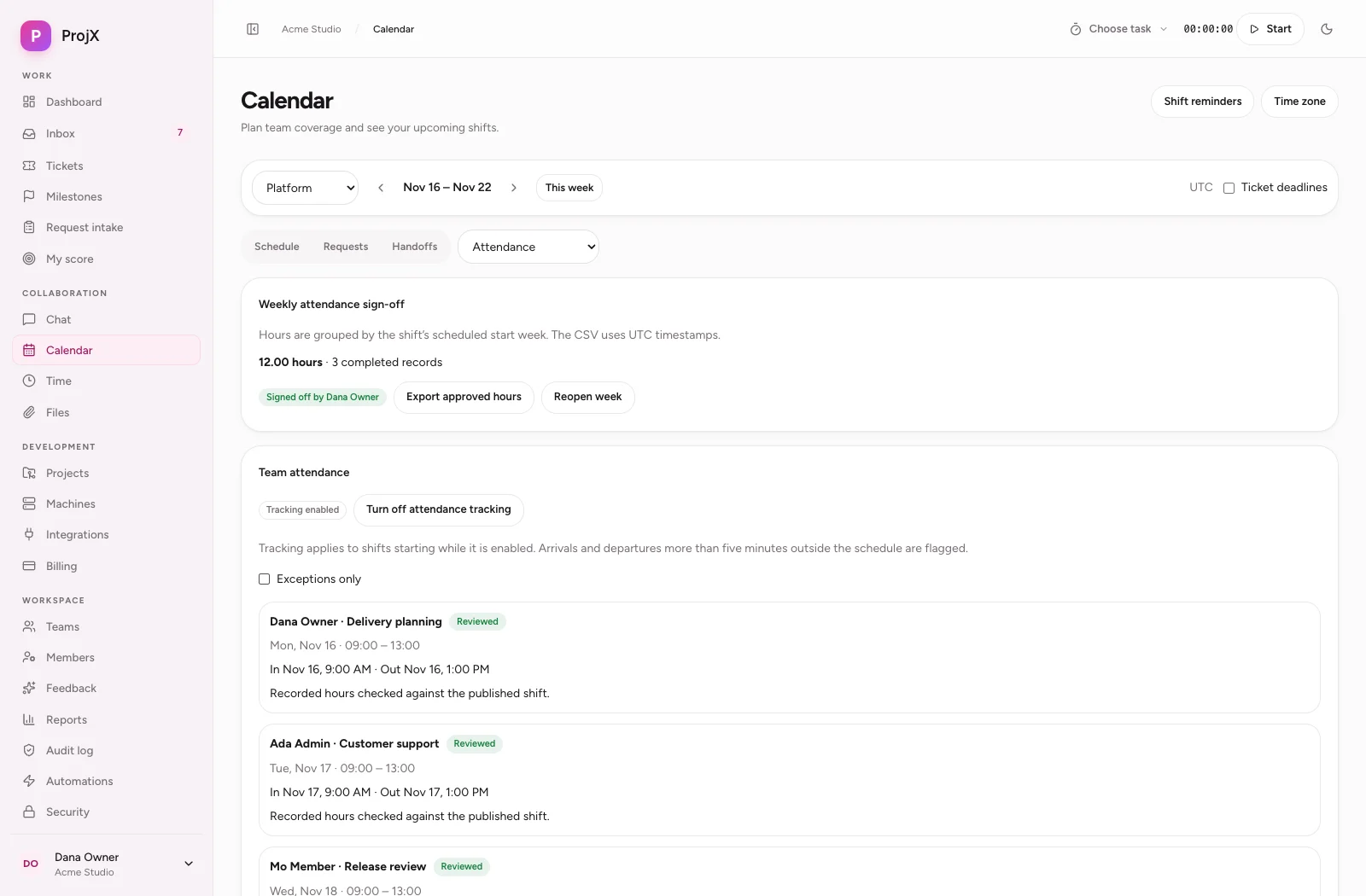
When attendance is enabled, inspect completed records and exceptions. Sign off an ended week and export the approved hours as CSV.
Actual screens · Example workspaceBuilt around the next step
Less coordination to manage. More context when you need it.
Private iCalendar subscriptions let people view their schedule in Google Calendar or Apple Calendar. Mobile users also have a personal agenda.
An on-shift mention in team chat helps route the message to the current staff. Handoff and inbox links keep scheduling connected to daily work.
Coverage shows whether shifts are staffed. Capacity compares staffed time with dated work estimates, helping your team plan commitments more carefully.
Good to know
Yes. Use draft planning, check the rota and publish it when it is ready for the team.
Yes. Availability, leave, shift claims and swaps provide structured request paths. Team permissions and the relevant review flow still apply.
No. Leads can enable attendance check-in, check-out and exception review when that workflow fits the team.
Your next step
Plan coverage, handle changes and hand over work without separating the people from the plan.