Replace the explanation with a working view
A running workspace exposes the configured preview. Review the actual interaction instead of relying on a status message or a cropped screenshot.
Preview environments
Let a teammate see the working result without setting up a local environment. Open a workspace preview, share permitted access and keep the discussion connected to the task.
A running workspace exposes the configured preview. Review the actual interaction instead of relying on a status message or a cropped screenshot.
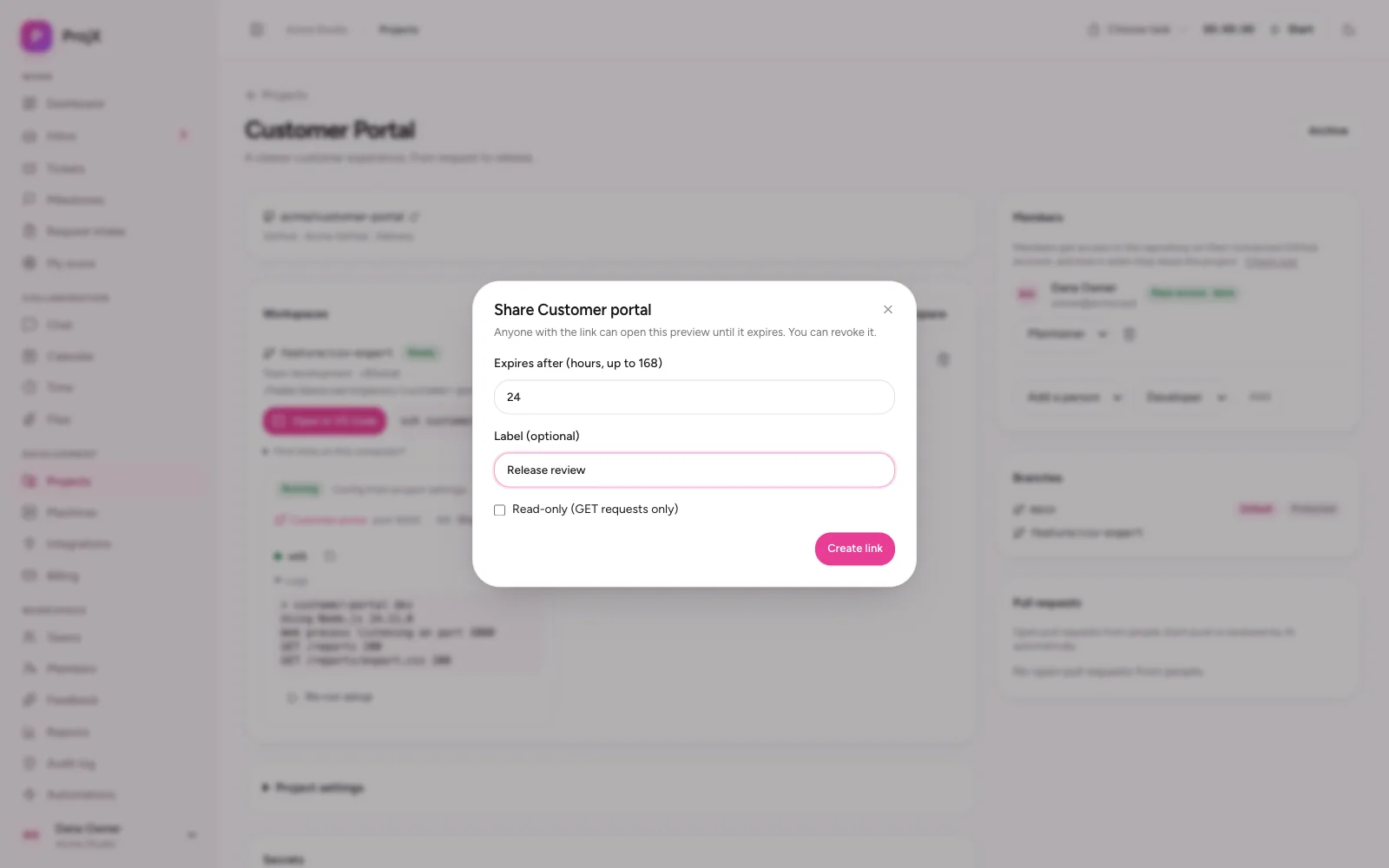
Previews are authenticated by default. Available sharing controls let you create expiring access and revoke links when they are no longer needed.
Process state and logs stay on the workspace. When something fails, the team can inspect the working environment that produced the preview.
See the work move
Follow a real-screen walkthrough with example workspace data. Explore each step at your own pace.
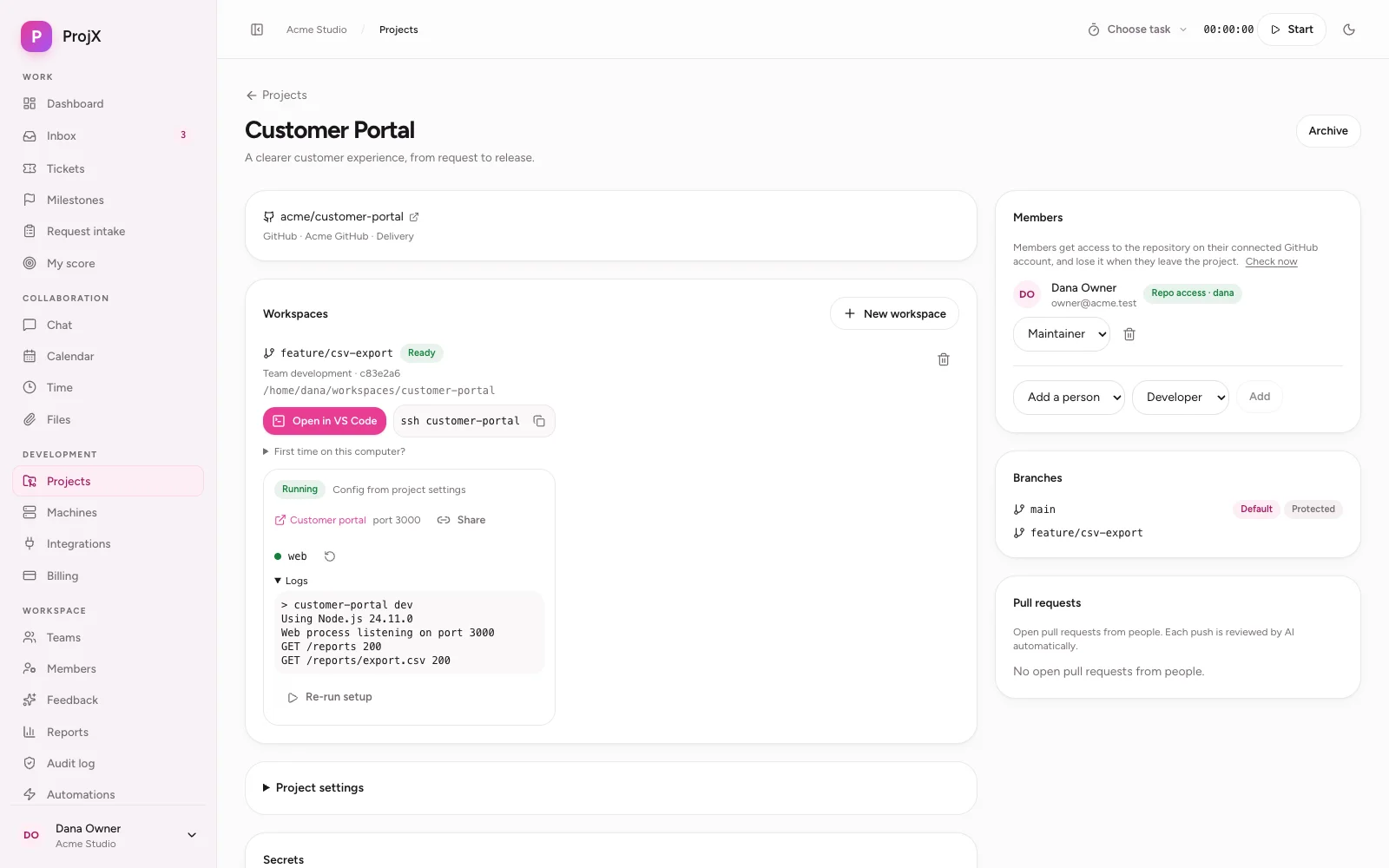
Use the preview next to the workspace process and logs, so you can inspect the app before sharing it.
Actual screens · Example workspaceChoose an expiry, optional label and read-only access before creating a preview share link.
Actual screens · Example workspace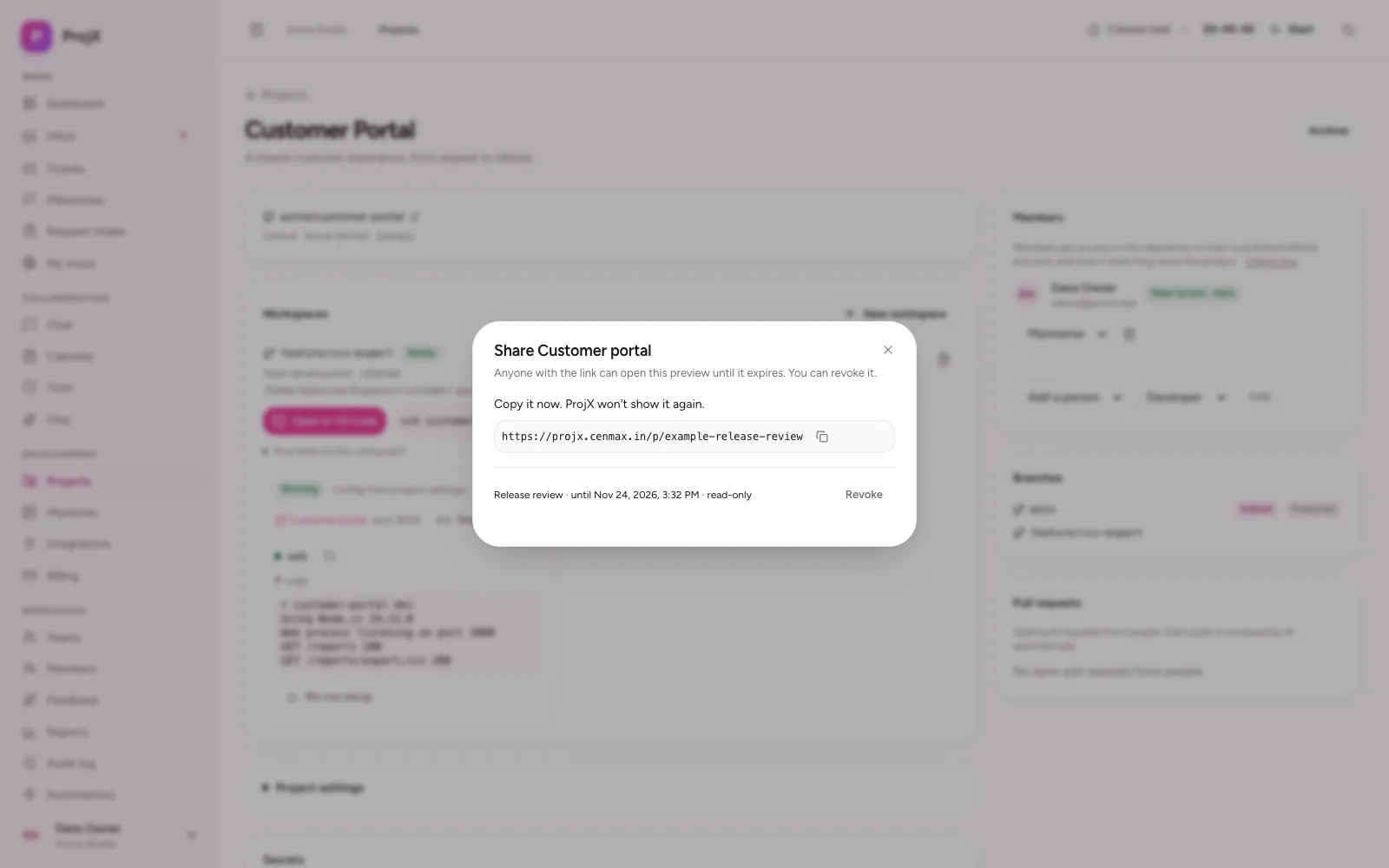
Copy the new link for the reviewer. Active links show their expiry and a control to revoke access.
Actual screens · Example workspace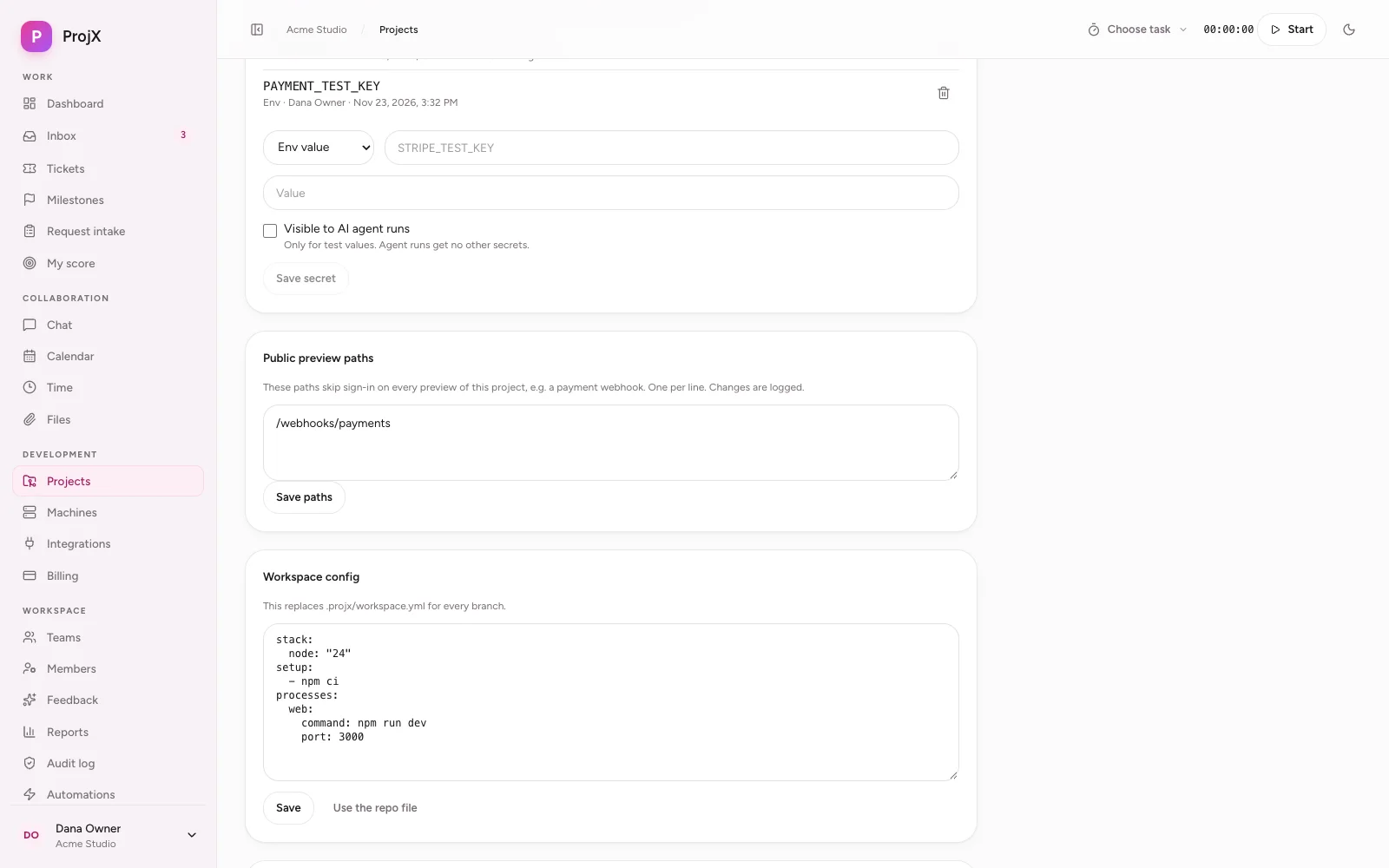
Configure only the project paths that need to skip preview sign-in, such as a test webhook endpoint.
Actual screens · Example workspaceBuilt around the next step
Less coordination to manage. More context when you need it.
Organization and workspace permissions govern normal preview access. Public paths are an explicit capability, rather than the default for a development environment.
Sharing availability and maximum duration depend on the workspace plan. Links can be revoked before their expiry.
Configured preview domains can connect names to development machines. The product also supports its fallback preview-address path when a custom domain is not configured.
Good to know
Not by default. Normal previews require authorized access. Sharing and explicitly public paths depend on the plan and the settings your team chooses.
No. A permitted preview opens the running application in a browser. It is for seeing the result, not for granting repository access.
Yes. Share links have expiry controls and can be revoked. Use the workspace sharing controls when a review is complete or access needs to change.
Your next step
Bring the working change to the conversation with a connected preview.