Record time in the flow of work
The top-bar timer and task picker stay close while you work. You do not need a separate place to remember what the time was for.
Keep the record while the work is fresh
Start a timer from the workspace and keep the time tied to its ticket. Switch tasks when your work changes, then review or correct the record before exporting it.
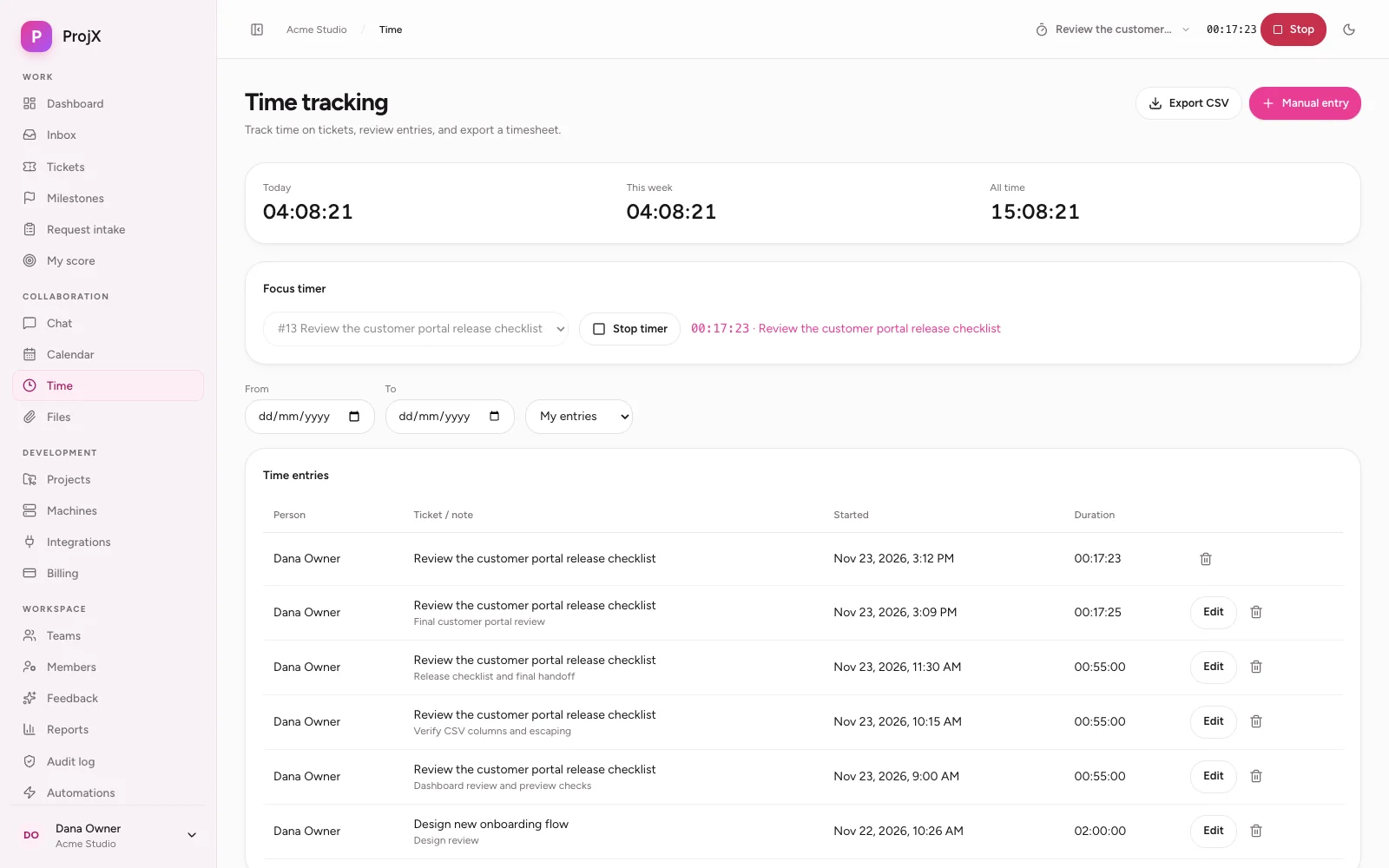
The top-bar timer and task picker stay close while you work. You do not need a separate place to remember what the time was for.
Change the selected task without restarting the timer. Keep a useful connection between the time record and the work you actually moved to.
Add manual entries, edit a mistake or remove an incorrect record. Filter and summarize the entries before downloading a CSV.
See the work move
Follow a real-screen walkthrough with example workspace data. Explore each step at your own pace.
Choose the review ticket and start its focus timer. The live duration and existing entries stay visible on the time page.
Actual screens · Example workspace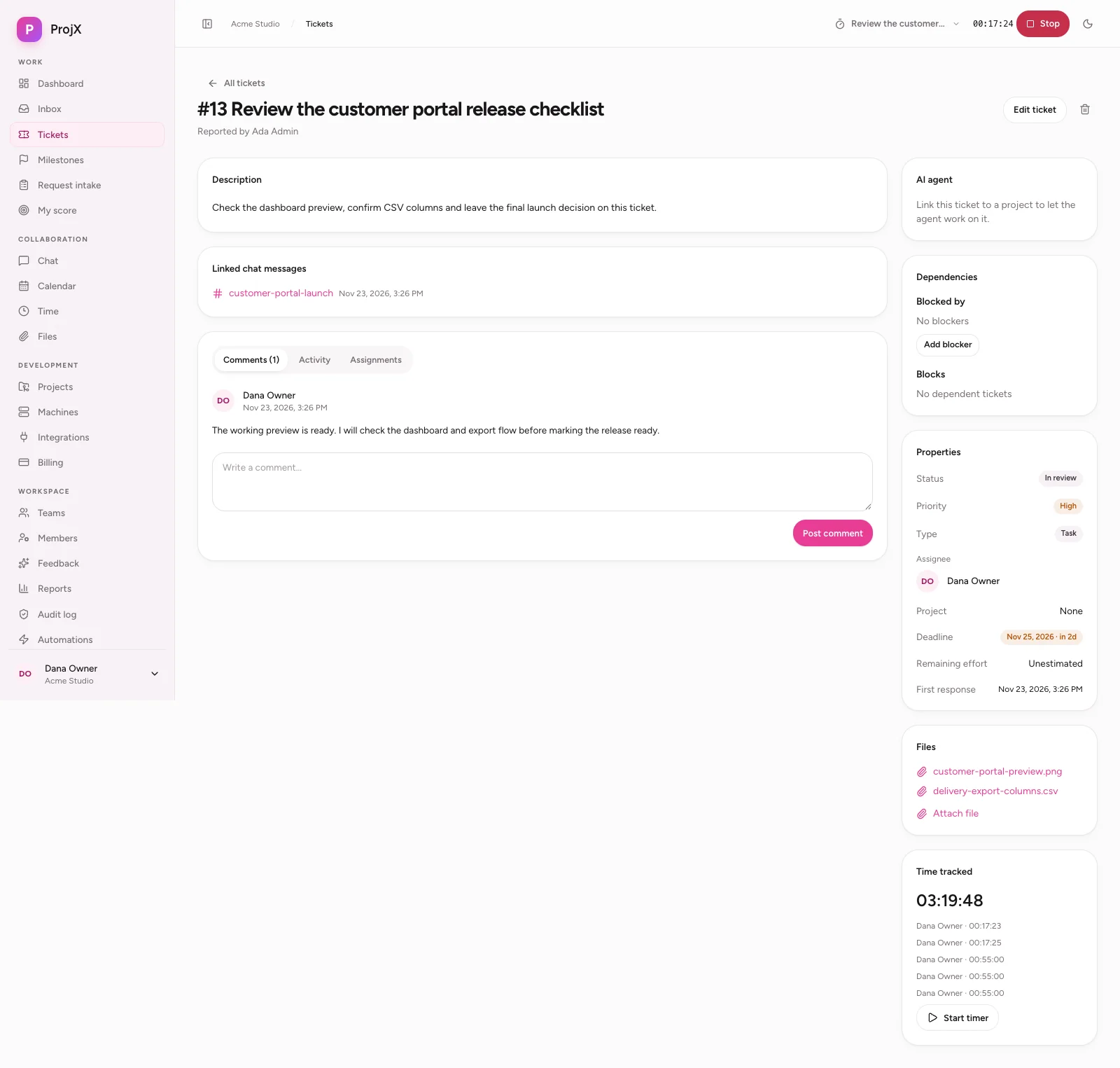
Open the linked task to see its recorded time, alongside the discussion and delivery context. The entry remains attached to the work it describes.
Actual screens · Example workspace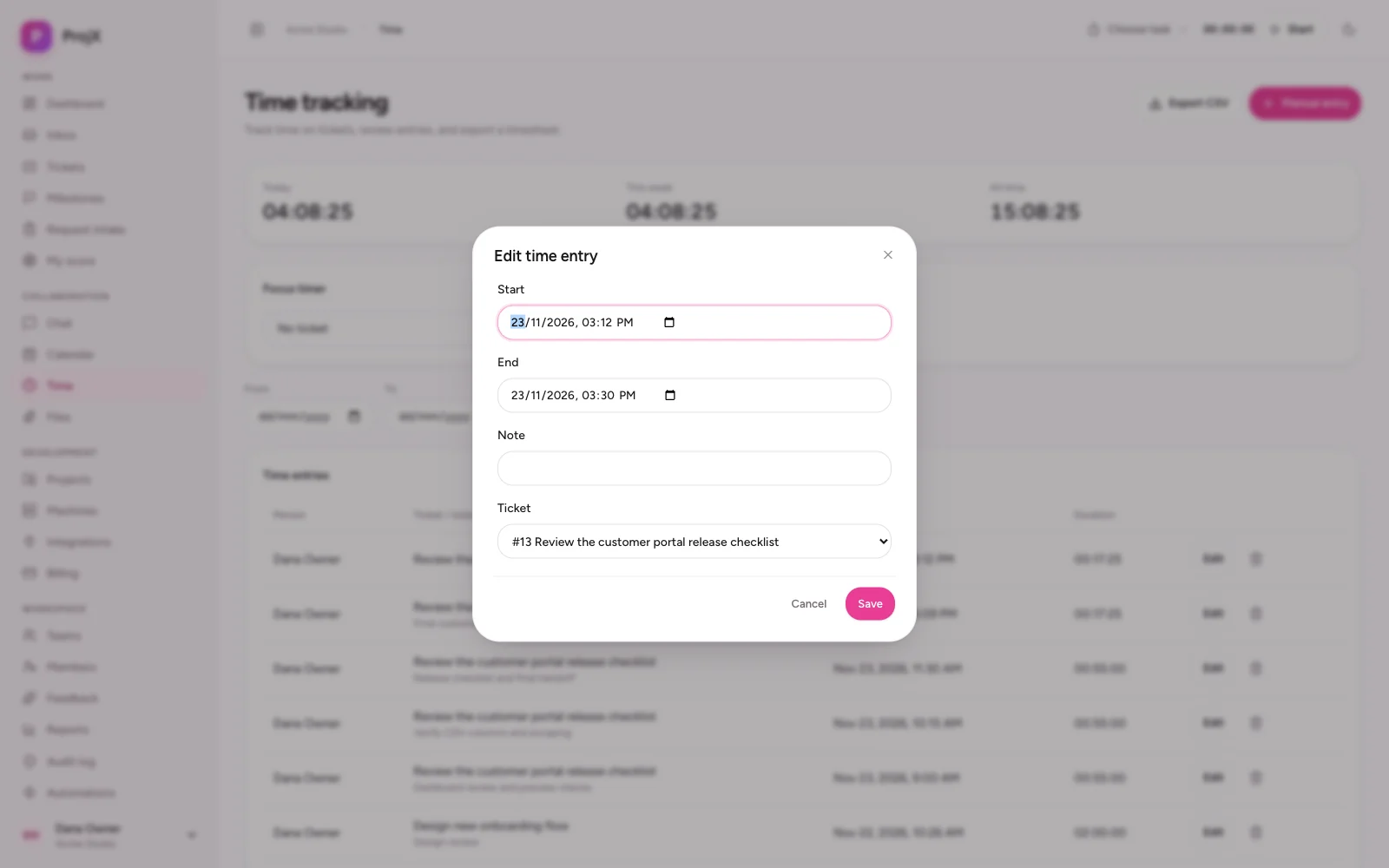
Edit the start, end, note or linked ticket in the time-entry dialog. Keep the record useful before exporting or reviewing the hours.
Actual screens · Example workspaceBuilt around the next step
Less coordination to manage. More context when you need it.
Linked time gives the task more context. You can return to the work behind an entry instead of trying to interpret a separate timesheet description.
Not every task starts with a timer. Add time afterwards and edit entries so the record can reflect what actually happened.
Reports include logged time, but time logged is not part of the contribution score. A running timer alone does not increase that score.
Good to know
Yes. Manual entries let you add time later, and entries can be edited or deleted when you need to correct them.
Yes. Date, person and ticket filters help you select records, with summaries and CSV export for the resulting time data.
No. Logged time appears in reporting, but the contribution score does not use it as a weighted input.
Your next step
Connect the timer, the task and the timesheet in the workspace your team already uses.