Delegate the implementation
In an automatic project, a new ticket starts the agent. Your team can move to the next priority while the agent works through the change.
Cenmax AI agents. Built into projx.
Describe the task. Let integrated Cenmax AI agents write the code, push a commit and handle review. Your project's checks decide which changes can merge automatically.
Your team sets the direction. Cenmax AI handles the implementation.
Keep the selected date and team filters.
Less chasing. More progress.
A small export request is ready. Someone still has to pick it up, find the context, write the change, run checks and follow up on review. Give that implementation work to a Cenmax AI agent, while your team keeps deciding what matters next.
In an automatic project, a new ticket starts the agent. Your team can move to the next priority while the agent works through the change.
projx verifies the pushed code and sends it to a separate AI reviewer. Findings can return to the agent for another pass before the change merges.
The task, discussion, run history and pull request stay connected. Planning, team chat, time and reports live alongside the work.
From ticket to commit
Connect your repository and Cenmax AI, choose an agent machine, then set your project's checks and automatic-run rules. A new member-created ticket can move from implementation to commit, independent verification, review and automatic merge. No developer handoff is needed for a change that completes that path.
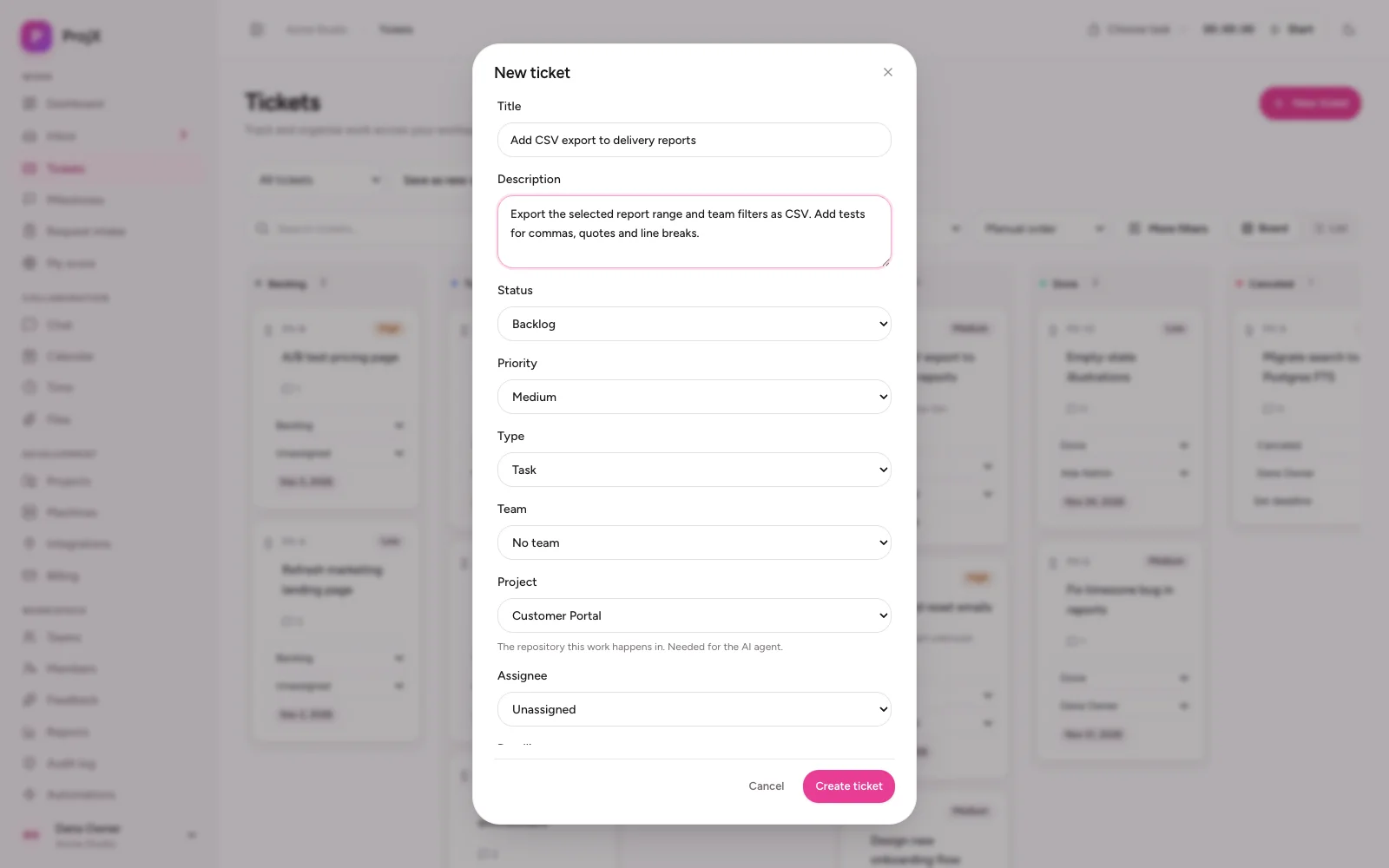
Describe the result you need and connect the ticket to a project with automatic runs enabled.
Actual screens · Example workspace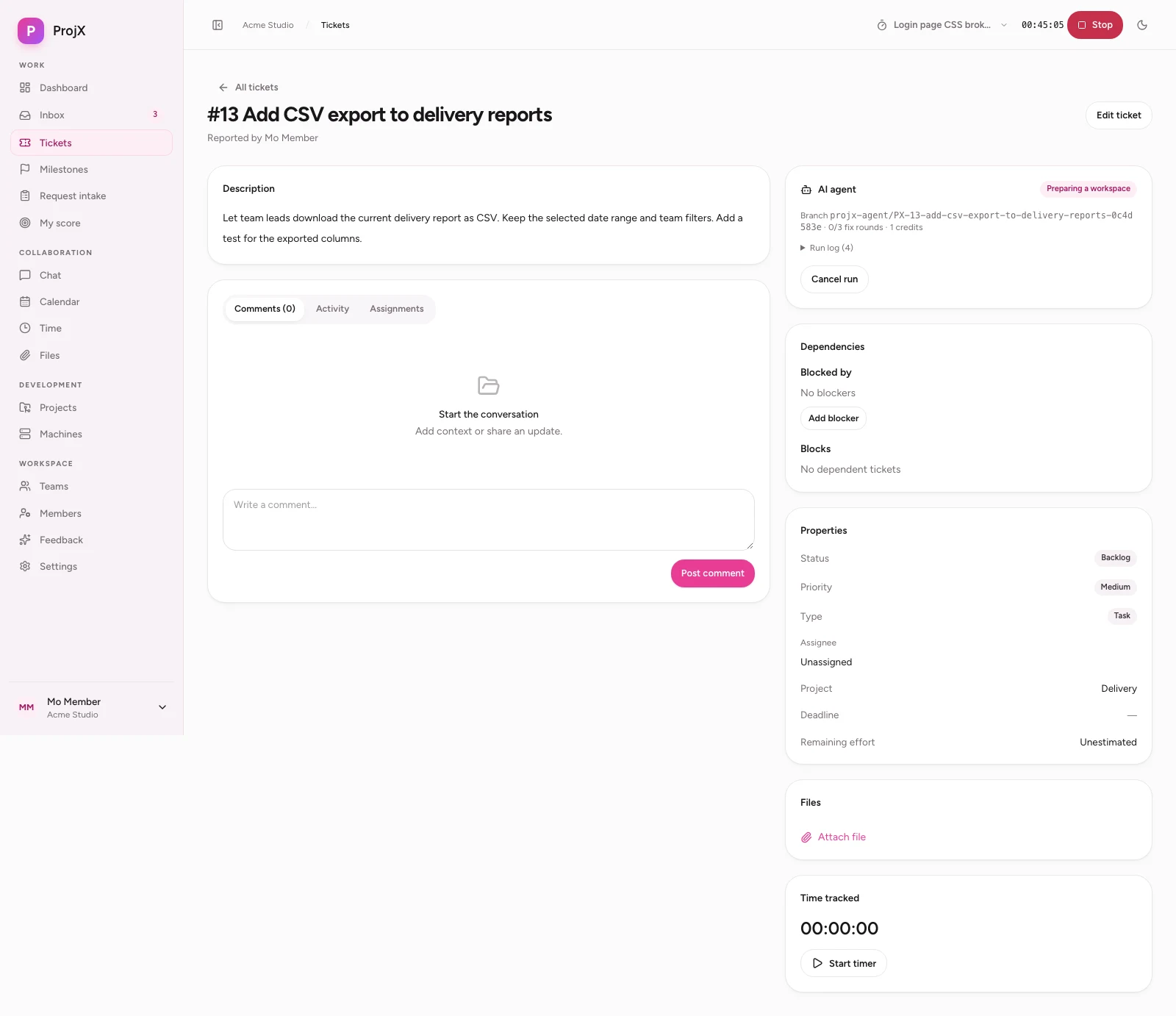
The new task shows its initial agent status beside the brief. The agent can now prepare its workspace and implement the change.
Actual screens · Example workspace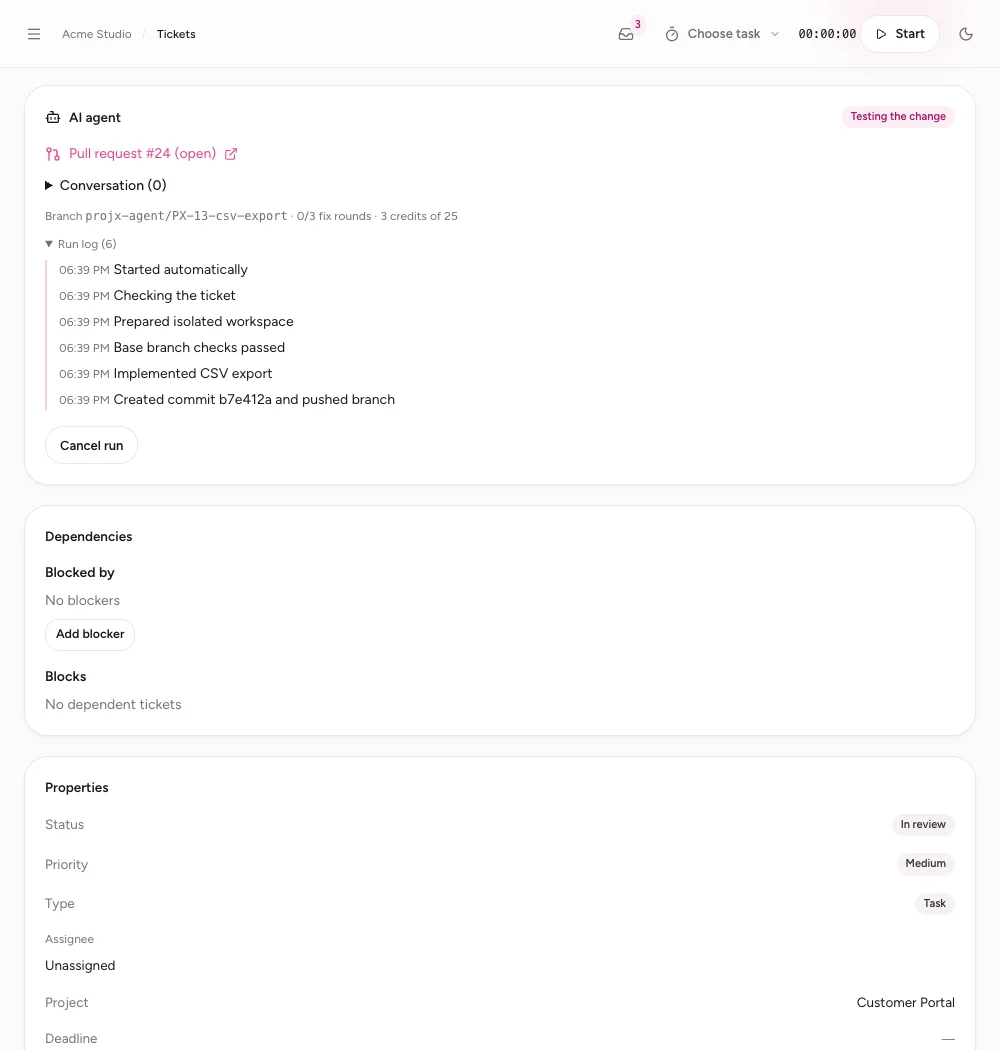
The run log records the implementation and pushed commit. Verification is in progress before the change moves to review and merging.
Actual screens · Example workspace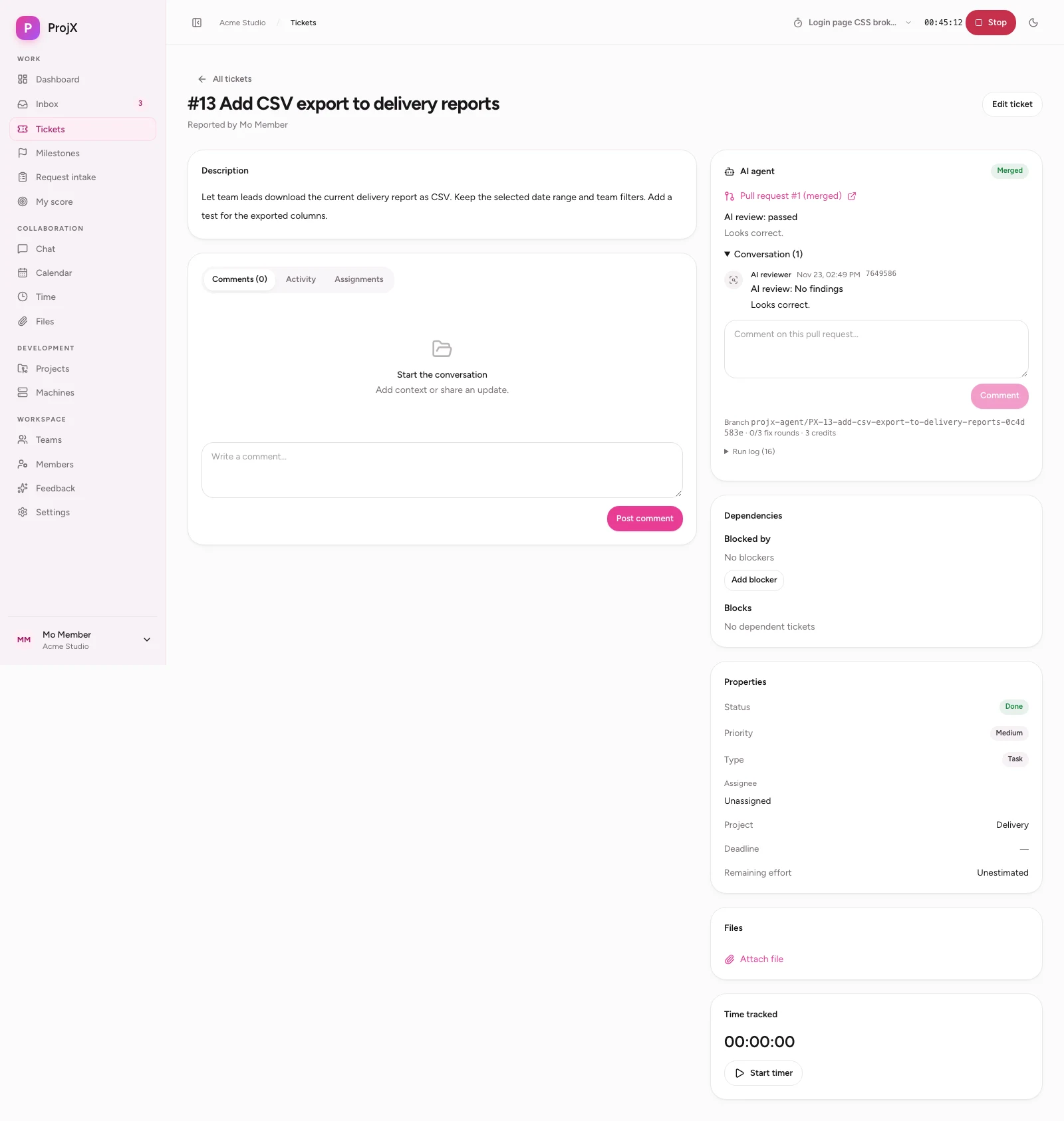
Changes that pass the required checks and project rules can merge automatically, without a developer handoff.
Actual screens · Example workspaceAutomatic runs are opt-in. Project checks and merge rules still apply.
Your own AI client, connected
Connect your coding client to projx, pick up a ticket, work in a repository or remote workspace, and open a pull request. Your AI subscription stays with your client.
projx.cenmax.in/mcpYour AI subscription stays with your client.
The team behind the work
AI implementation is only part of delivery. Plan the work, surface blockers, keep the conversation, and see what is ready next.
Project management
Give every task an owner, deadline and next step. Plan with boards, lists, dependencies and saved views in projx.
Explore tickets & viewsProject management
Link tickets to team milestones, see blockers and review load, and compare remaining work with staffed capacity in projx.
Explore milestones & capacityTeam collaboration
Keep team conversations, threads, mentions, files and ticket links together. Connect external bots through controlled channel access in projx.
Explore team chat & botsTeam collaboration
Plan shifts, publish rotas, manage availability and time off, close coverage gaps and connect handoffs to work in projx.
Explore calendar & coverageProject management
Build trigger, condition and action rules for tickets. Assign work, set deadlines, comment and send chat updates automatically in projx.
Explore workflow automationsProject management
Review delivery, deadlines, response and cycle time, overdue load and contribution score inputs across people and teams in projx.
Explore delivery reportsBuilt for teams that keep moving
Give the people closest to the problem a way to move the work forward.
Delegate clear fixes and improvements to agents. Keep priorities, blockers and decisions visible so your team can focus on the next useful change.
See the workflowTurn a well-defined task into implementation work without assigning every change to a developer. Follow the run and keep control of the merge rules.
See the workflowKeep project members, conversations, workspaces and review in context. Share a working preview instead of rebuilding the explanation in another tool.
See the workflowA few things to know
Here is how the automatic workflow fits your team.
Yes. When a project's agent and automatic runs are enabled, a new ticket filed directly by a workspace member can start a run. The agent prepares its workspace, implements the task, commits and pushes the change. Automatic merge is a separate project setting and still requires the checks, review and merge policy to pass.
The agent handles implementation on the automatic path shown here. Your team defines the task and configures the repository, environment and checks first. Unclear tasks can produce questions, and changes outside the project's rules are handed back for a person to review.
Yes. Leave automatic merging off and a maintainer approves the change. You can also pause agents, cancel a run and choose the files and changes that always need human review.
Yes. Personal AI clients connect to projx through an approved sign-in. They can read and claim tickets, use an allowed repository or remote workspace, and open pull requests. The person's AI subscription and AI sign-in stay with their client.
No. Your people can plan and deliver work with tickets, milestones, request intake, chat, scheduling, time tracking, files and reports. Connected projects, Git repositories and development workspaces support work done by people as well as agents.
Your next step
Build the workflow around your team. Let Cenmax AI take on the implementation.