Find the responsible team
Team pages bring members and open work together. People can see where a task belongs before passing it through another general conversation.
Give shared work a clear home
Bring a team’s people, tickets and conversation into the same workspace. Give people the right role and a clear starting point, so the next handoff does not begin with finding the owner.
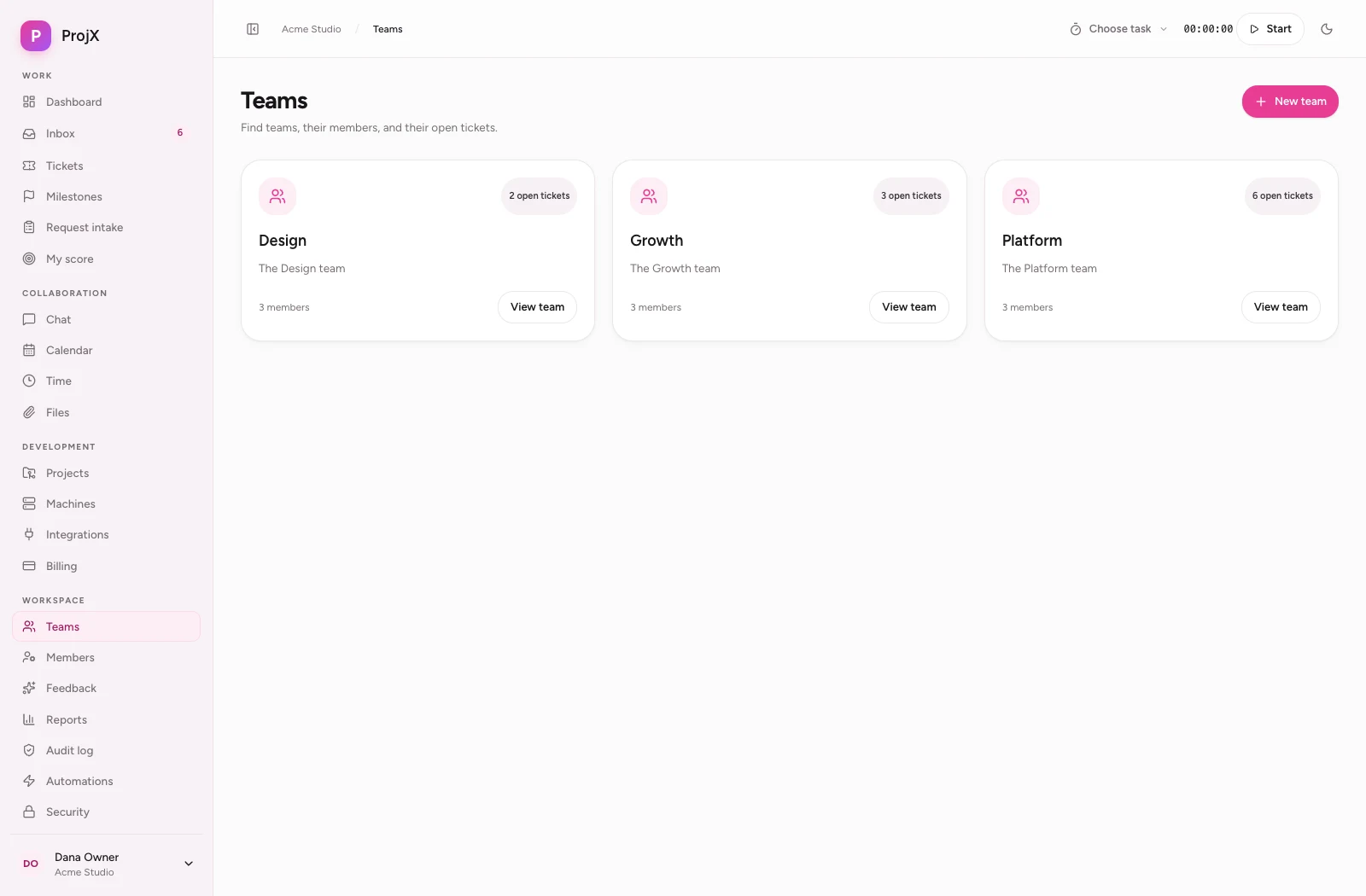
Team pages bring members and open work together. People can see where a task belongs before passing it through another general conversation.
Tickets, team channels, milestones and scheduling share the team context. You can coordinate delivery and coverage without maintaining a separate team directory for each.
Workspace and team roles give owners and leads a way to manage participation. Controls reflect the permissions enforced by the application.
See the work move
Follow a real-screen walkthrough with example workspace data. Explore each step at your own pace.
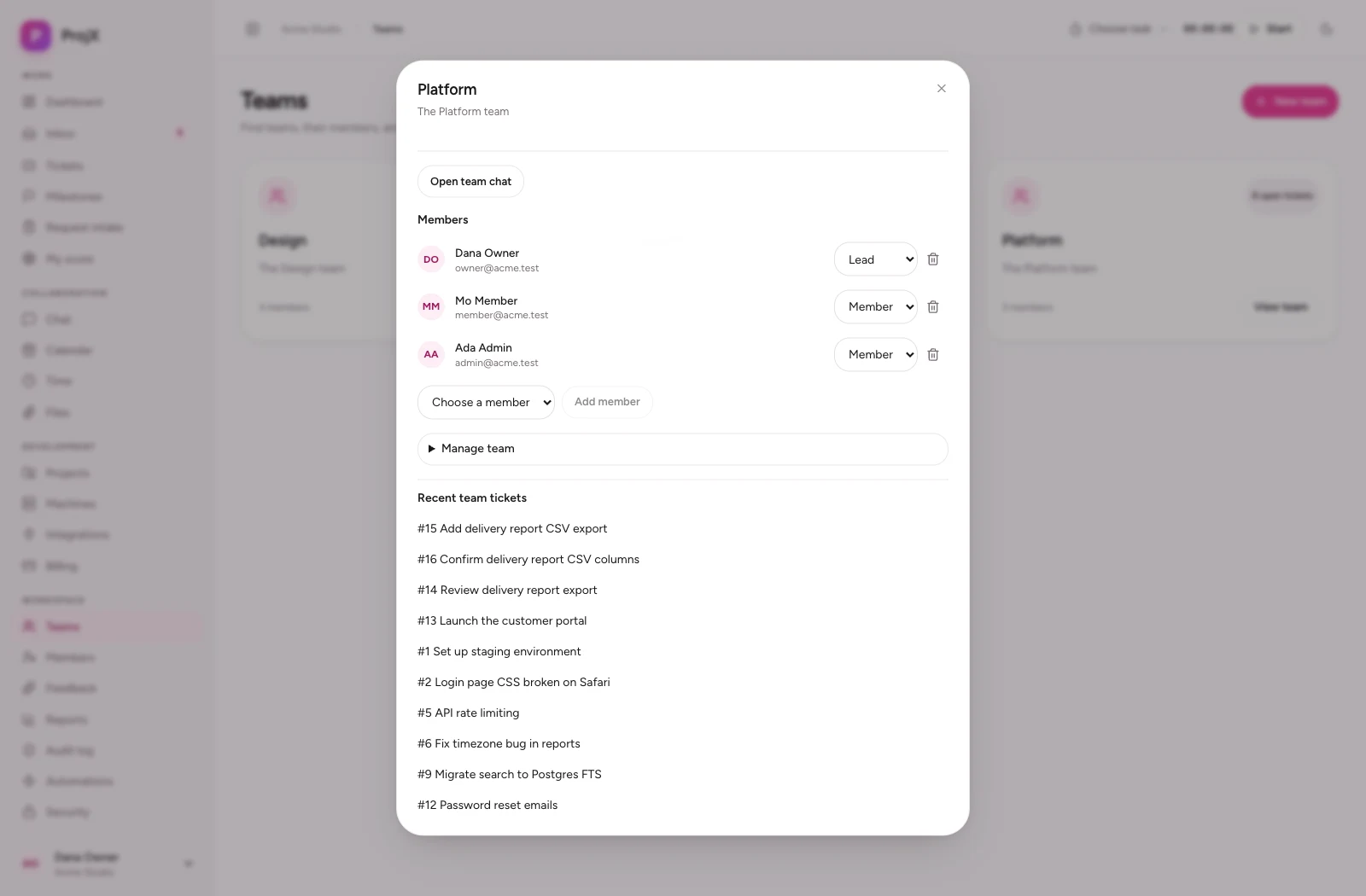
Open the Platform team to review its purpose, members, and team roles. Keep ownership clear for people working elsewhere in the workspace.
Actual screens · Example workspace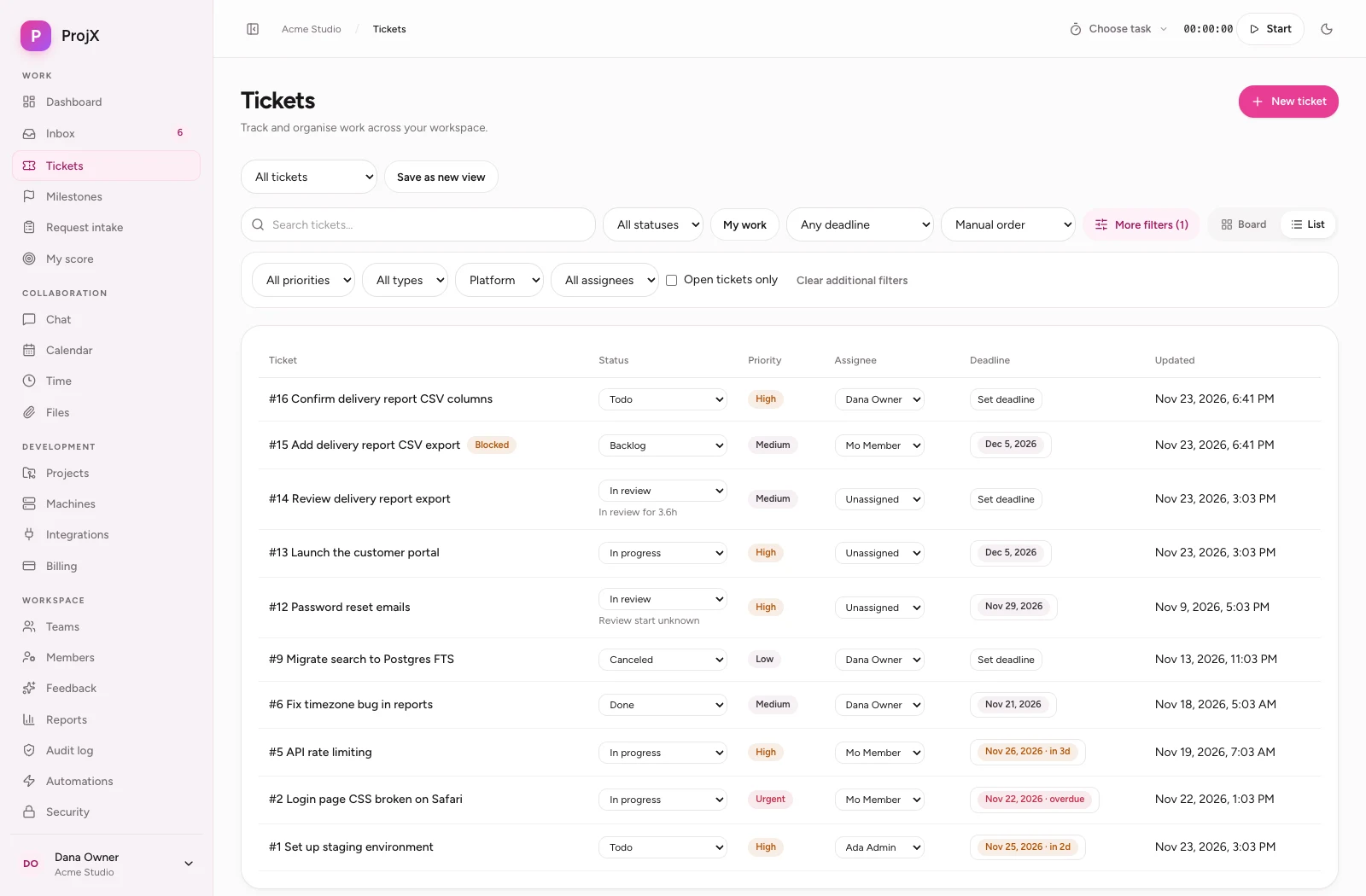
Filter the shared list to Platform. Review the tickets owned by that team with their statuses, priorities, assignees, and deadlines.
Actual screens · Example workspace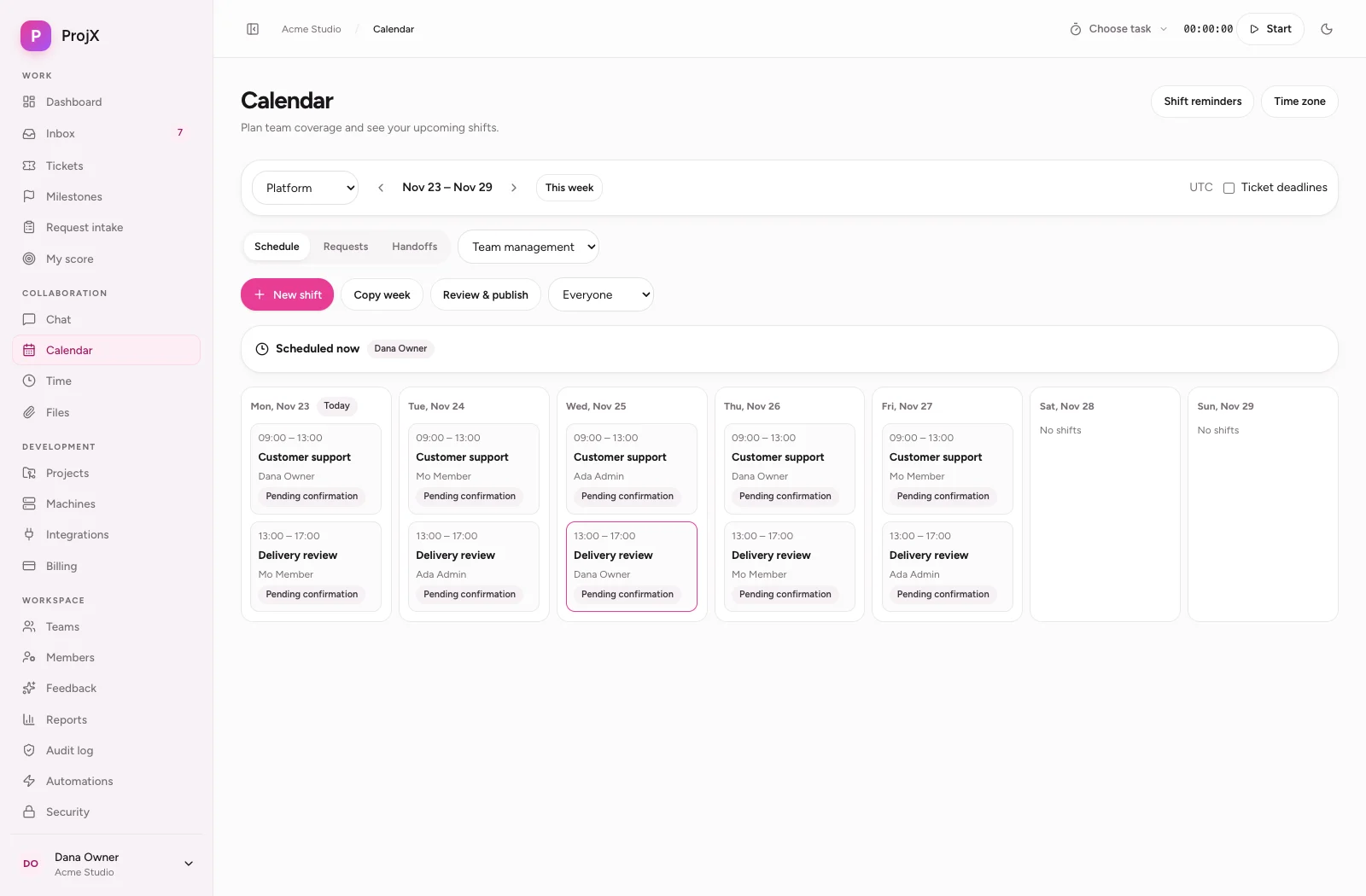
Use the weekly Platform rota to see who is covering support and delivery review. Scheduling keeps the team’s available people visible beside the work.
Actual screens · Example workspaceBuilt around the next step
Less coordination to manage. More context when you need it.
Owners, admins, members and viewers have different permissions. The interface makes relevant controls available according to the person’s role.
Team channels are visible to their members and administrators. The person following a ticket’s chat link still needs access to its channel.
Administrators can manage workspace membership and roles. Keep ownership and access current as the team grows or someone changes responsibility.
Good to know
Yes. Teams let you organize different groups and their work within the workspace.
No. Workspace permissions and team responsibilities work together. Access checks still apply to the action and the underlying item.
Viewers have a read-oriented role. They can follow the work available to them without receiving the same editing permissions as members.
Your next step
Connect the people, their responsibilities and their delivery queue in projx.