Review delivery from the existing record
See completed work, on-time performance and overdue load across the workspace. You do not have to assemble those signals from separate status messages.
Use the work you already record
You already record tickets, deadlines and work activity. Bring those records into delivery reports that help you see progress, overdue load and the people carrying the work.
See completed work, on-time performance and overdue load across the workspace. You do not have to assemble those signals from separate status messages.
Response and cycle time add context to throughput. Team and person views help you find where the work needs a closer conversation.
See the inputs and calculation rather than a number without an explanation. Members can open their own score and inspect the figures behind it.
See the work move
Follow a real-screen walkthrough with example workspace data. Explore each step at your own pace.
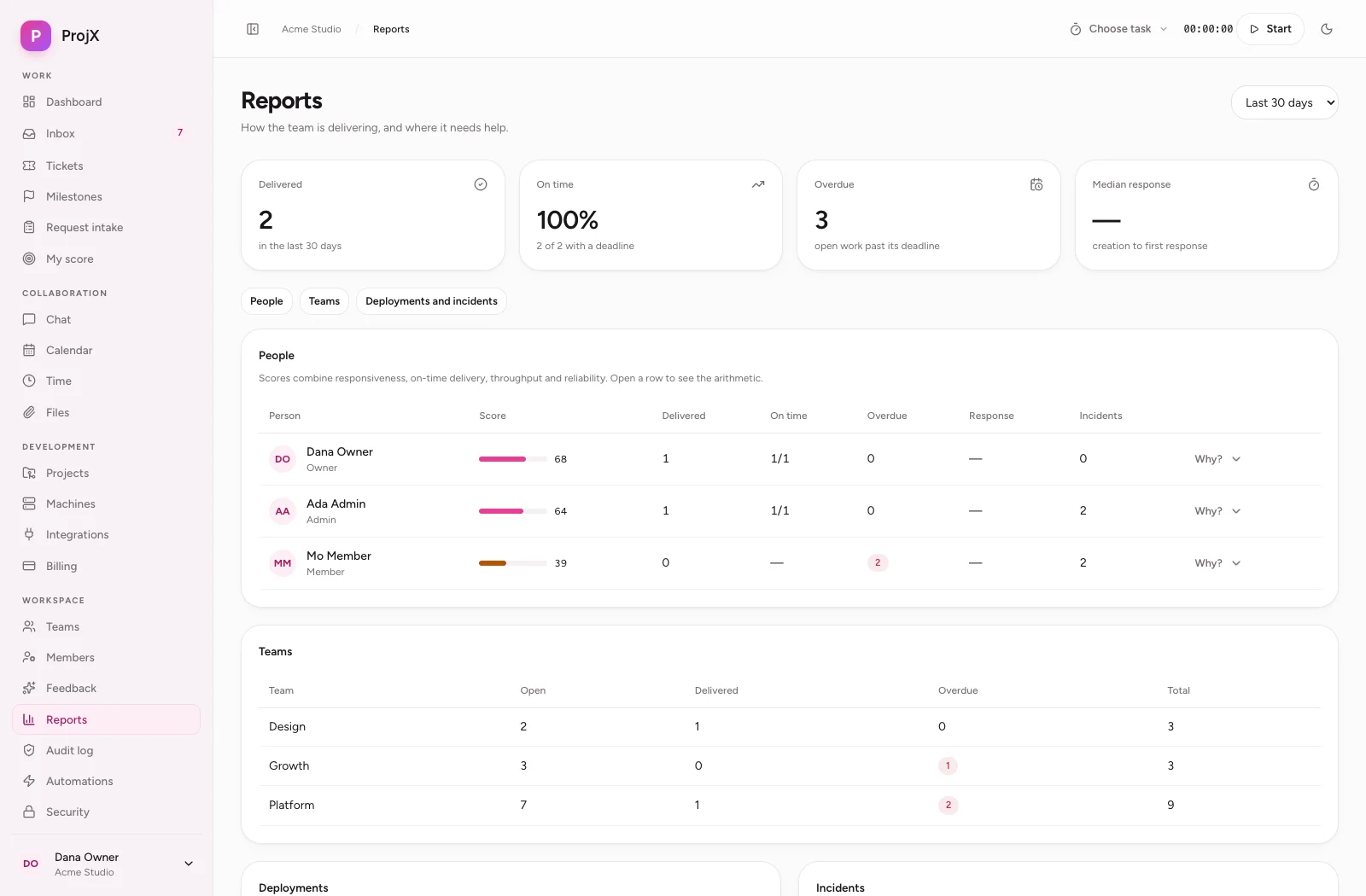
Owners and admins choose a reporting period and review delivery, deadlines, and overdue load. Start with the work recorded during that window.
Actual screens · Example workspace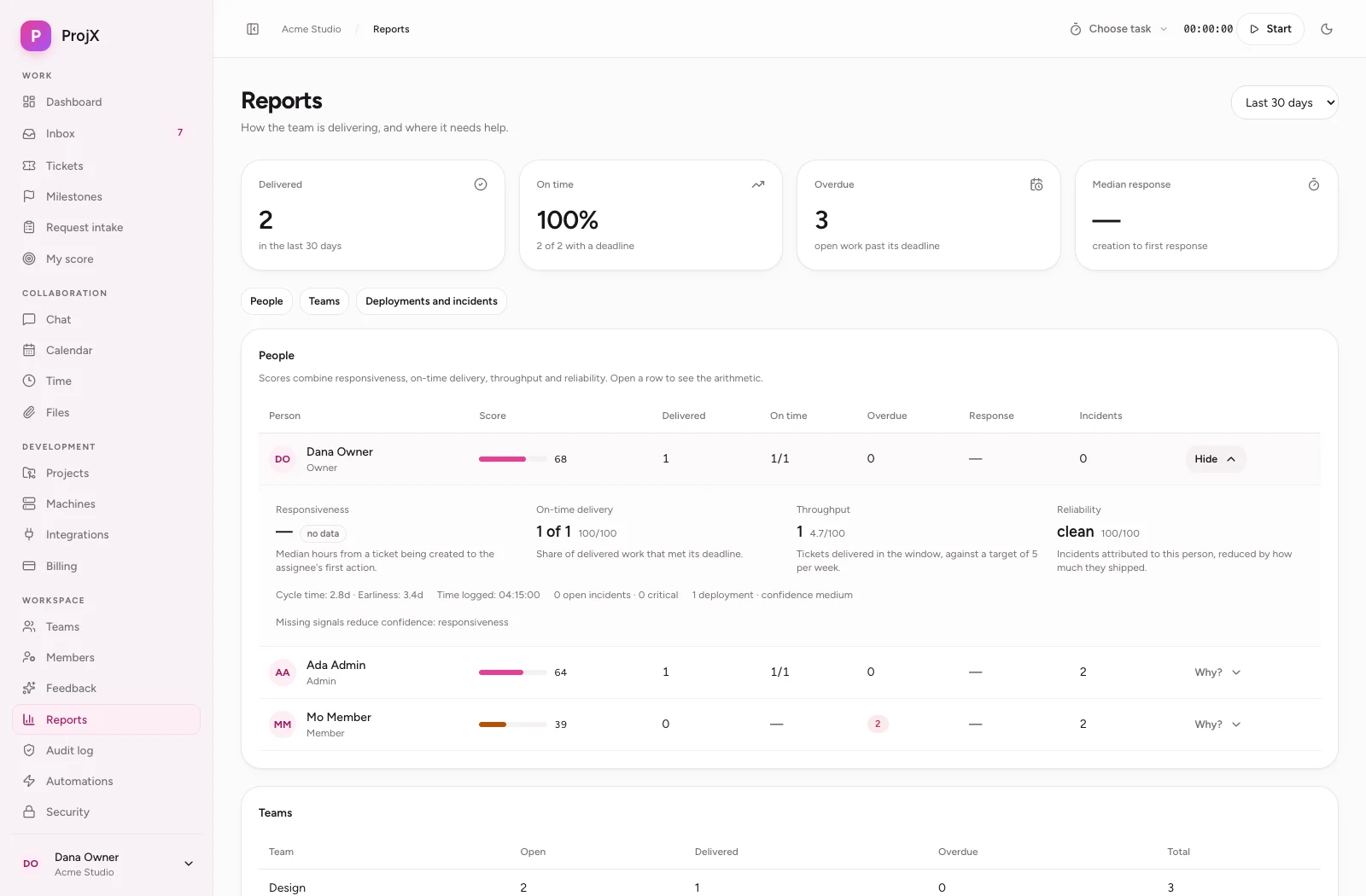
Expand a person’s report to see the recorded measures and score arithmetic. Review response, on-time delivery, throughput, and reliability in context.
Actual screens · Example workspace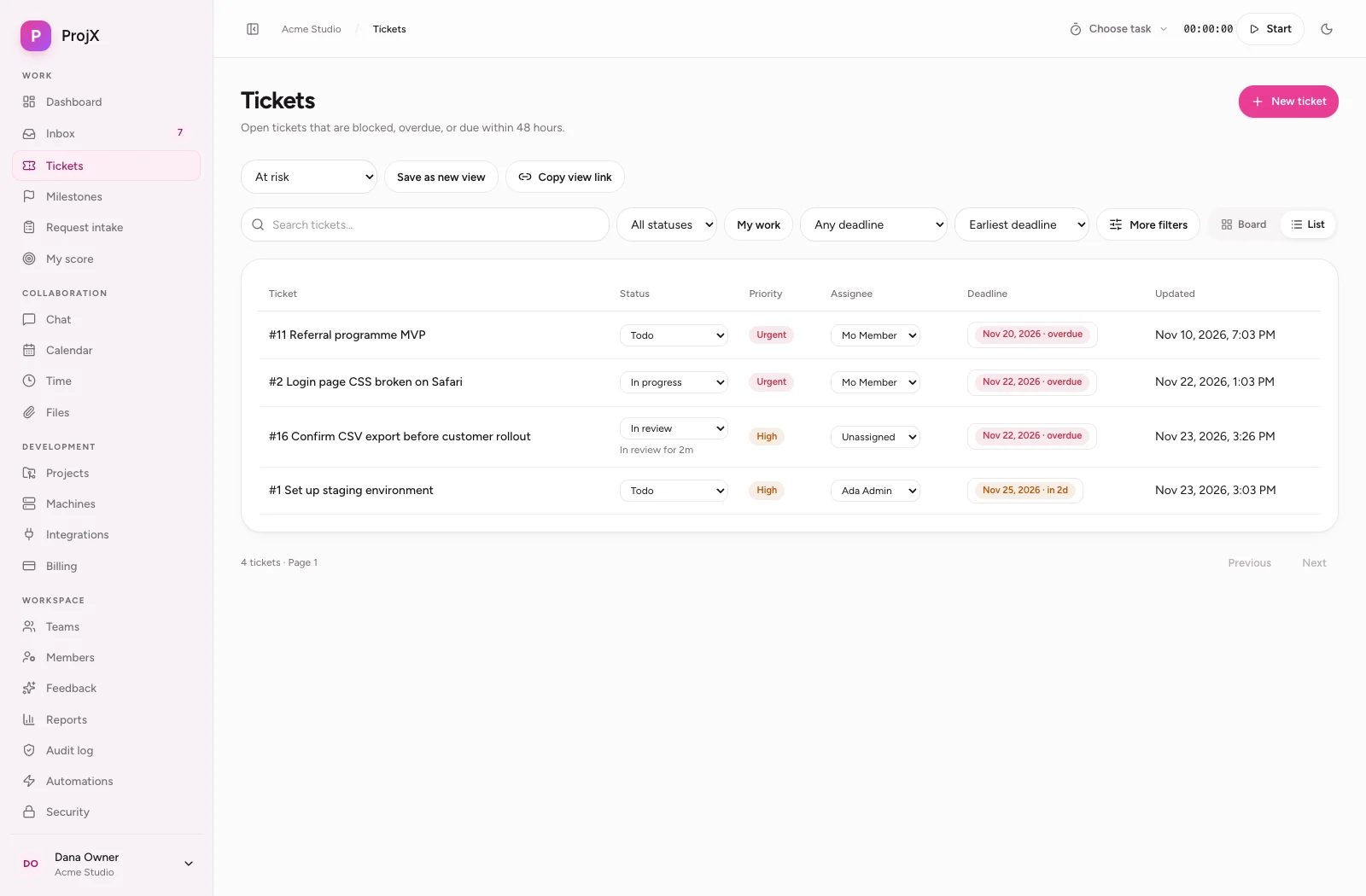
Move from the reporting picture to the at-risk ticket queue. Review blocked, overdue, and approaching-deadline work, then give the next action an owner.
Actual screens · Example workspaceBuilt around the next step
Less coordination to manage. More context when you need it.
The contribution score uses responsiveness, on-time delivery, throughput and reliability signals. The interface explains the components and the confidence of the available data.
A signal without supporting data is excluded from the blend. If no deadlines were recorded, the report does not invent a poor on-time result.
Logged hours are available for context but do not increase the contribution score. Deployment and incident records also have their own visible reporting role.
Good to know
Owners and admins have the workspace reports. Members can inspect their own figures through My score, rather than reading another person’s score.
No. It uses recorded and attributed incident information. It does not prove a cause or replace a review of the underlying work.
Reports are calculated from the application’s current records. Correcting the data updates the resulting report rather than preserving a separate stored score.
Your next step
Start with the recorded work, understand the signals and decide what your team needs next.